ToroBT

Q: How to remove Shuffle All on app Music iOS9?

I get this problem and i dont know how to start to slove, is anoying i can´t remove Shuffle All in the app Music from mi iPhone with iOS 9.2


please some help would we nice!


regards in advance.

Federico

iPhone 5s, iOS 9.2

Posted on Jan 18, 2016 7:42 AM

Close

Q: How to remove Shuffle All on app Music iOS9?

  • All replies
  • Helpful answers

  • by sterling r,

    sterling r sterling r Jan 19, 2016 11:03 AM in response to ToroBT
    Community Specialists
    Jan 19, 2016 11:03 AM in response to ToroBT

    Hi there ToroBT,


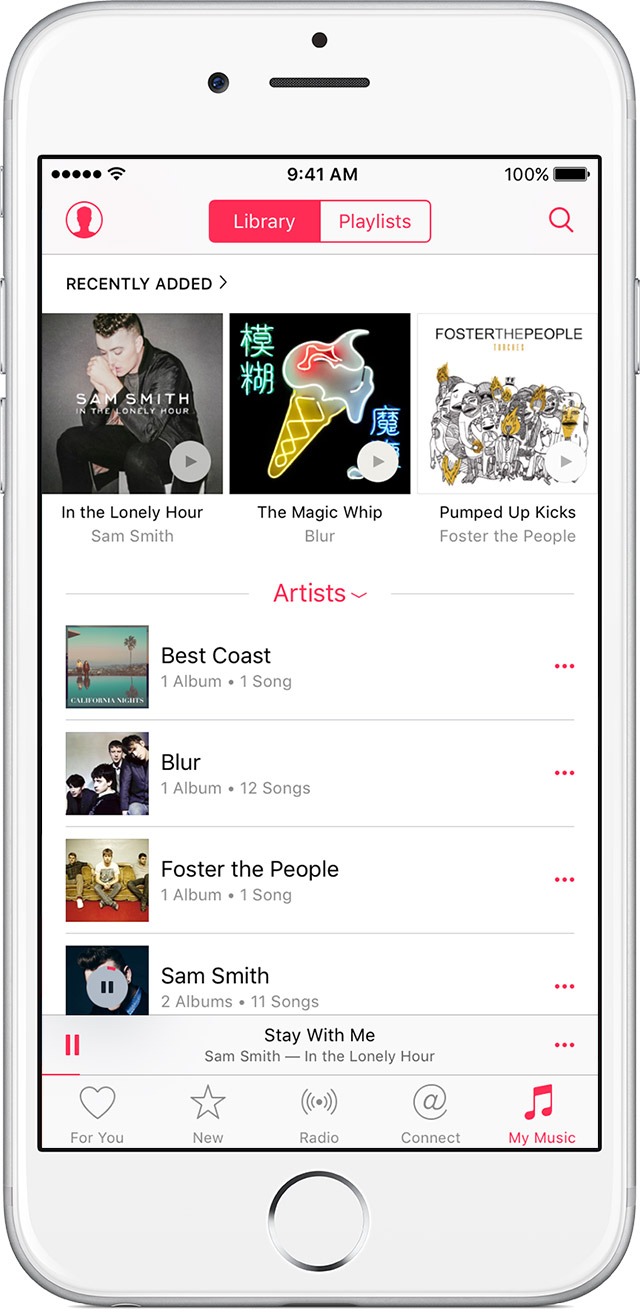
    It sounds like you have Shuffle enabled and you need to turn it off. To get there, tap the mini player depicted here above the For You, New, Radio, Connect, and Music buttons:


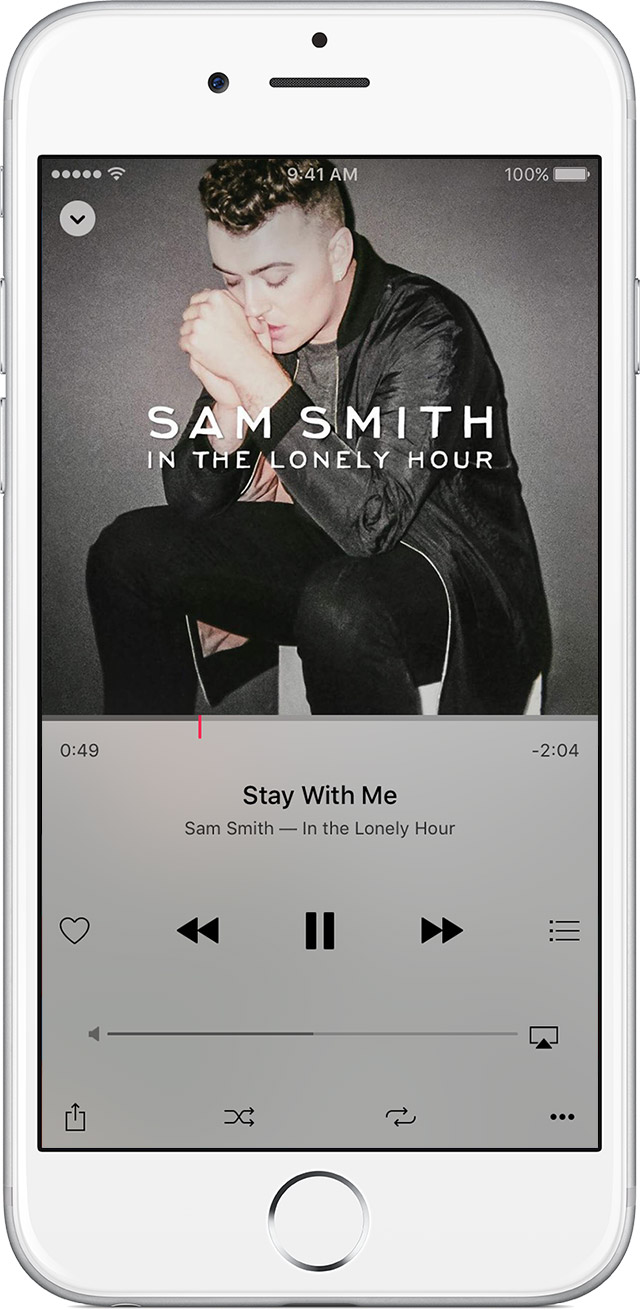
    Then tap the Shuffle button twice to turn it off:


    Tap   at the bottom of the Now Playing screen to shuffle the songs in a playlist or album. You can also ask Siri to shuffle your music.


    This information comes from Using the new Music app - Apple Support.

    Thank you for using Apple Support Communities, take care!