Hello skye-C,
Thank you for using Apple Support Communities.
I understand that you removed a couple of apps (GarageBand and Photoshop) from the Launchpad and you would now like to get them back. It sounds like you might have inadvertently deleted them. But, you can easily add them back, see this section from the following article:
When you purchase an app from the Mac App Store, it automatically appears in launchpad.
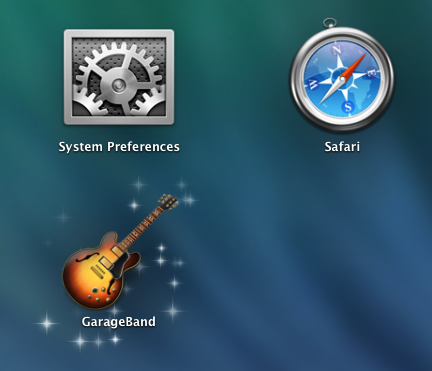
If you later want to uninstall an app that you purchased, you can remove it from your Mac using Launchpad.
-
First, click and hold your pointer on an icon in Launchpad until all of the icons on your screen start to wiggle. Or, press the Option key on your keyboard.
- Click the remove button (X) in the upper left of the icon of the app you want to remove.
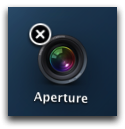
Note: If there is no "X" icon, the app wasn't installed from the Mac App Store, or the app is included as part of OS X. Check the documentation that came with the app for more information.
- Click Delete to confirm you want to remove the app.
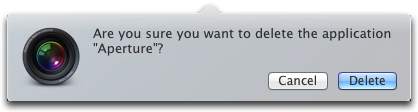
Tip:You can use the Mac App Store to install the app again if you want it back.
Mac Basics: Launchpad is the fast way to find and open your apps
And if you need information on how to download a previously purchased app:
Download your past purchases
Best regards.



