How to restore a program in Launchpad

I wanted to organize the launchpad and while doing so two programs vanished from the launchpad. (Photoshop and GarageBand)


While I was moving the icon instead of moving there came up a message like load program and the icon vanished. The program didn't start, so I have no idea what this message means.


How can I restore the icon in the launchpad?


Thanks for your help.

iMac, OS X El Capitan (10.11.2)

Posted on Jan 19, 2016 12:57 AM

Reply
4 replies

Jan 20, 2016 8:58 AM in response to skye-C

Hello skye-C,


Thank you for using Apple Support Communities.


I understand that you removed a couple of apps (GarageBand and Photoshop) from the Launchpad and you would now like to get them back. It sounds like you might have inadvertently deleted them. But, you can easily add them back, see this section from the following article:

Launchpad and Mac App Store

When you purchase an app from the Mac App Store, it automatically appears in launchpad.
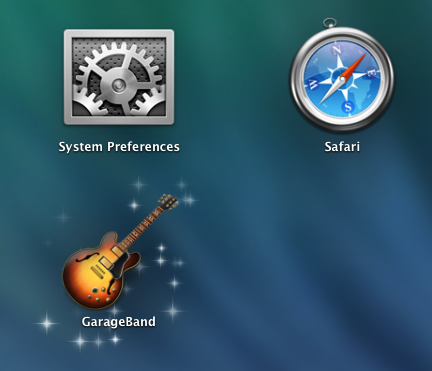
User uploaded file

If you later want to uninstall an app that you purchased, you can remove it from your Mac using Launchpad.

  1. First, click and hold your pointer on an icon in Launchpad until all of the icons on your screen start to wiggle. Or, press the Option key on your keyboard.

  2. Click the remove button (X) in the upper left of the icon of the app you want to remove.
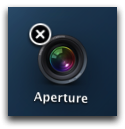
    User uploaded file
    Note: If there is no "X" icon, the app wasn't installed from the Mac App Store, or the app is included as part of OS X. Check the documentation that came with the app for more information.
  3. Click Delete to confirm you want to remove the app.
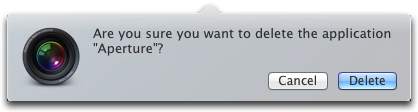
User uploaded file
Tip:You can use the Mac App Store to install the app again if you want it back.

Mac Basics: Launchpad is the fast way to find and open your apps


And if you need information on how to download a previously purchased app:

Download your past purchases


Best regards.

Jan 21, 2016 5:05 AM in response to jeffd55

Thanks jeffd55 for taking the time to give me the link to this page!


I already saw that but it dosen't solve my problem. The programs are still "sitting" in the program folder. I did not purchased any of them through apple store. Unfortunately this didn't helped me.


In another post it says that it will be automatically show up in the launchpad if it is in the program folder. But if this is the truth why it disappears from the launchpad by trying to move the icons from one site to another?


As long as I still can start the program over the program folder it's no problem but it would be nice to have it back in the launchpad. Maybe somebody had the same problem and can help, maybe an Apple staff member?

Jan 21, 2016 10:03 AM in response to Eau Rouge

I did check as you mentioned even I already checked that before and as I wrote above that both program are still in the program folder. But when I went back to the launchpad I saw garageband is back there. There was an update today for OS X El Capitan and I think that is why it is back in the launchpad as it also did change all my organization.


However Photoshop CS 6 is still not back in the launchpad.

This thread has been closed by the system or the community team. You may vote for any posts you find helpful, or search the Community for additional answers.

How to restore a program in Launchpad

Welcome to Apple Support Community
A forum where Apple customers help each other with their products. Get started with your Apple Account.

