My iPad appears to be frozen while downloading iOS 9.2.1 (I was running 8.1.2). It still says, "Estimating time remaining..." and has for about an hour.
ANSWER IN ENGLISH:
iPad 2 Wi-Fi, iOS 8.1.2
ANSWER IN ENGLISH:
iPad 2 Wi-Fi, iOS 8.1.2
Hi bcress,
Thank you for contributing to the Apple Support Communities.
If your iPad doesn't download the iOS 9 update wirelessly, you can update it using iTunes on a computer.
Update the iOS software on your iPhone, iPad, or iPod touch
Update your device using iTunes
If you can’t update wirelessly, you can update with iTunes. If your computer uses the Personal Hotspot on the iOS device that you’re updating, connect your computer to a different network.
- Install the latest version of iTunes on your computer.
- Connect your device to your computer.
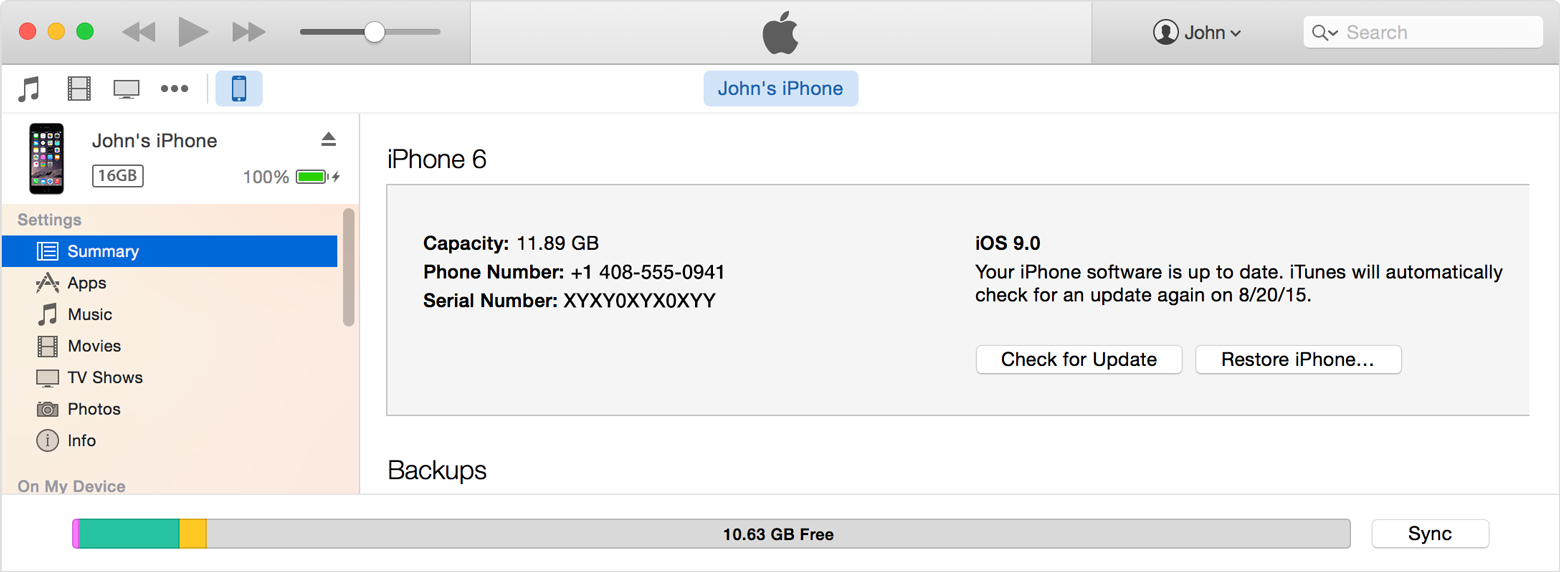
- Open iTunes and select your device.
- Click Summary, then click Check for Update.
- Click Download and Update.
If you see error messages in iTunes or need more space to update
Get help when you see error messages while updating your device with iTunes. Or if you need more space for an update, you can delete content from your device manually.
Best Regards.
My iPad appears to be frozen while downloading iOS 9.2.1 (I was running 8.1.2). It still says, "Estimating time remaining..." and has for about an hour.