security questions
Hi i forgot the answers to your Apple ID security questions and i can't reset your security questions
please help me
apple id
Hi i forgot the answers to your Apple ID security questions and i can't reset your security questions
please help me
apple id
See this support document: If you forgot the answers to your Apple ID security questions - Apple Support
First try to reset the security questions using your rescue email address. If that does not work, contact Apple Support for help.
If you don't have a verified rescue email, you need to call Apple Support. Only they will be able to help you. Apple needs to verify your identity and reset the questions for you. Find the contact information for your country on this page: https://support.apple.com/en-us/HT204169
Use the steps below to see if you can reset your security questions using your rescue email address. If you don't have a rescue email address on file with your Apple ID, contact Apple Support.
Reset your security questions
- Sign in to your Apple ID account page.
- In the Security section, click Change Questions.
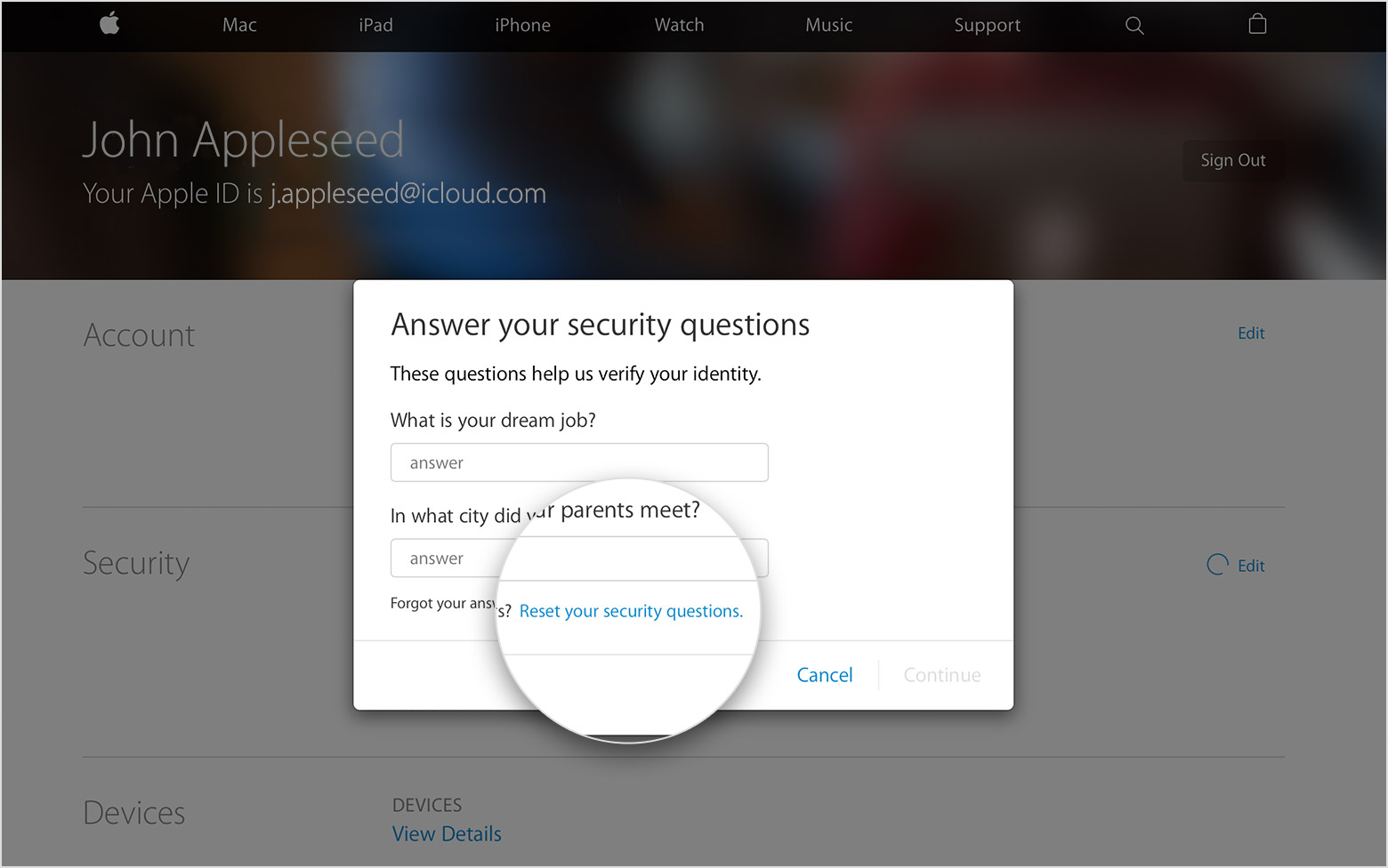
- When you're asked to answer your security questions, click "Reset your security questions." We'll email you at your rescue email address. If you don't see "Reset your security questions," you don't have a rescue email address and you need to call us for help.
- Follow the steps in the email to set up new questions and answers. Didn't get the email?
If you have trouble remembering your security questions, you might want to set up two-step verification. With two-step verification, you don't need security questions to secure your account or verify your identity.
You can also secure your account with two-factor authentication when it's available for your Apple ID.
If you can't reset your security questions
If you can't send a reset email, don't have a rescue email address, or can't access email at your rescue email address, call us for help. When you call, you might need to create a temporary support PIN to verify your identity. After you reset your security questions, you might want to update your rescue email address.
If you answer your security questions incorrectly too many times in a row, you temporarily can't access your account. You can try to reset your questions after the waiting period ends.
security questions