problems with mass texting using app called Group Text!

When sending mass text from app called "Group Text!" some recipients get text that is a mash up of the current text and the previous text. Random recipients get first half of current message then second half of previous message. Kinda funny sometimes but frustrating. Had similar problem with another app designed for same purpose. Whole problem started with upgrade to iOS 7 (i think. It was the iOS update that introduced 20 recipient limit on group texting). Problem persists after upgrade to iPhone 6 plus. Messaging settings as follows:

group text - off (app supplier recommended)

iMessage - on

Send as SMS - on

MMS messaging - on

Set app to send in batches of 20

Sending to total of 150 peeps (approx), Sending unique daily text to list of recipients that changes infrequently.

Tried deleting sent messages, also tried rebooting phone before and/or after.

iPhone 6 Plus, iOS 9.2.1

Posted on Feb 10, 2016 5:39 AM

Reply
1 reply

Feb 11, 2016 10:00 AM in response to Texasdansimmons

Hello there, Texasdansimmons.


It sounds like you're having issues with an application on your iPhone 6 Plus not responding as expected. The following Knowledge Base article offers up some great troubleshooting recommendations:


If an app you installed unexpectedly quits, stops responding, or won’t open


Restart the app

Close the app and open it again.

Restart your device

Turn your device off and back on.

Check for iOS and app updates

  1. Make sure that you're using latest version of iOS.
  2. Open the App Store and tap Updates.
  3. If updates are available, tap Update All.
  4. If asked, enter your Apple ID password.

You might need a Wi-Fi connection to update some apps.


{…}


Delete and reinstall the app

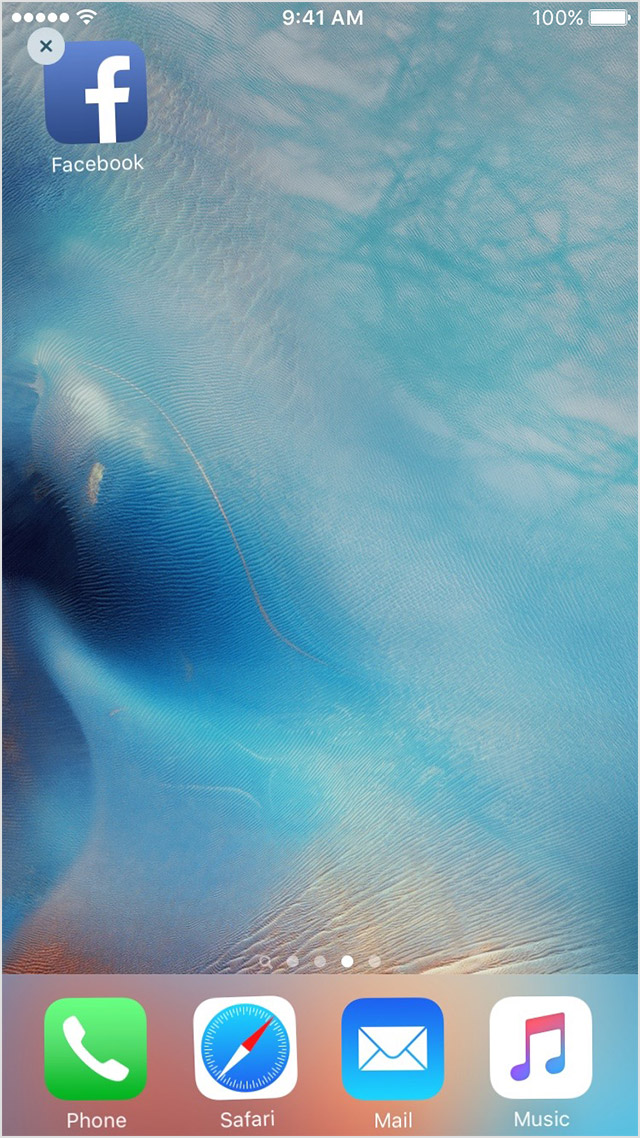
  1. Tap and hold the app until it jiggles.
  2. Tap the User uploaded file on the app.
    User uploaded file
  3. Press the Home button.
  4. Go to the App Store and download the app again.
  5. Wait for the app to download, then open it from the Home screen.

Contact the app developer

If you see this issue again, contact the app developer for help:
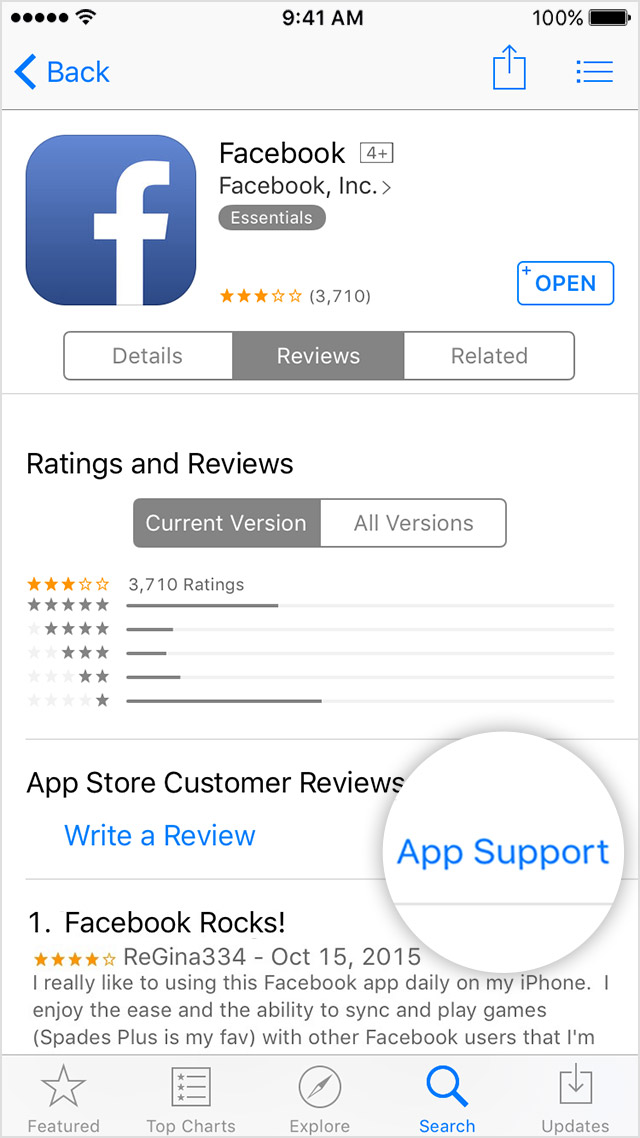
  1. Find the app in the App Store.
  2. Tap the app, then tap Reviews.
  3. Underneath App Store Customer Reviews, tap App Support.
    User uploaded file


Thanks for reaching out to Apple Support Communities.


Cheers.

This thread has been closed by the system or the community team. You may vote for any posts you find helpful, or search the Community for additional answers.

problems with mass texting using app called Group Text!

Welcome to Apple Support Community
A forum where Apple customers help each other with their products. Get started with your Apple Account.