Hi, Craig -
Do I need to format it in Mac OS Extended...
Yes.
I may install OS 9 in case I ever need to do a Firmware update on a used Mac by popping in this HD.
If you want to be able to boot more than one model Mac with that drive, be sure that you do a Universal Install of OS 9 (otherwise the install will be model-specific to the machine running the installer). This webpage (by Ron Jackle, a regular on Discussions) includes instructions on how to do that - it's the top item on the page; wait for the graphics to cycle -
Ron Jackle's Home Page
Important - OS 9 can not 'see' a volume larger than about 200GB, and so can not boot from volumes larger than that. This is a volume size limit, not a drive size limit - which means that if you partition the drive such that no partition is larger than about 190GB, OS 9 will be able to 'see' all partitions of it, and it will be able to be used as a boot drive for those machines which are OS 9 bootable.
The 200GB volume limit does not pertain to OSX. So, you may need to initialize, partition, and format the drive using OSX's Disk Utility program. Note - be sure to select the option to install OS 9 drivers; that option is not always selected by default, and in their absence the volume can not be mounted (nor booted from) by OS 9.
***
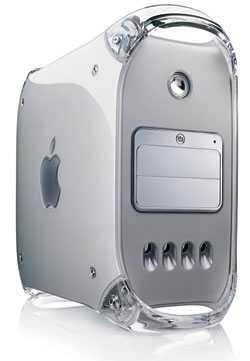
If by "...popping in the HD" you mean installing it as an internal drive, note that all Macs prior to the MDD models have an IDE controller limit (for the built-in IDE/ATA bus) of being able to use a drive no larger than 128GB. Drives larger than that will be presented as if they were only 128GB; this limit is hardware based, and does not depend upon the OS. This is a drive size limit, not a volume limit, and so partitioning is not a way to get around seeing only 128GB of the drive.
However, if you set the first partition to about 120GB and install a universal install of OS 9 on it, it should do what you want.