FileVault won't store key in iCloud

Trying to encrypt a MacBook Air.

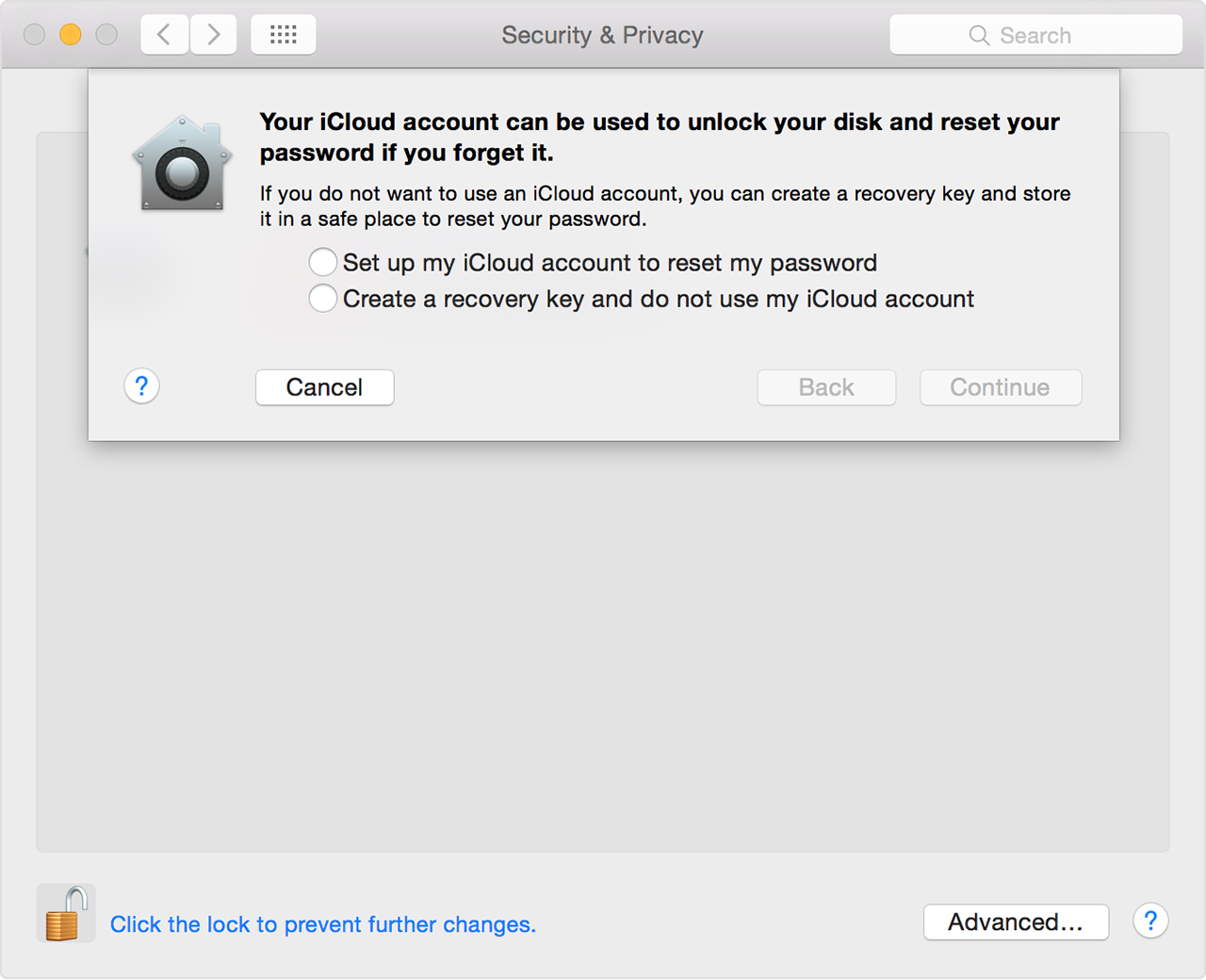
With over 3 GB of space available in iCloud, when I choose iCloud as the place to store key for FileVault I get the following message:


An error occurred while trying to store the recovery key on iCloud. The disk will not be encrypted.


I cannot find a reference to this error message anywhere and do not want to keep the key written down.

Why might this be happening? (I am connected to the internet, so iCloud is accessible)


Thanks.

MacBook Air, OS X El Capitan (10.11.3)

Posted on Feb 12, 2016 6:10 AM

Reply
2 replies

Feb 13, 2016 1:54 PM in response to jgfr22

Hello there, jgfr22.


From what I understand you are trying to encrypt your MacBook Air using FileVault and are unable to store the recovery key on iCloud. The following Knowledge Base article speaks to the options available for saving your Recovery Key for FileVault:


Use FileVault to encrypt the startup disk on your Mac


Choose a recovery option

When you enable FileVault on your startup disk, you can choose an option that helps you if you later forget your password:

  • In OS X Yosemite, you can store your FileVault key in iCloud. You can then use your iCloud account name and password to unlock your startup drive or reset your password.
  • In OS X Mavericks, you can share your FileVault key with Apple by answering a set of security questions. You can then contact Apple Support if you you forget your login password and need to decrypt your startup drive.
  • You can also create a recovery key that consists of a combination of numbers and letters. You can use this key to unlock your drive or disable FileVault. Keep a copy of this key somewhere other than your encrypted startup disk. If you write the key down, be sure to exactly copy the letters and numbers that are shown, and keep it somewhere safe that you'll remember. If your Mac is at a business or school, your institution can also set a recovery key to unlock it.
    User uploaded file

Your password and Recovery Key are very important. If you don't have access to your password or Recovery Key, you won't be able to log in or access any of the documents or other data stored on the startup disk of your Mac.


Thanks for reaching out to Apple Support Communities.


Kind Regards.

This thread has been closed by the system or the community team. You may vote for any posts you find helpful, or search the Community for additional answers.

FileVault won't store key in iCloud

Welcome to Apple Support Community
A forum where Apple customers help each other with their products. Get started with your Apple Account.