The face swap app fails to install on my iPhone 5s but installs on my iPad mini
THe face swap app fails to install on my iPhone 5s but installs on my iPad mini
iPhone 5s, iOS 9.2.1
THe face swap app fails to install on my iPhone 5s but installs on my iPad mini
iPhone 5s, iOS 9.2.1
Hello there, yaseyase2.
It sounds like you are having issues installing an app from the App Store onto your iPhone 5s. The following Knowledge Base article offers up some great steps for troubleshooting:
If an app you installed unexpectedly quits, stops responding, or won’t open
Restart the app
Close the app and open it again.
Restart your device
Turn your device off and back on.
Check for iOS and app updates
You might need a Wi-Fi connection to update some apps.
- Make sure that you're using latest version of iOS.
- Open the App Store and tap Updates.
- If updates are available, tap Update All.
- If asked, enter your Apple ID password.
Install another app from the App Store
Try installing a different app that you don't have on your device. Find a free app from the App Store, and remember to use the same Apple ID that you used to download the app that you're having issues with.Delete and reinstall the app
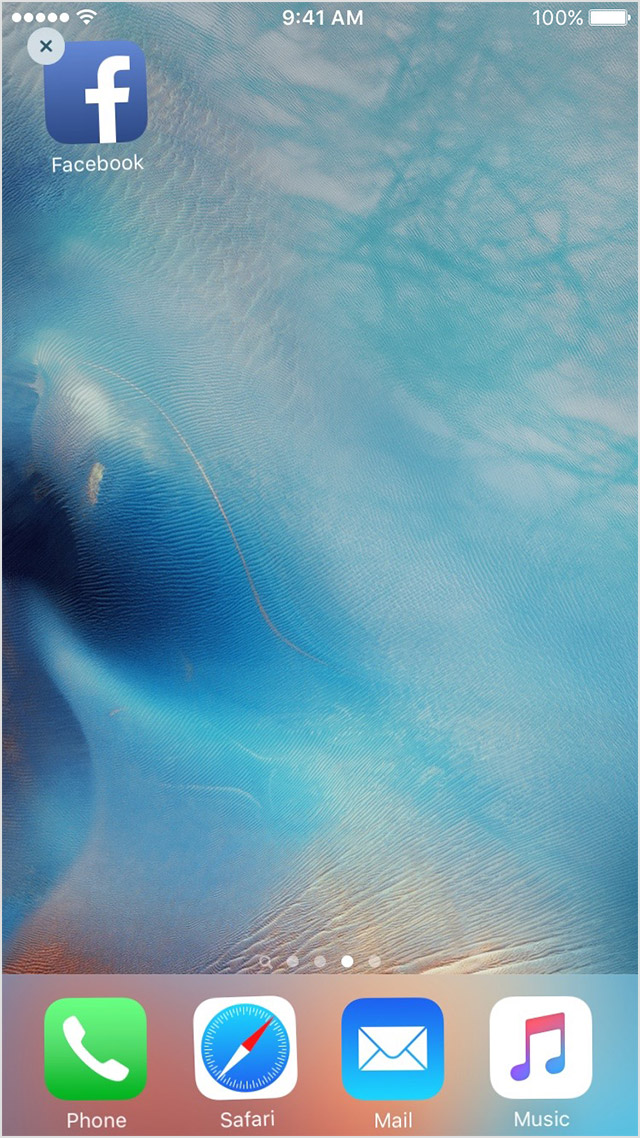
- Tap and hold the app until it jiggles.
- Tap the
on the app.
- Press the Home button.
- Go to the App Store and download the app again.
- Wait for the app to download, then open it from the Home screen.
Contact the app developer
If you see this issue again, contact the app developer for help:
- Find the app in the App Store.
- Tap the app, then tap Reviews.
- Underneath App Store Customer Reviews, tap App Support.
Thanks for reaching out to Apple Support Communities.
Kind Regards.
That didn't really help at all because the app doesn't even install onto my phone. It won't download at all it just fails.
Contact the developer to see if there's a known issue when installing onto an iPhone 5s. Also, if you know of anyone else with an iPhone 5s, see if they are able to install it.
The face swap app fails to install on my iPhone 5s but installs on my iPad mini