Macbook Pro calendar not syncing with iPhone 5 / iPad

HI there


My macbook Pro (OS X) calendar is not syncing to my iPhone 5 or iPad. When I add an appointment to either the iPhone or iPad, both iPhone and iPad sync immediately, but my Macbook does not show the appointment. However, if i make an appointment on my Macbook pro calendar it syncs to both the iPhone and iPad.


Similarly I recently booked a flight and the travel details were blocked out (directly from the travel agent) on both iPad and iPhone, but not on my MacBrook pro.


Note that iCloud is switched on/all devices. I have the latest version of iTunes on macbook pro (and iPhone 5). I have the latest version of iOS on my iPhone (but not on my iPad), so I am a bit stumped.


Any ideas, community?


Thanks so much!


Trish

Mac Pro, iOS 9.2.1, Macbook Pro: OX S (10.7.5)

Posted on Feb 26, 2016 3:56 AM

Reply
5 replies

Feb 27, 2016 11:18 AM in response to whydoineedauserfrigginname

Hi Trish,


I see that your Mac is not always updating calendar events that are created on your iOS devices. To get started with troubleshooting iCloud Calendars, I suggest going through the troubleshooting below.


Mac

After each step, check your contacts, calendars, or reminders.

Refresh your calendars and reminders

You can refresh your calendars and reminders from the Calendars app:

  1. Open the Calendar app.
  2. Choose View > Refresh Calendars.

Since the iCloud Birthdays calendar updates hourly, you might not see changes to birthdays in the Contacts or Calendars app for an hour.

Check your default Calendar account

If you store and edit your events in iCloud instead of another account, like On My Mac, Exchange, or Google, then iCloud will automatically update your calendars. If you use multiple accounts on your Mac like iCloud, Gmail, and Yahoo, make sure that iCloud is your default Calendar account:

  1. Open the Calendar app.
  2. Choose Calendar > Preferences.
  3. On the General tab, make sure that one of your iCloud calendars is the default.

After setting up iCloud Reminders, you might need to quit and reopen Reminders on your Mac. Then make sure that you set up your account correctly in Reminders:

  1. Open the Reminders app.
  2. Choose Reminders > Accounts.
  3. Make sure that you're signed in with your Apple ID.

Turn off iCloud Calendar and iCloud Reminders, then turn it back on

  1. Quit the Calendar and Reminders apps.
  2. Choose
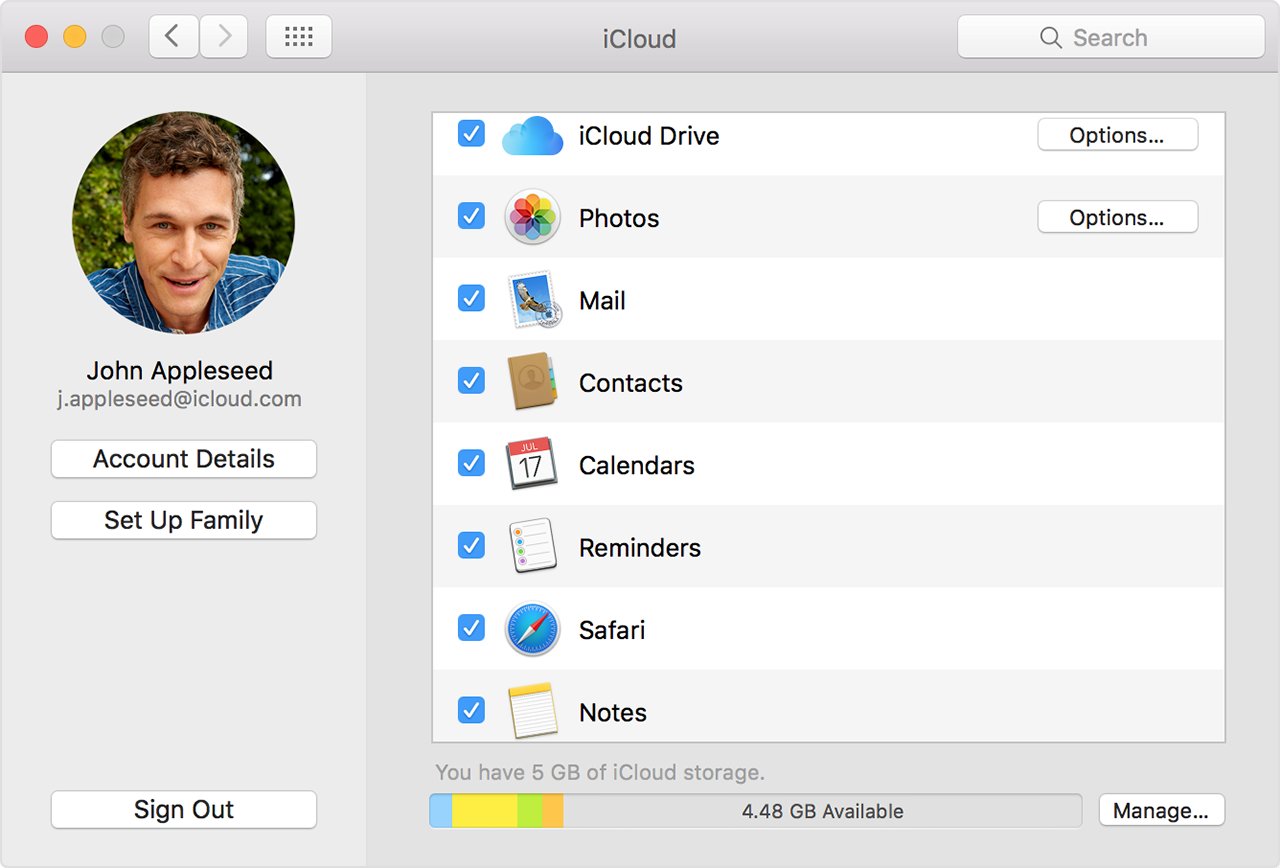
    Apple menu > System Preferences and click iCloud.
  3. Deselect Calendars and Reminders (or Calendars & Reminders on OS X Mountain Lion).
    On OS X Mountain Lion and Mavericks, click Delete from Mac when asked.
  4. Close System Preferences and wait about a minute.
  5. Choose Apple menu > System Preferences and click iCloud.
  6. Select Calendars (or Calendars & Reminders on OS X Mountain Lion).
  7. Open Calendar and Reminders.
    User uploaded file

Restart your computer

After you restart your computer, see if you fixed the issue.


Get help

If you still need help, contact Apple Support. You can also use these steps to remove duplicate contacts or calendars

Get help using iCloud Contacts, Calendars, or Reminders


Take care.

Feb 28, 2016 10:45 AM in response to chuck_3rd

HI Alex


Thanks so much for this. I've tried all of these suggestions here (and I have found them all on the internet prior to posting but I did them all again on your suggestion) but my Mac is still not syncing with my iphone/ipad. This is so frustrating as I use it for work extensively. It used to work until quite recently and I really don't know why it's suddenly stopped. I am connected to iCloud for all my devises. I recently updated my iPhone to 9.2.1 but my iPad is on version 7.something so - not sure that is the issue as iPhone and iPad speak to each other.


If you can offer up any other help or where else I could further take this problem (ie. Apple - I don't even know where to start to get a direct response from them) I would really appreciate it. (YOu don't work for apple do you?)!!


Thanks Alex


Trish

Feb 29, 2016 12:19 AM in response to whydoineedauserfrigginname

HI Alex - just to update - if you have nay further info that is! I updated my iPad and now iPad syncs to all (including macbook pro) but iPhone still does not sync to mac (or mac doesn't take the calendar data - now I'm not sure which is at fault). Note that iPhone is also latest iOS version now. Again any further shedding of info would be enormously helpful.


Thanks so much!


Trish

This thread has been closed by the system or the community team. You may vote for any posts you find helpful, or search the Community for additional answers.

Macbook Pro calendar not syncing with iPhone 5 / iPad

Welcome to Apple Support Community
A forum where Apple customers help each other with their products. Get started with your Apple Account.