Hi Glenn S,
If I understand your question, you live in Canada, and want to use weather widgets on your iMac. However, none of the widgets you are using allow you to add Canada to them, is that correct?
Glenn, take a look at the resource below about adding widgets to your Dashboard. When I added a widget, and chose Category - Information, I found the Canadian Weather & Weather Forecast From Environmental Canada. Is this what you are looking for?
Mac Basics: Dashboard gives you quick access to frequently used info
To see all the widgets on your Mac, click the add (+) button in the lower-left corner of the screen. This enters the widget browser. It shows you all the widgets installed on your Mac.
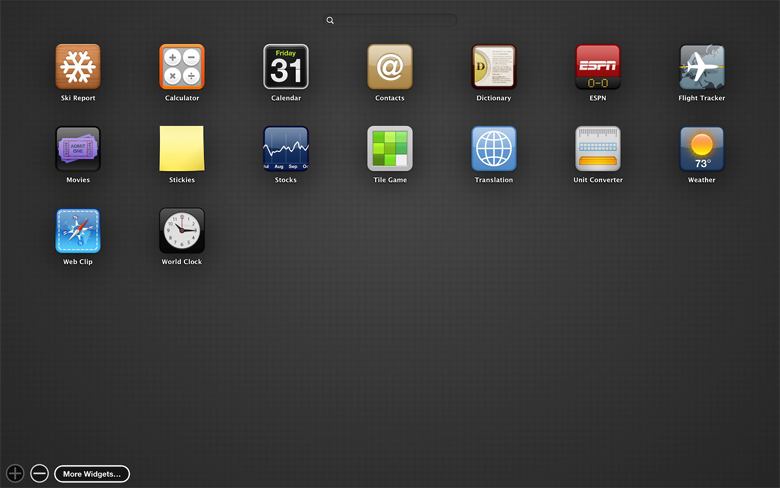
To add a widget to Dashboard, click an icon in the widget browser. Or start typing the name of the widget in the search field and click the widget to add it to your Dashboard. You can even add more than one copy of the same widget. This can be useful if you need to track time in multiple time zones, or want to create multiple Stickies.
Download and install more widgets by clicking the More Widgets button. This takes you to the Apple Dashboard downloads webpage.
Hope that helps ...


