
I don't remember the p 6digit passcode to unlock my Iphone6s

ON my iPhone6s I forgot the passcode to unlock it

iPhone 5s, iOS 9

Posted on Mar 14, 2016 11:36 PM

Reply
1 reply

Mar 14, 2016 11:55 PM in response to BIG RICK2

If you forgot the passcode for your iPhone, iPad, or

iPod touch, or your device is disabled

Follow these steps if you've forgotten your passcode, or if a message says that your device is disabled.
User uploaded file

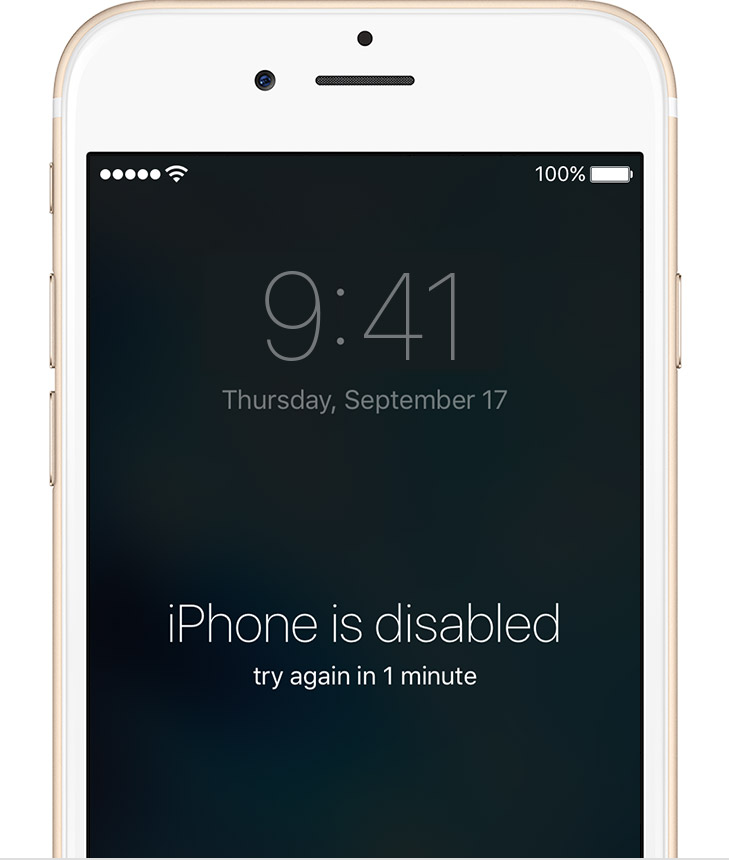
If you enter the wrong passcode in to an iOS device six times in a row, you'll be locked out and a message will say that your device is disabled.

Pick a way to erase your device

Unless you made a backup before you forgot your passcode, there isn't a way to save your device's data. You'll need to erase your device, which deletes all of your data and settings. Choose a way to erase:

  • If you've synced with iTunes, use iTunes.
  • If you're signed in to iCloud and Find My iPhone is enabled, use iCloud.
  • If you don't use iCloud and you can't sync or connect with iTunes, use recovery mode.

Erase your device with iTunes

If you've synced your device with iTunes, you can restore your device.
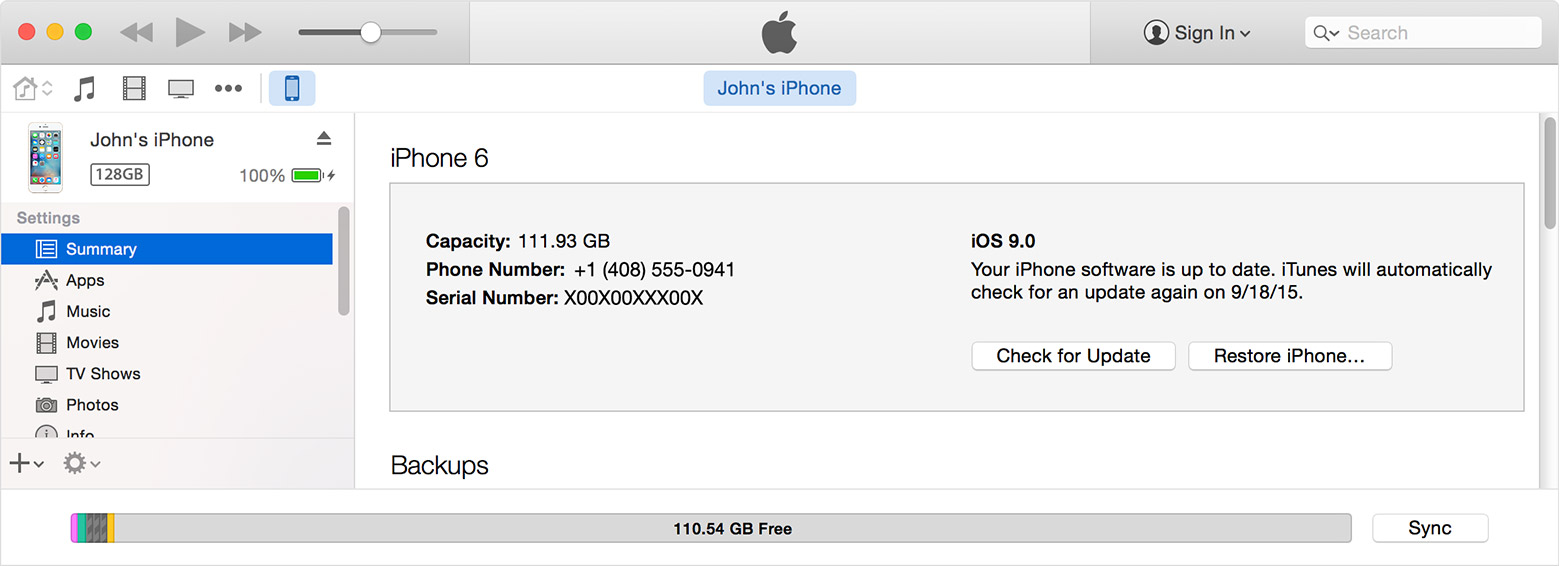
  1. Connect your device to the computer you synced with.
  2. Open iTunes. If asked for a passcode, try another computer you've synced with, or use recovery mode.
  3. Wait for iTunes to sync your device and make a backup. If it doesn't, learn what to do.
  4. Once the sync and backup have finished,click Restore [your device].
    User uploaded file
  5. When you reach the Set Up screen while restoring your iOS device, tap Restore from iTunes backup.
  6. Select your device in iTunes. Look at the date and size of each backup and pick the most relevant one.

User uploaded file

Erase your device with iCloud

If you set up Find My iPhone on your iOS device or Mac, you can use iCloud to erase and restore it.

  1. From another device, go to icloud.com/find.
  2. If prompted, sign in with your Apple ID.
  3. Click All Devices at the top of your browser window.
  4. Select the device you want to erase.
  5. Click Erase [device] to erase your device and its passcode.
  6. Now you can either restore from a backup or set up as new.

If your device isn't connected to a Wi-Fi or cellular network, you can't erase it with Find My iPhone.User uploaded file

Erase your device with recovery mode

If you've never synced with iTunes or set up Find My iPhone in iCloud, you'll need to use recovery mode to restore your device. This will erase the device and its passcode.
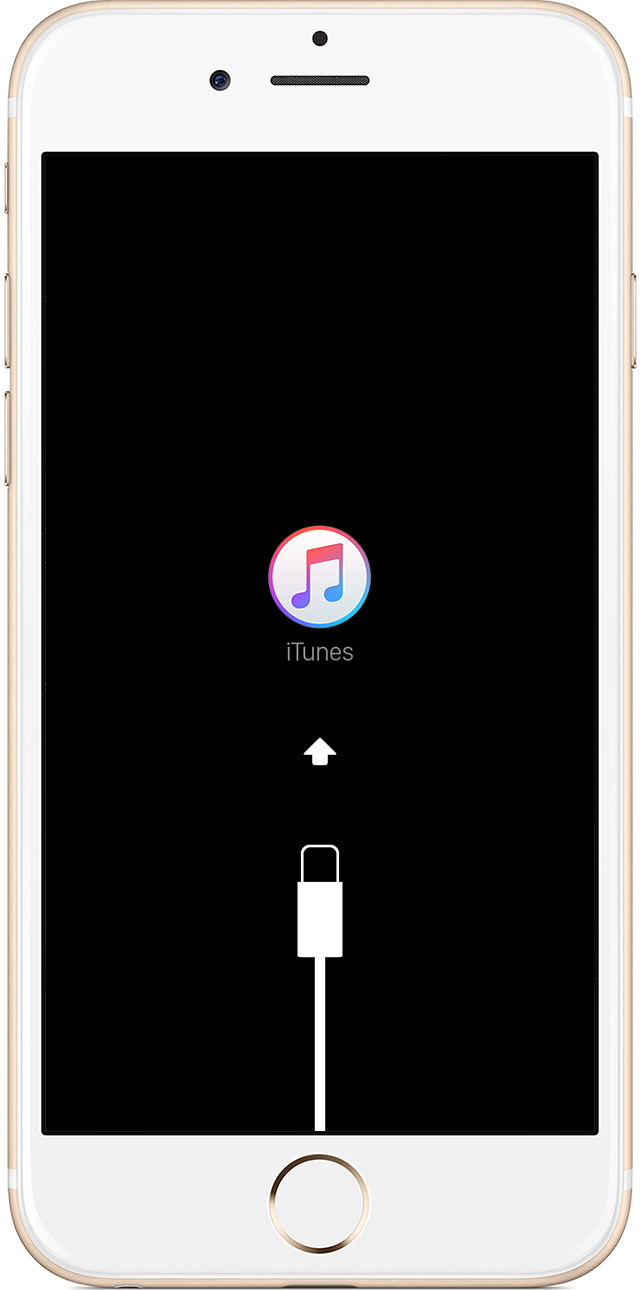
  1. Connect your iOS device to your computer and open iTunes. If you don't have a computer, borrow one from a friend, or go to an Apple Retail Store or Apple Authorized Service Provider.
  2. While your device is connected, force restart it: Press and hold the Sleep/Wake and Home buttons at the same time. Don't let go when you see the Apple logo — keep holding until you see the recovery mode screen.
    User uploaded file
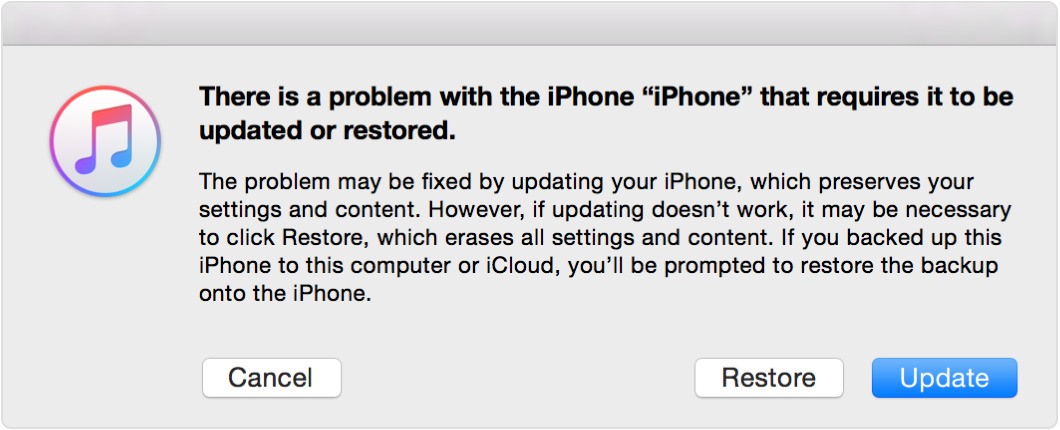
  3. When you see the option to Restore or Update, choose Restore.
    User uploaded file
    iTunes will download software for your device. If it takes more than 15 minutes, your device will exit recovery mode and you'll need to repeat steps 2 and 3.
  4. Wait for the process to finish. Then you can set up and use your device.

User uploaded file

Get more help

If you can’t force restart or use recovery mode because of broken buttons, contact Apple Support.

This thread has been closed by the system or the community team. You may vote for any posts you find helpful, or search the Community for additional answers.

I don't remember the p 6digit passcode to unlock my Iphone6s

Welcome to Apple Support Community
A forum where Apple customers help each other with their products. Get started with your Apple Account.
