Why can I only download family shared movies and not stream
I use family sharing and for some reason my kids have to download a movie I buy to watch it where as I have always been able to stream it ?
I use family sharing and for some reason my kids have to download a movie I buy to watch it where as I have always been able to stream it ?
Hi bjohnson33,
I understand you have a question about Family Sharing and streaming purchased movies. Family Sharing is used to share iTunes purchases by downloading content. For streaming of content, you still need to use Home Sharing. Here's how it works:
Use Home Sharing to share iTunes content with other devices
Home Sharing lets you share and stream content from your computer’s iTunes library to other computers, iOS devices, and Apple TVs.
Use Home Sharing on your Mac or PC
You can use Home Sharing with up to five computers on your home network. Follow these steps to use Home Sharing:
- Open iTunes on your computer.
- Sign in with your Apple ID and password. Use the same Apple ID for every computer or device on your Home Sharing network.
- Go to File > Home Sharing.
- Turn on Home Sharing.
Use Home Sharing on your iPhone, iPad, or iPod touch
- Go to Settings > Music, or Settings > Videos.
- Scroll down to Home Sharing.
- Tap Sign in.
- Then enter your Apple ID and password. Use the same Apple ID for every computer or device on your Home Sharing network.
Now you can use Home Sharing on your iOS device:
- To enjoy shared videos, open the Videos app, tap Shared, and choose a Library.
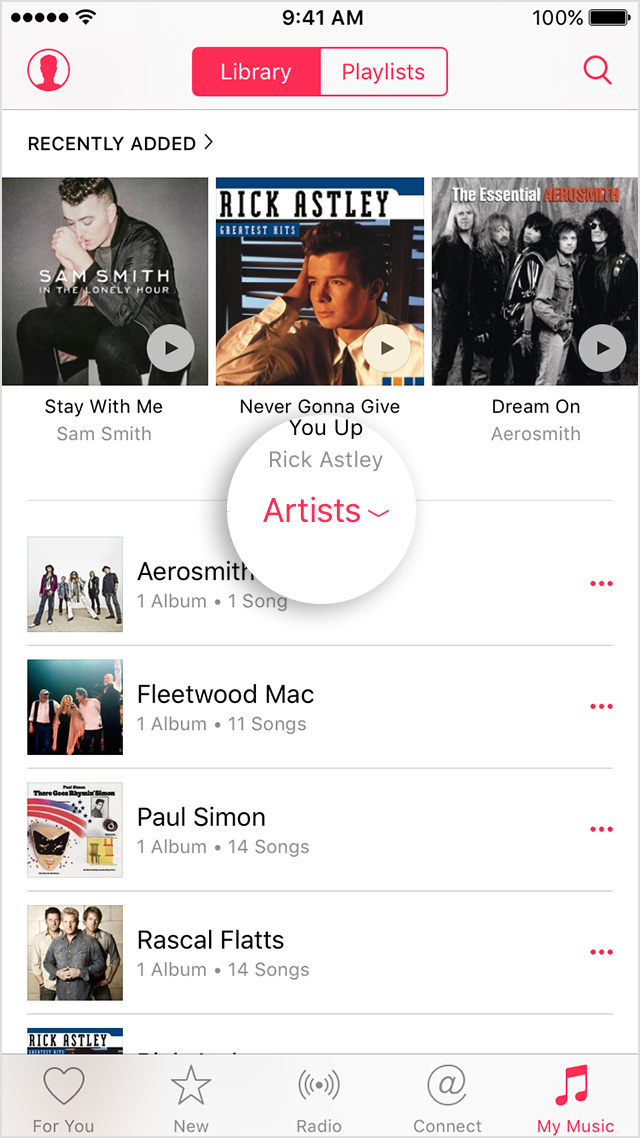
- To enjoy shared music on your iPhone or iPod touch through Home Sharing, open the Music app and tap My Music > Library. For iPad, just tap My Music. On the screen that appears, tap the category near the middle of the screen. Then tap Home Sharing and choose a shared Library to connect to.
Use Home Sharing on your Apple TV
- On your Apple TV (4th generation), go to Settings > Accounts > Home Sharing. On earlier models of Apple TV, go to Settings > Computers.
- Select Turn on Home Sharing.
- Then enter your Apple ID and password. Use the same Apple ID for every computer or device on your Home Sharing network.
Cheers!

Now that the video app is gone and replaced with the TV app, how to we stream or even view movies that are family sharing movies? Right now no family sharing movies show up when TV app is opened. Thanks!
Since according to you things have changed radically (I don't use an iOS device) I suggest you start a brand new topic with your question. This topic is about how things were in April 2016.
Why can I only download family shared movies and not stream