Q: iPhone 6s Plus. 128gb. Storage full
i purchased the 128gb iPhone 6 Plus In December. All of sudden I was out of storage. No I am not running videos wassup or any other large app, Do not know if it happened at the time of the update but I was working with apple to get my pictures to auto go to the iCloud around that time. when I plug in and look at my iTunes it's all in my doc and data section. which is totally not right. I have tried the reset mentioned in other posts to no avail. Cleared my cache . This huge amount seems to be all in the docs and data according to iTunes. please help!
iPhone 6s Plus, iOS 9.3.1

Posted on Apr 20, 2016 7:02 PM
Community Specialists
Hello DulceJeane,
Thanks for using Apple Support Communities.
To get a better idea what is actually taking up space on your iPhone I suggest you take a look at the storage space by using the link below.
Use your iOS device to check its storage
Tap Settings > General > Storage & iCloud Usage > Manage Storage.
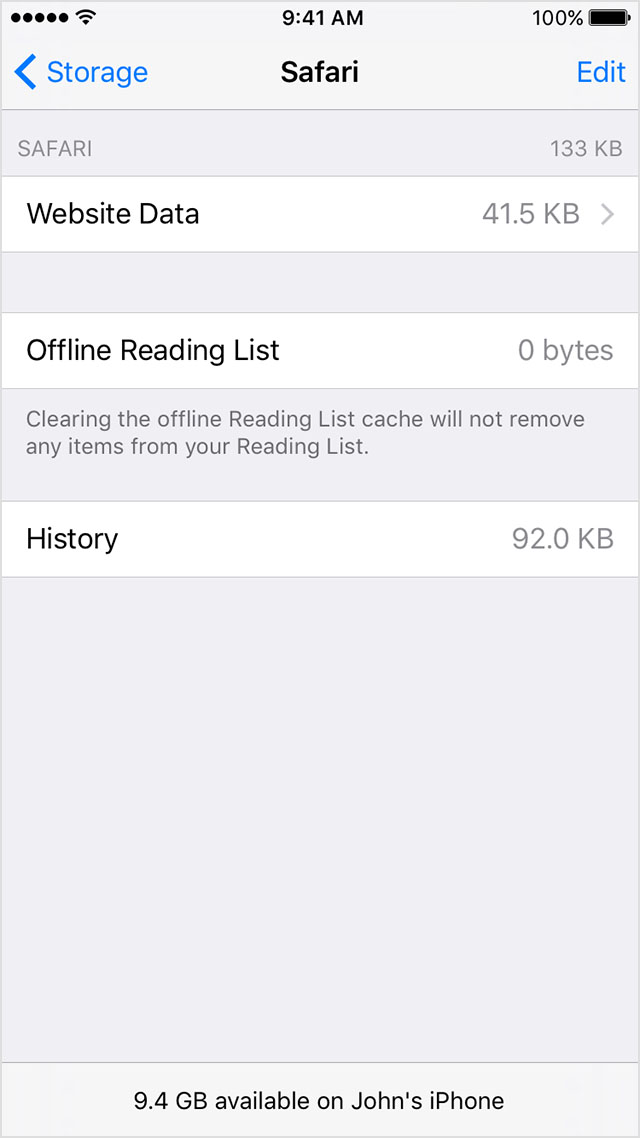
You'll see a list of your apps, and how much storage each one uses. Tap an app for more detailed information about its usage.
Depending on the app, you might be able to delete some of its content, or delete the app and all of its content. If your device is almost full, or you get a Storage Almost Full alert, remove some less-used content.
Check your storage on your iPhone, iPad, and iPod touch
Take care.
Posted on Apr 22, 2016 6:58 AM