Apple Music Membership Refund
Hi,
How I can Refund the Apple Music Membership, I never use.
Thanks
Ibrahim
Hi,
How I can Refund the Apple Music Membership, I never use.
Thanks
Ibrahim
Hello there, Ibrahim.
It sounds like you are wanting to cancel renewal of your Apple Music Membership. The process is outlined in the following Knowledge Base article:
Manage your Apple Music membership on your iPhone, iPad, iPod touch, Mac, or PC
https://support.apple.com/en-us/HT204939
Turn off automatic renewal to cancel your membership
If you want to cancel your Apple Music membership, turn off Automatic Renewal.
Your membership might renew if you don't turn off Automatic Renewal more than 8 hours before your renewal date.
On your iPhone, iPad, or iPod touch
- In the Music app, tap your profile icon in the upper-left corner.
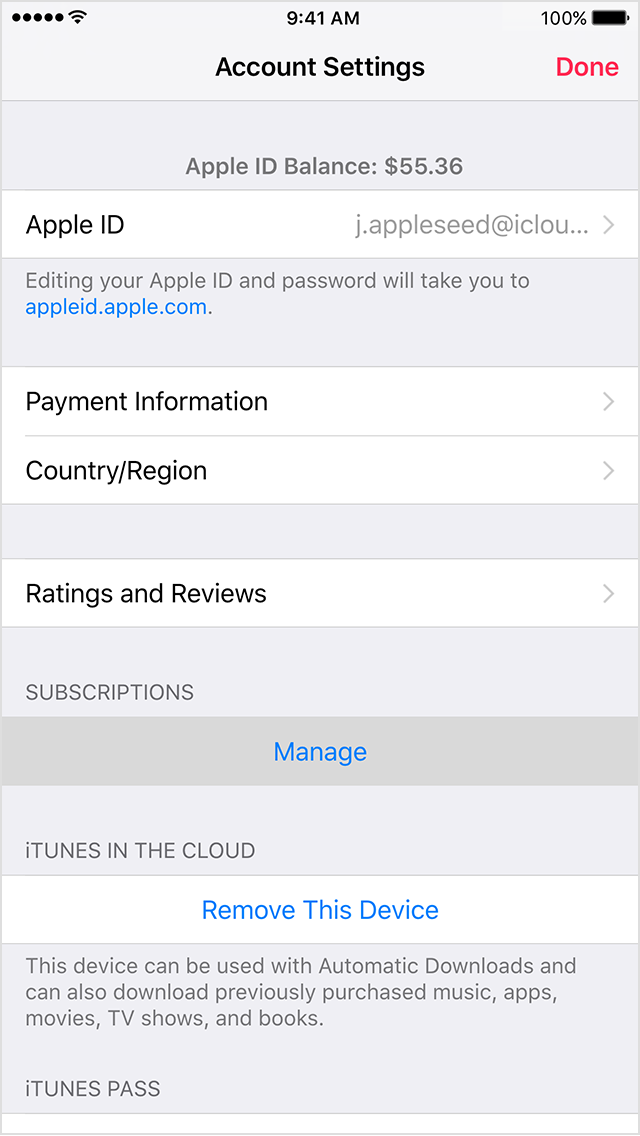
- Tap View Apple ID. You might need to sign in.
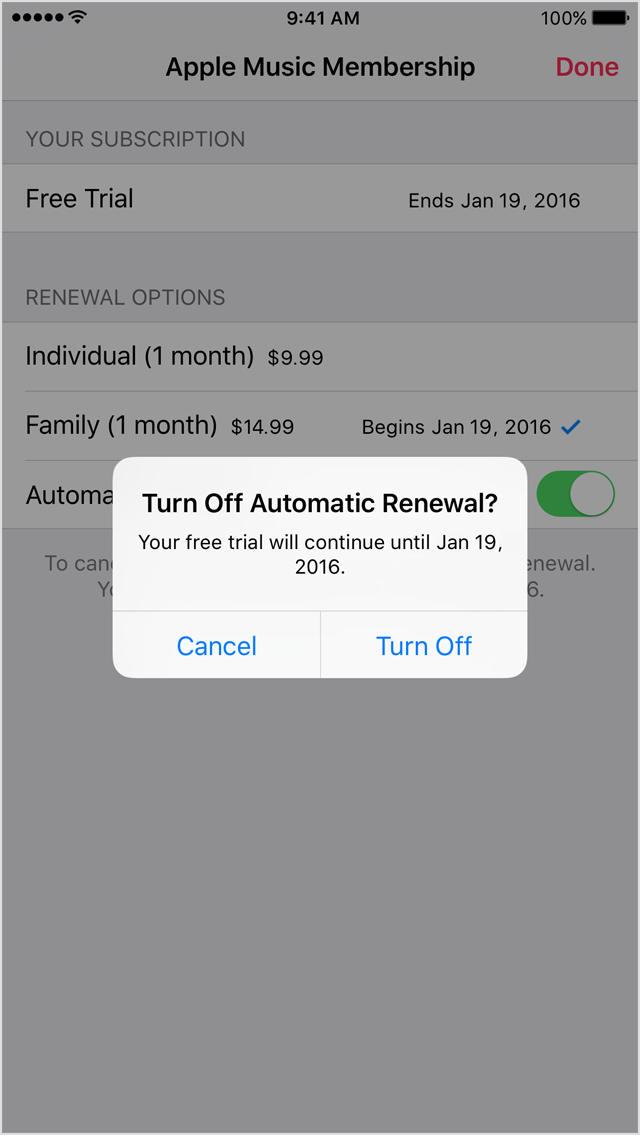
- Under Subscriptions, tap Manage. If you have more than one subscription, tap Your Membership (Apple Music Membership) to see your membership options.
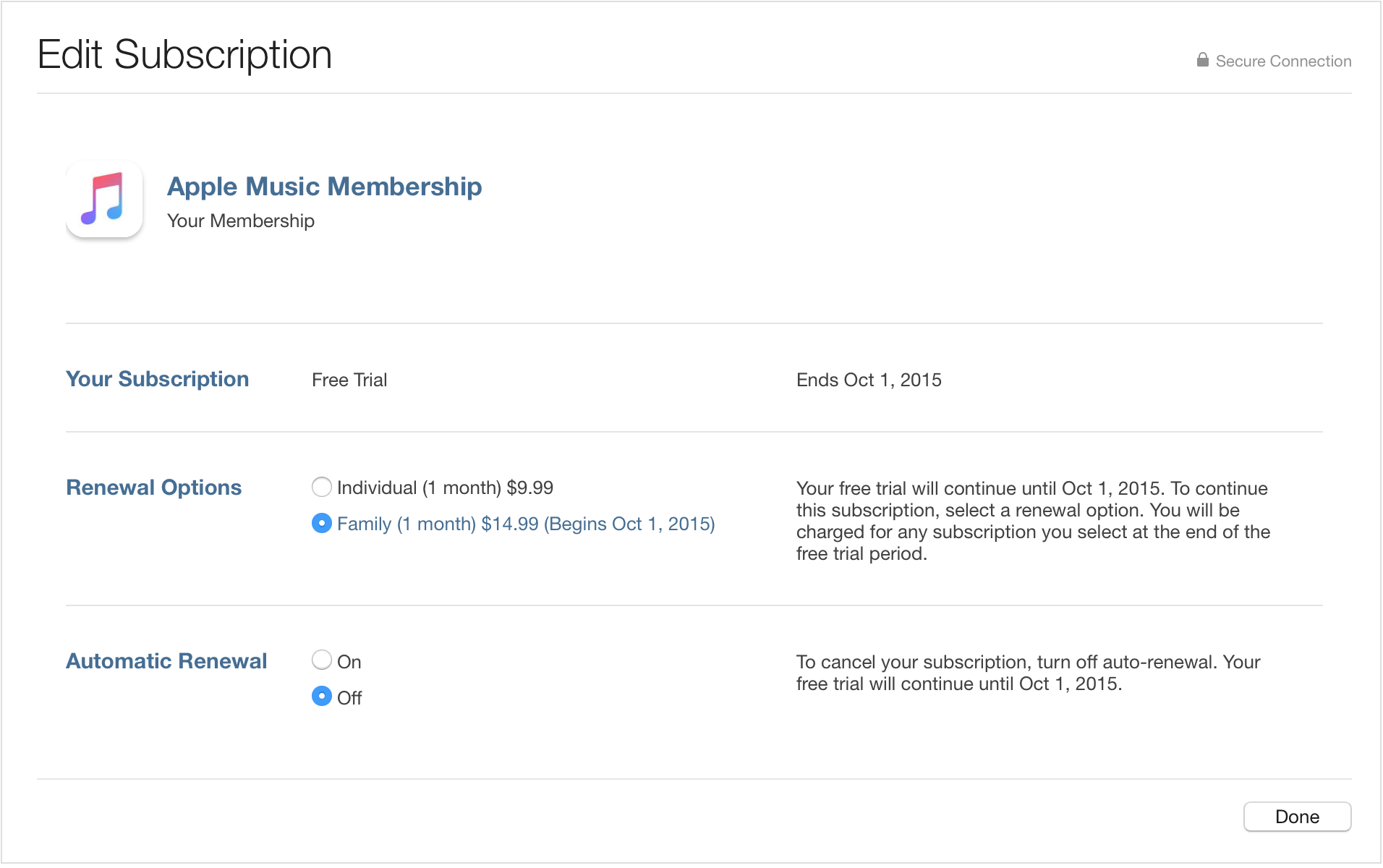
- Under Renewal Options, turn off Automatic Renewal. Confirm your selection, then tap Done.
If you don't see the option to turn off Automatic Renewal, your subscription will automatically stop at the end of the current billing cycle.- Tap Done to return to your Account screen, and then tap Done to return to the app.
On your Mac or PC
Click to open iTunes and sign in to your Account Information, or use the steps below:
- Open iTunes.
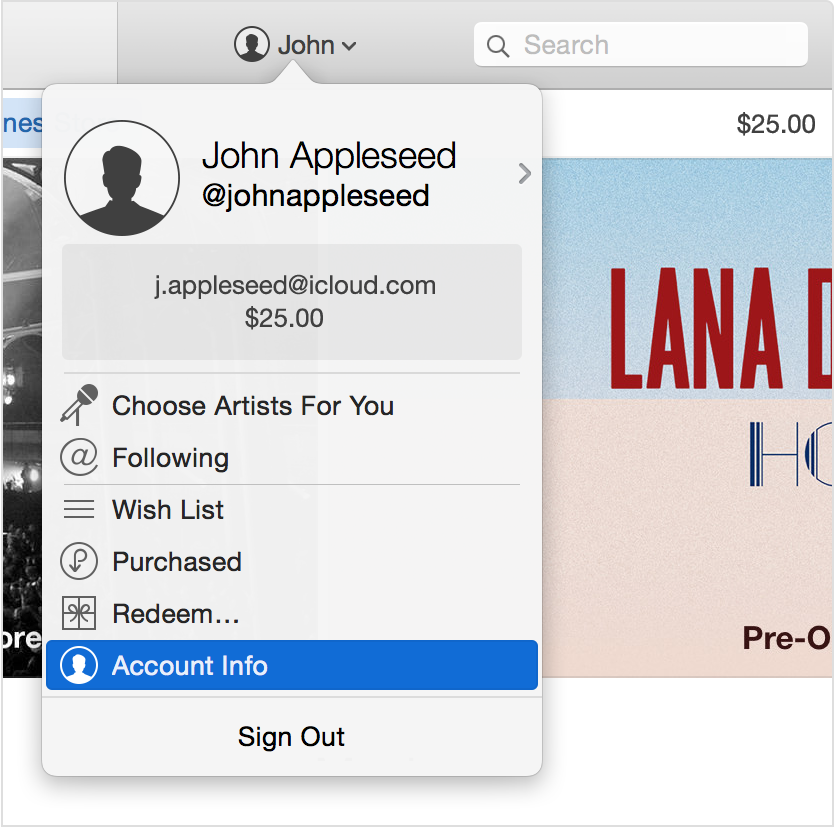
- Click Sign In and enter your Apple ID.
- Click your name, and select Account Info from the menu.
- Enter your password again.
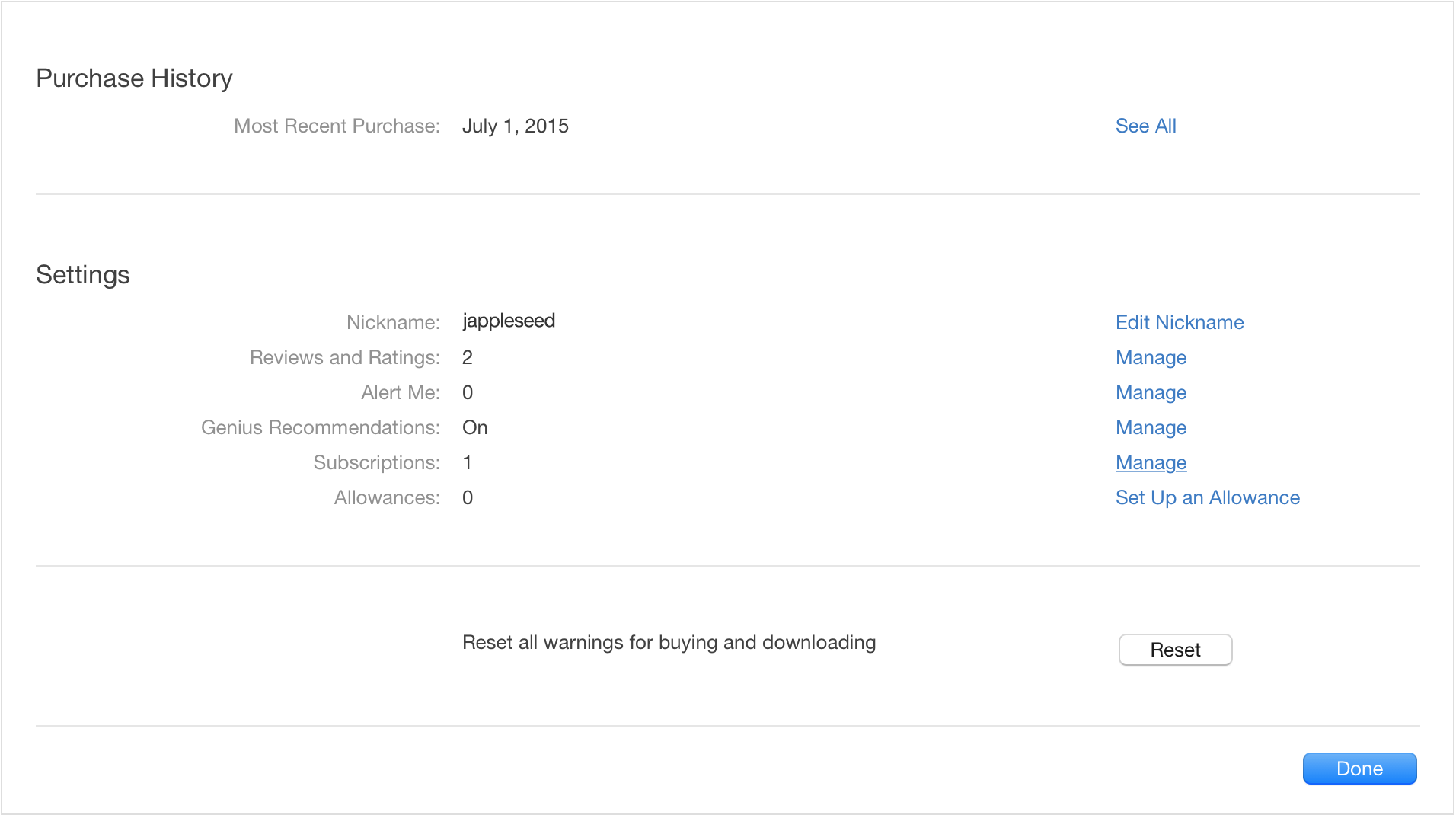
On the Account Information screen:
- Scroll to the Settings section.
- To the right of Subscriptions, click Manage. If you have more than one subscription, then click Edit to the right of Your Membership (Apple Music Membership).
- To the right of Automatic Renewal, select Off. When asked to confirm, click Turn Off.
- Click Done to return to Account Information, and then click Done to return to the iTunes Store.
Thanks for being a part of Apple Support Communities.
Kind Regards.
Apple Music Membership Refund