Hi willismom,
The resource below will explain how to enable shuffle on your iPad using the new Music app.
Use Apple Music in the Music app
The My Music tab makes it easy to navigate all of your music, wherever it comes from—from the iTunes Store, from a rare import CD, or from your Apple Music membership. Every time that you add a song, album, or playlist, we keep it at the top of My Music in Recently Added. Tap the category selector below Recently Added to sort and view your music by Artists, Albums, Songs, Music Videos, Genres, Composers, and Compilations.
Play your music
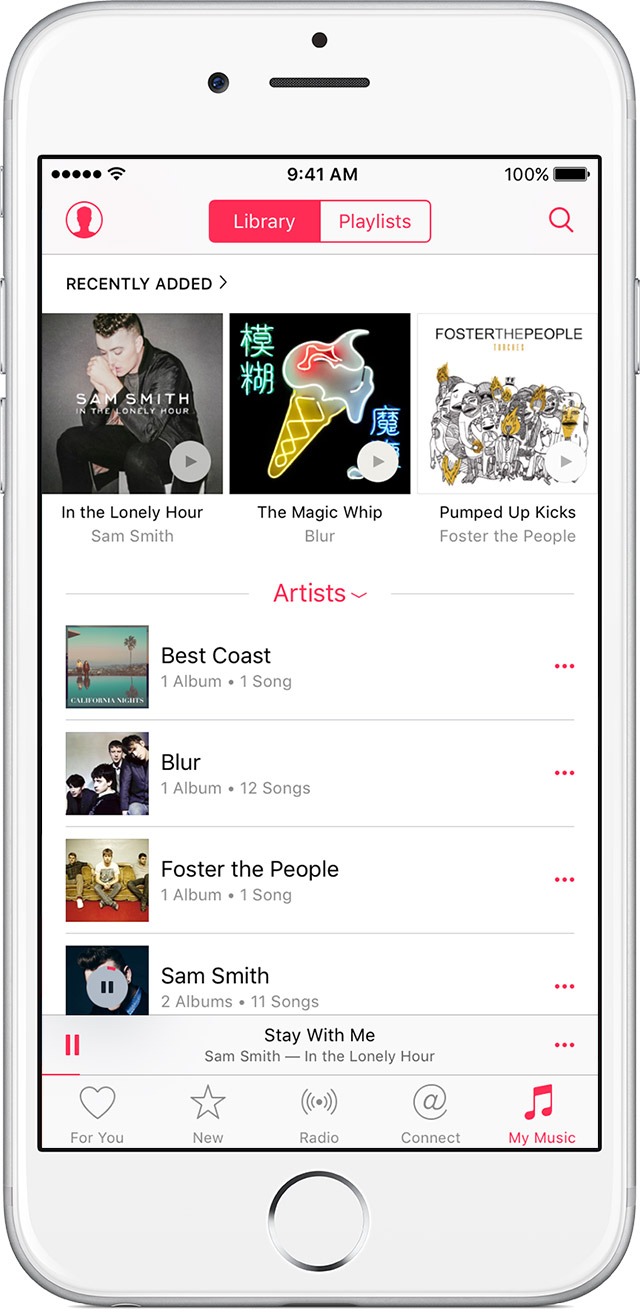
When you play a song, you see the Miniplayer at the bottom of the screen. You can keep browsing other titles to find the perfect next song.
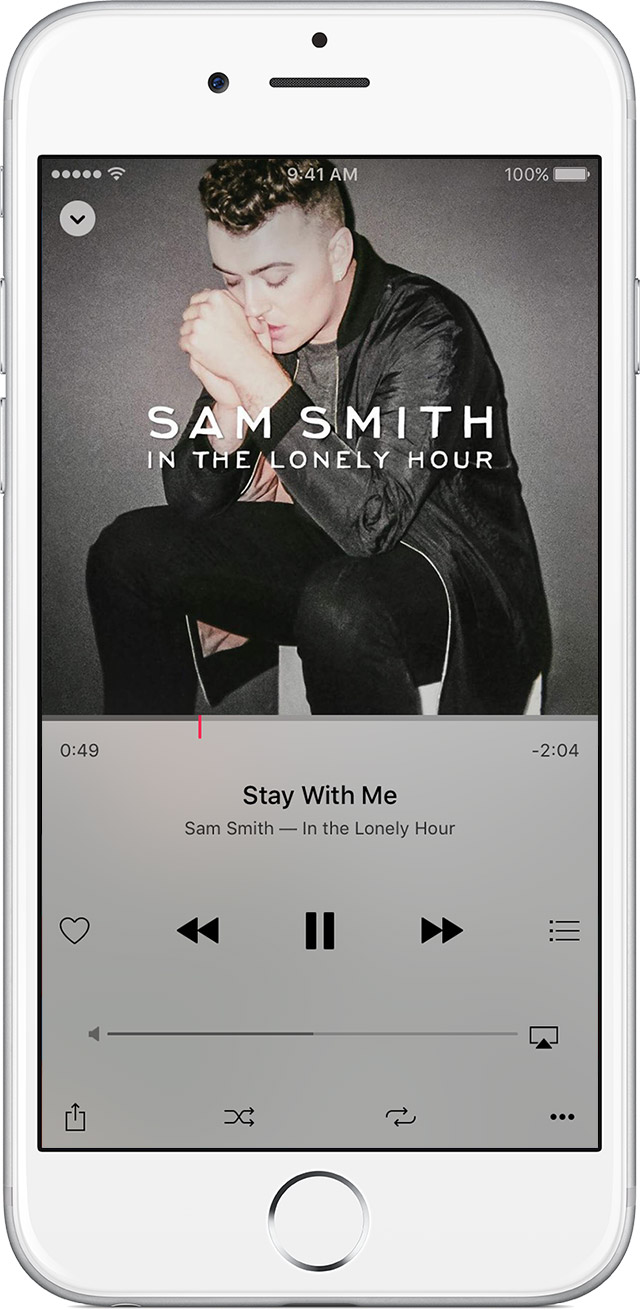
Or you can tap or swipe up on the Miniplayer to see the Now Playing screen and controls. Tap the  in the upper-left corner or swipe down to close the Now Playing screen.
If you want to listen to an artist's entire collection of music that you've saved to your library, find the artist in My Music. To the right of the artist's name, tap  , then tap Add to Up Next. If you want to listen to all of an artist's songs even if you don't have their music in your library, ask Siri to play all of their songs.
Use Siri
With iOS 8.4, Siri takes your music requests. You can ask Siri at any time to “play the top songs from 2015” or “play more songs like this.” You can even ask Siri to “add the new Blur album to my library."
Ask Siri to "play all songs by Pharrell Williams" to listen to all of Pharrell's music, even if it's not in your library, or "play my music by Drake" to listen to Drake's songs that you have saved to your library. You can also ask Siri to shuffle the songs in an album or playlist while you're listening to it.
Shuffle or repeat your music
Tap  at the bottom of the Now Playing screen to shuffle the songs in a playlist or album. You can also ask Siri to shuffle your music.
Tap  once to play an entire playlist or album on repeat or twice to repeat one song.
Take care,


