Not asking for password when updating apps

I am running version 9.3.1 on my iPad and since updating it no longer requests my Apple ID password to authorise updates to apps.

I have looked at the restrictions, they are on but there is no 'immediately' option for the password, only 'always require' which is selected or 'after 15 minutes'


My son (4 years old) uses my iPad so I would prefer anything associated with my iTunes account require my password before changes can be made.


Thank you in advance.

iPad, iOS 9.3.1

Posted on May 9, 2016 6:33 AM

Reply
5 replies

May 9, 2016 7:28 AM in response to ClaireL069

Manage your iTunes Store and App Store password preferences - Apple Support

On your iPhone, iPad, or iPod touch

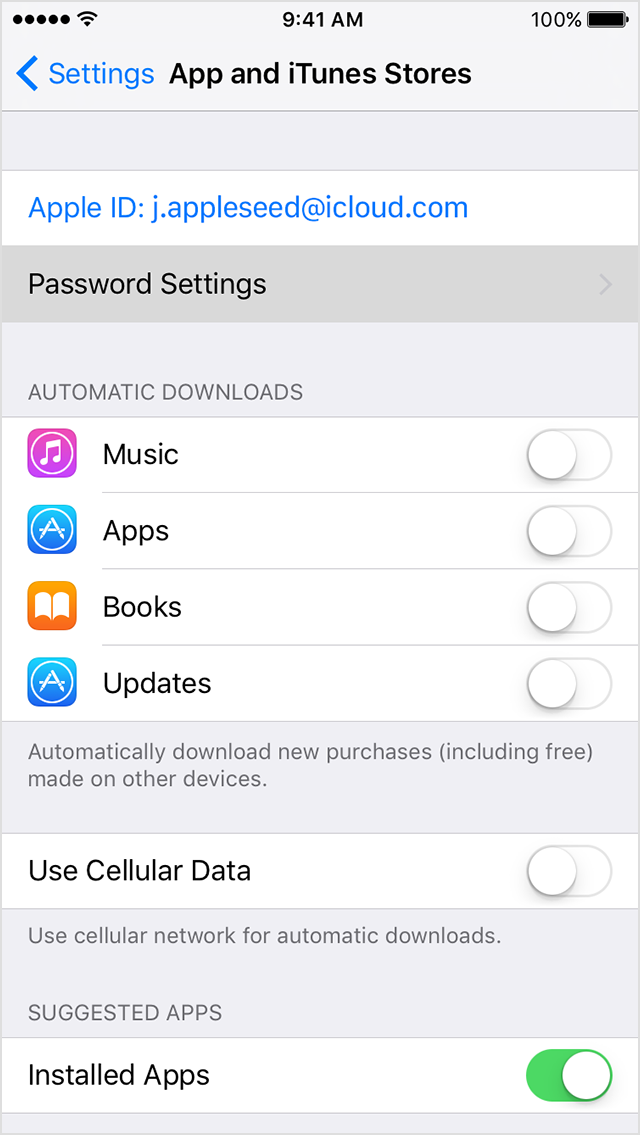
  1. Tap Settings > App and iTunes Stores > Password Settings. If you have Touch ID turned on for purchases, you won't see this menu.User uploaded file
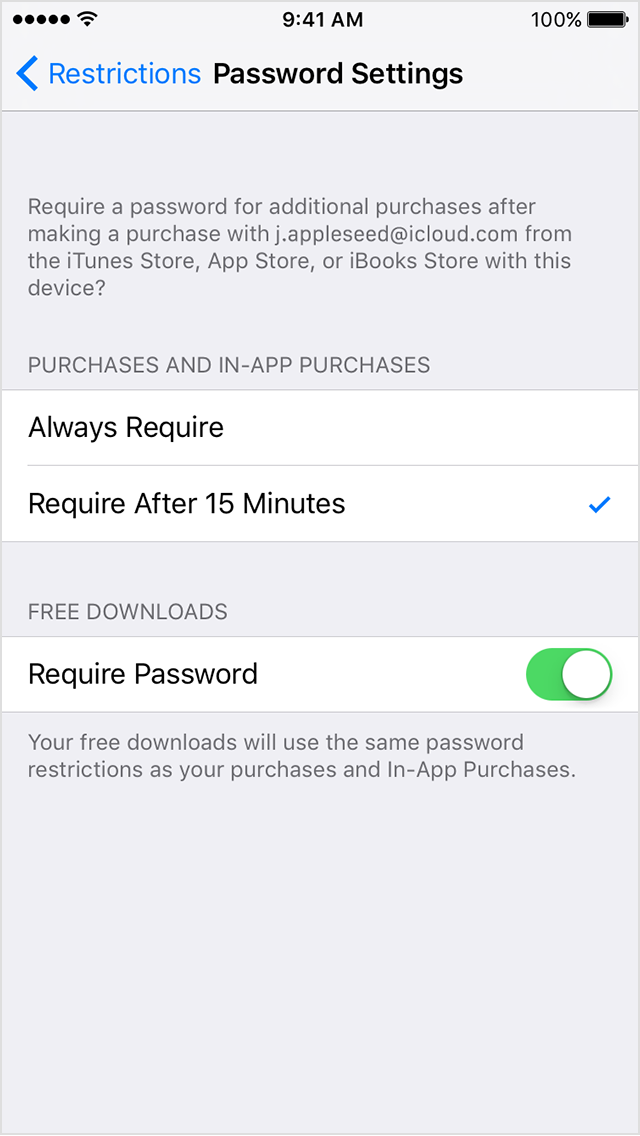
  2. Under Purchases and In-App Purchases, tap the setting you want.
    User uploaded file
  3. Under Free Downloads, tap Require Password to turn the setting on or off.
  4. When prompted, enter your password. Then tap OK.

If you have iOS Restrictions turned on

Manage your password preferences from the Restrictions menu:

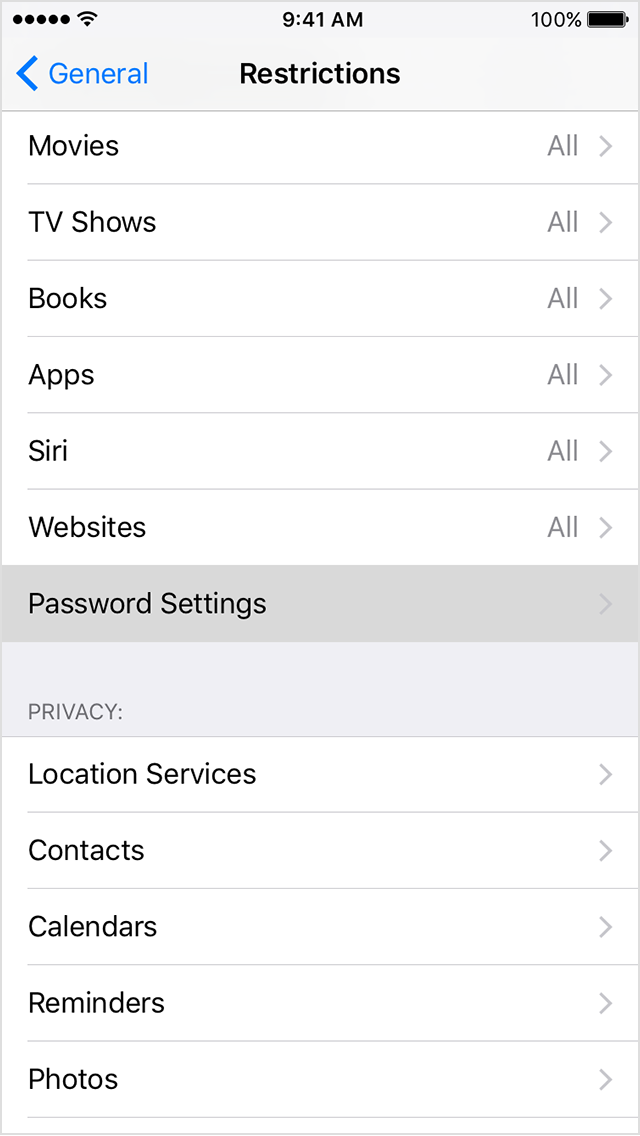
  1. Tap Settings > General > Restrictions > Password Settings.
    User uploaded file
  2. When prompted, enter your passcode.
  3. Under Purchases and In-App Purchases, tap the setting you want.
    User uploaded file
  4. Under Free Downloads, tap Require Password to turn the setting on or off.
  5. When prompted, enter your password. Then tap OK.

This thread has been closed by the system or the community team. You may vote for any posts you find helpful, or search the Community for additional answers.

Not asking for password when updating apps

Welcome to Apple Support Community
A forum where Apple customers help each other with their products. Get started with your Apple Account.