Locked Location Services
How do I shut off location services in a locked status? My abusive stalker ex put it on my child's phone and I am creeped out.
iPhone 5s
How do I shut off location services in a locked status? My abusive stalker ex put it on my child's phone and I am creeped out.
iPhone 5s
Hello there, CreepedoutMom.
It sounds like your'e wanting to turn of Location Services on your child's iPhone. The following Knowledge Base article offers up how to manage your Location Services settings:
About privacy and Location Service
Turn Location Services on or off
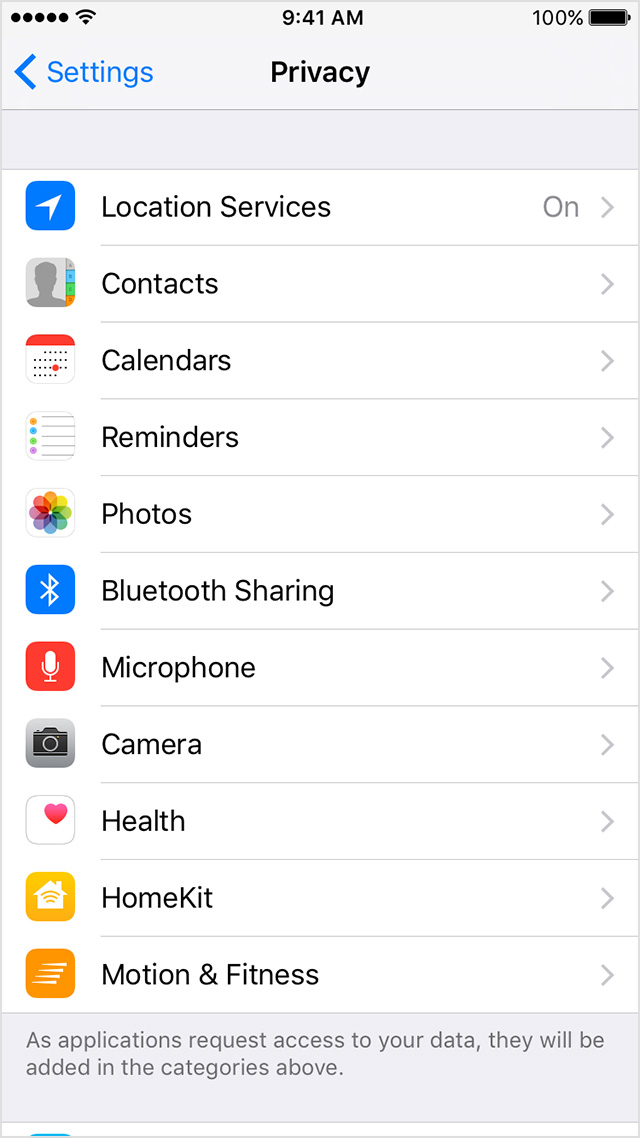
You can turn Location Services on or off at Settings > Privacy > Location Services. You can turn Location Services on either during the Setup Assistant process or later through the Location Services setting. You can individually control which apps and system services have access to Location Services data. When Location Services are off, apps can't use your location in the foreground or background. This will limit the performance of various Apple and third-party apps.
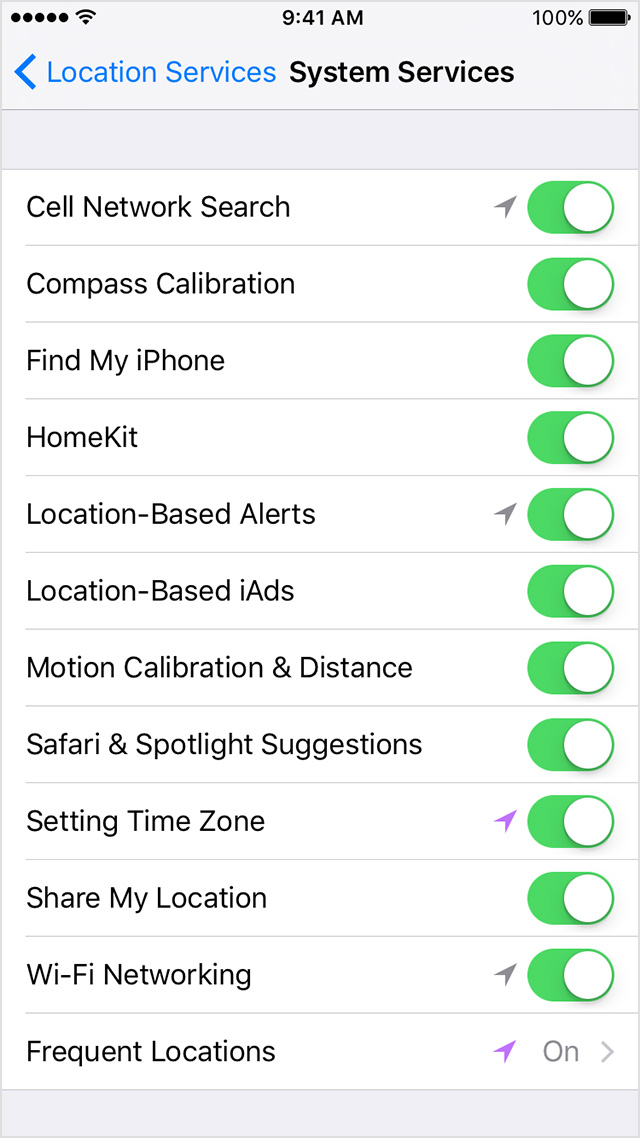
Settings > Privacy > Location Services. Settings > Privacy > Location Services > System Services.
When you turn on Location Services, you also turn on location-based system services such as these:
- Traffic: If you're physically moving (for example, traveling in a car), your iOS device will periodically send GPS locations and travel speed information in an anonymous and encrypted form to Apple, to be used for augmenting a crowd-sourced road traffic database.
- Popular Near Me: Your iOS device will periodically send locations of where you have purchased or used apps in an anonymous and encrypted form to Apple to improve a crowd-sourced database. This database may be used to offer geographically relevant apps and other products and services.
- Frequent Locations: To learn places that are significant to you, your iOS device will keep track of places you have recently been, as well as how often and when you visited them. This data is kept solely on your device and won't be sent to Apple without your consent. It will be used to provide you with personalized services, such as predictive traffic routing.
- Location-Based iAds: Your iPhone will send your location, including travel speed and direction, to Apple to provide you with geographically relevant iAds.
- Spotlight Suggestions: When you use Spotlight or Spotlight Suggestions in Safari, the location of your iOS device at the time you submit a search query to Spotlight or Safari will be sent to Apple to make Spotlight Suggestions more relevant and to improve other Apple products and services. If you turn off Location Services for Spotlight Suggestions, your precise location won't be sent to Apple. To deliver relevant search suggestions, Apple may use the IP address of your Internet connection to approximate your location by matching it to a geographic region.
- Location Based Alerts: Your iOS device will use your location to provide you with geographically relevant alerts, such as a reminder to call someone when you get to a specific place or when to leave for your next appointment based on where you currently are.
- Share My Location: You can choose to share your current location with others, on a temporary or ongoing basis, from within certain apps, such as Messages and Find my Friends.
{...}
Reset or disable Location Services
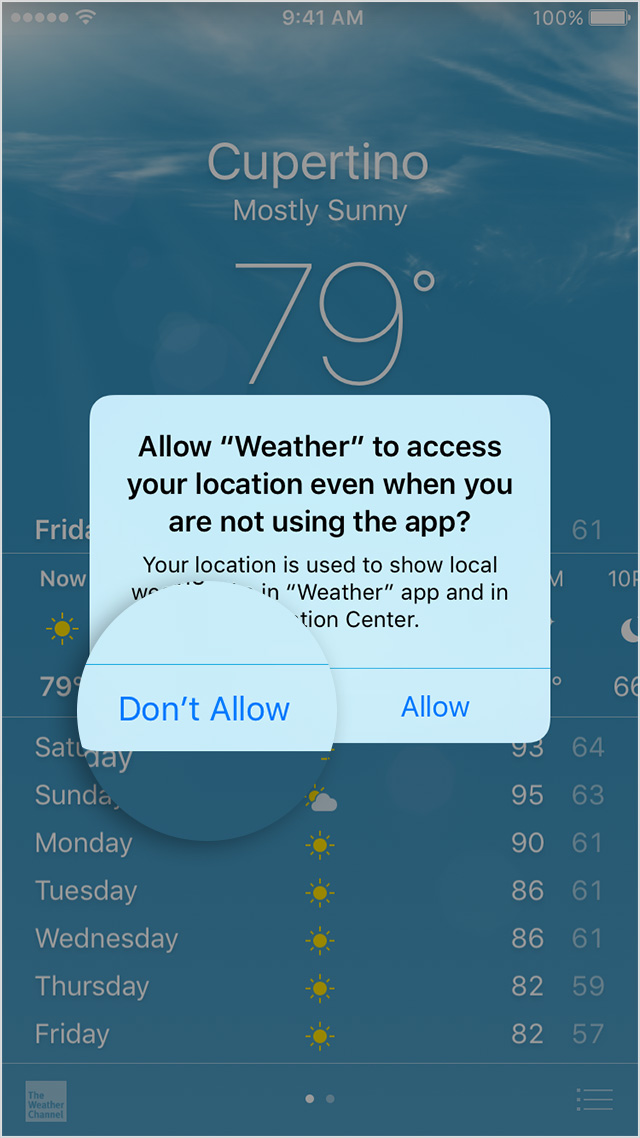
Location warnings are the requests that apps (such as Camera, Compass, and Maps as well as location-based third-party apps) make to use Location Services with those apps. An app will ask for permission the first time it needs to access Location Services data. Tapping Allow will give that app permission to use Location Services as needed. Tapping Don't Allow will prevent an app from accessing Location Services data. Apps won't use your location until they have asked for your permission and you grant permission.
If you would like to reset all of your location settings to the factory default, go to Settings > General > Reset and tap Reset Location & Privacy. When your location and privacy settings are reset, apps will stop using your location until you grant them permission.
Thanks for reaching out to Apple Support Communities.
Kind Regards.
Locked Location Services