Siri doesn't work on my phone, the microphone doesn't pick up my voice

HHey every time I go to set up 'hey Siri' I say hey Siri and it doesn't pick up my voice. I know it's not a problem with my microphone because I always talk with people on my phone and I tried to set it up through a headset mic and it still doesn't work does anybody know why?

iPhone 6 Plus, iOS 9.3.2

Posted on May 28, 2016 7:04 PM

Reply
19 replies

May 29, 2016 4:50 AM in response to Malignance

Yep, done that too. Tried a reset a few times tried closing all my background apps tried shouting into the microphone and talking softly nothing all round. It's really frustrating me because I call people all the time and the microphone works but seems to be dead when I try activate 'hey siri' also my keyboard dictation doesn't seem to work either.

May 29, 2016 5:06 PM in response to Duling1

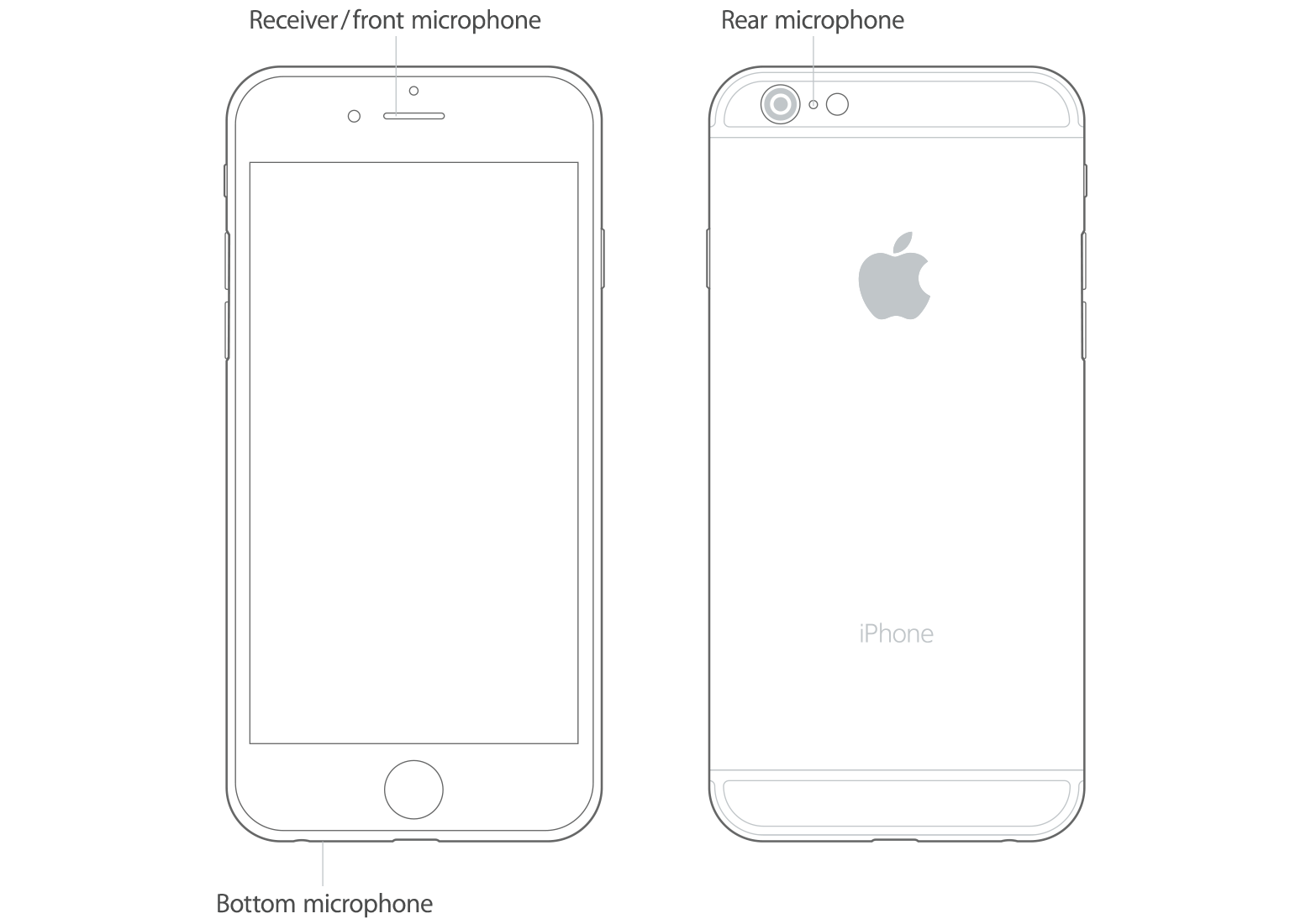
There are three mics on an iPhone.

Because one works doesn't mean all 3 work.


Siri and dictation use the front mic.


iPhone

There is more than one microphone on your iPhone.

User uploaded file

To test the primary microphone on the bottom of your iPhone, open Voice Memos and tap the record icon. Then speak into the microphone and tap the play icon to play back the recording. You should be able to hear your voice clearly.

If your voice sounds faint when you’re using the speakerphone on a phone call, make sure that your iPhone receiver isn’t blocked or covered.

Test the front mic by taking a front facing video. See if the sound is mute.

Test the rear mic by taking a rear facing video.

Jun 1, 2016 8:07 AM in response to Duling1

You basically followed the steps in this article:


Get help with the microphones on your iPhone, iPad, and iPod touch - Apple Support


and seemingly discovered you have a hardware problem with the front microphone. The last link in that article is to contact Apple Support.


Since you also seem to be having an intermittent problem with the headphone, one last thing you might try is cleaning out/blowing out the headphone jack. Try inserting/removing the plug a dozen times or so. There is a little switch in the headphone jack that disconnects the speaker when the headphone jack is inserted.

This thread has been closed by the system or the community team. You may vote for any posts you find helpful, or search the Community for additional answers.

Siri doesn't work on my phone, the microphone doesn't pick up my voice

Welcome to Apple Support Community
A forum where Apple customers help each other with their products. Get started with your Apple Account.