why won't my iMac recognize my nano?
why won't my iMac recognize my nano?
iMac, OS X Yosemite (10.10.3)
why won't my iMac recognize my nano?
iMac, OS X Yosemite (10.10.3)
Hello fghhh,
Thank you for using Apple Support Communities.
I see that your iMac isn't recognizing your iPod nano. I connect my iPod to my iMac a lot, so I know how important it is we get this issue resolved. I have an article that I would like to share with you.
Use If iTunes doesn‘t recognize your iPhone, iPad, or iPod and see if this helps iTunes recognize your iPod, specifically, these two sections:
When iTunes on your computer doesn't recognize your connected device, follow these steps. Try again after each step:
- Make sure that you have the latest version of iTunes that works with your computer.
- Check that you have the latest software on your Mac or Windows PC.
- Make sure that your device is turned on.
- If you see a Trust this Computer alert, unlock your device and tap Trust. If you still see the alert, you might need to reset your lockdown folder.
- Unplug all USB accessories from your computer except for your device. Try each USB port to see if one works. Then try a different Apple USB cable.
- Restart your computer and iPhone, iPad, or iPod.
- To see if your device needs service, try another computer. If you have the same issue again, contact Apple Support.
If you use a Mac
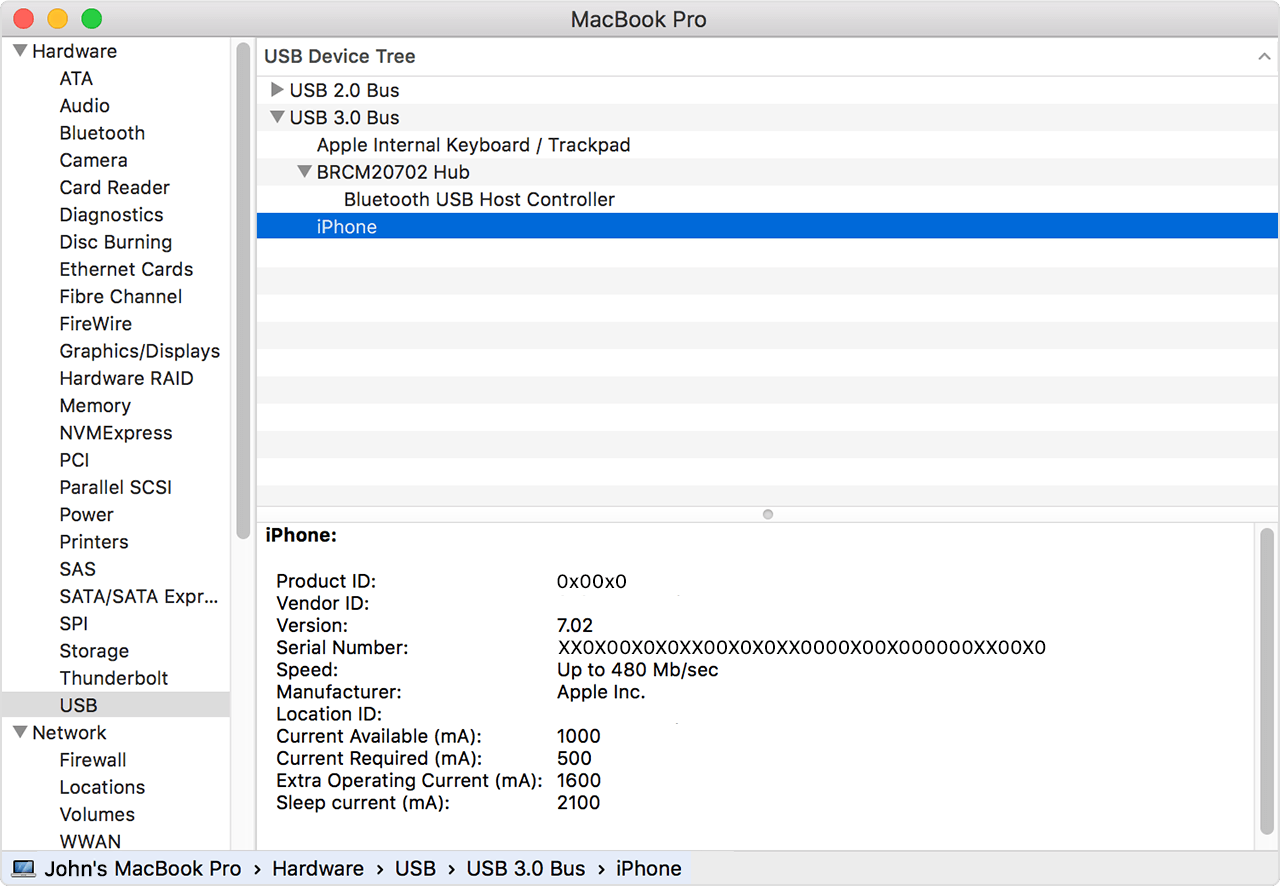
- Hold down the Option key, click the Apple menu, and choose System Information or System Report.
- Select USB from the list on the left.
- If you see your iPhone, iPad, or iPod under USB Device Tree, uninstall third-party security software. If not, contact contact Apple Support.
Best Regards.
why won't my iMac recognize my nano?