Find My Mac - "recover partition required.."

Hi I have a macpro running mavericks 10.9.5 and although I am signed int to icloud according to system preferences I cant access the site... Also, I can't link "find my mac" its highlighted so it cant be selected and it says "Recovery Partition Required.." no idea what to do.


Thanks!

MacBook Pro, OS X Mountain Lion (10.8)

Posted on Jul 15, 2016 2:35 PM

Reply
6 replies

Jul 16, 2016 8:49 AM in response to Preston24

Hello there, Preston24!


Thanks for reaching out to the Apple Support Communities! It sounds like you are having an issue getting Find My Mac set up. I know how important it is to be sure it's working properly on the computer as well. You might want to check out this article about If Find My Mac is dimmed and you see ‘Recovery system update required‘. The message you're seeing is very similar to the one listed in the article and this will give you some steps to try and resolve the issue.


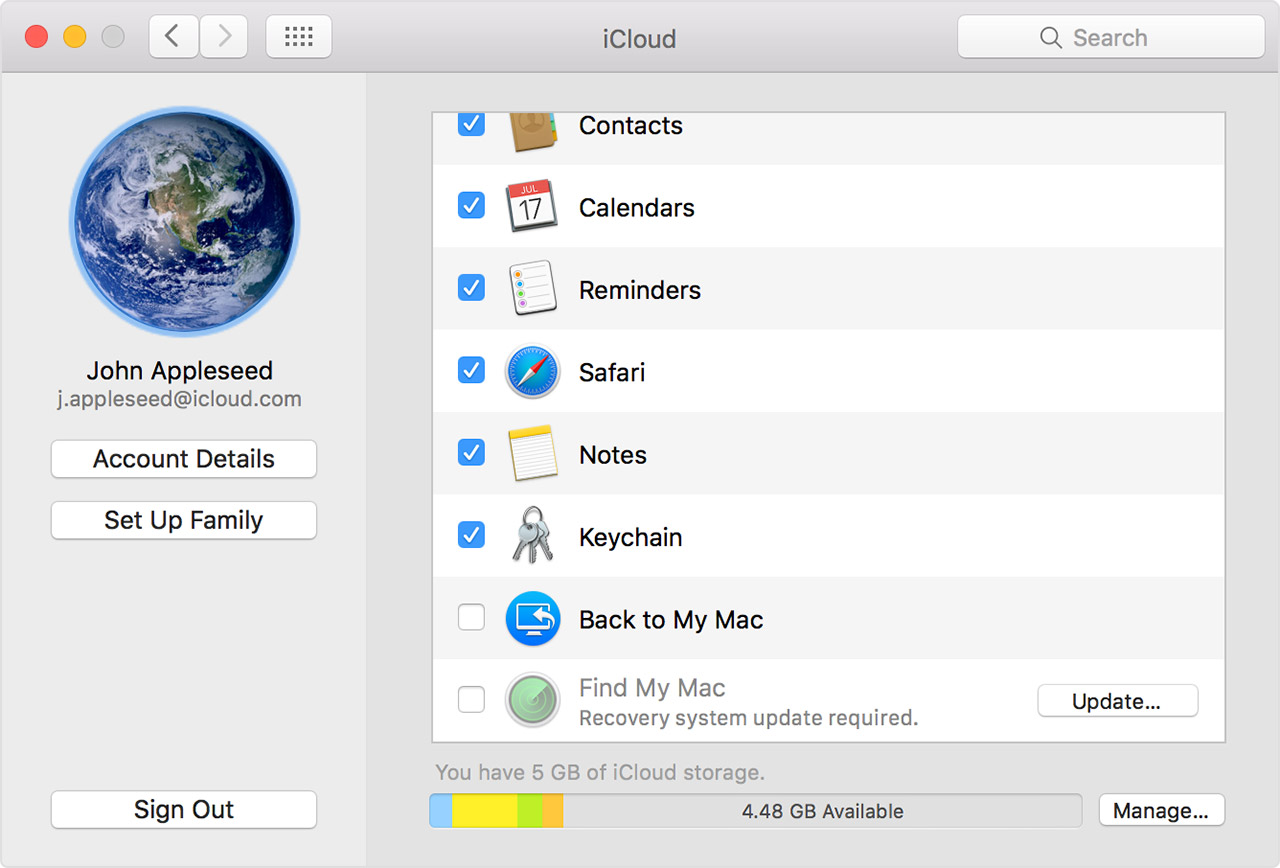
In the iCloud menu of System Preferences for OS X Lion v10.7.2 or later, Find My Mac might be dimmed and you see "Recovery system update required."

User uploaded file

Click Update next to Find My Mac and open the Software Update menu. You might see a message to install an OS X recovery update, or a message that says your software is up to date. If you install the update and Find My Mac is still dimmed in the iCloud menu, follow these steps:

  1. Restart your Mac and immediately press the Command and R keys. Your Mac should start from the OS X recovery partition.
  2. Open Disk Utility and click your OS X volume, typically named Macintosh HD. If FileVault 2 is enabled, you'll need to click Unlock on the toolbar, and then enter your admin password to unlock the drive.
  3. Click the Repair Disk button and let Disk Utility complete a repair of the drive.


Cheers!

Jul 16, 2016 10:22 AM in response to AppleJen77

Hi Jen,


Thanks for your reply. This doesn't help as there is no button that says "update" however, in place of this it says "details" and when I click on that it says, "Find my mac requires a recovery Partition. Some configurations, such as a software or hardware RAID, do not support a recover partition and cant be used with find my mac."


No idea what that means..

This thread has been closed by the system or the community team. You may vote for any posts you find helpful, or search the Community for additional answers.

Find My Mac - "recover partition required.."

Welcome to Apple Support Community
A forum where Apple customers help each other with their products. Get started with your Apple Account.