I bought iPhone 6s 64gb but keynote, pages, garageband still not free. Please help :(
I bought iPhone 6s 64gb but keynote, pages, garageband still not free. Please help 😟
iPhone 6s Plus, iOS 9.3.4
I bought iPhone 6s 64gb but keynote, pages, garageband still not free. Please help 😟
iPhone 6s Plus, iOS 9.3.4
Hi S4mwise,
I understand you're curious about getting your free copies of Keynote, Pages, and Garageband for your iPhone 6s. I know that it's nice to have these powerful tools on the go, so I'm happy to provide some direction to help with this!
To start, make sure that you've signed in with your Apple ID under Settings > iTunes & App Store. Once signed in, check out this article on the subject:
Get Apple apps for free on your iPhone, iPad, and iPod touch - Apple Support
If you purchased a 32 GB or larger device with iOS 9 or later, these Apple apps are already installed:
- Pages
- Numbers
- Keynote
- iTunes U
- iMovie
- GarageBand*
The first time you open one of these apps, sign in with your Apple ID.
Note that if you have restored this iPhone from a backup of a previous phone, it's possible that these apps won't be installed. If that's the case, you can continue the steps in the article to download them:
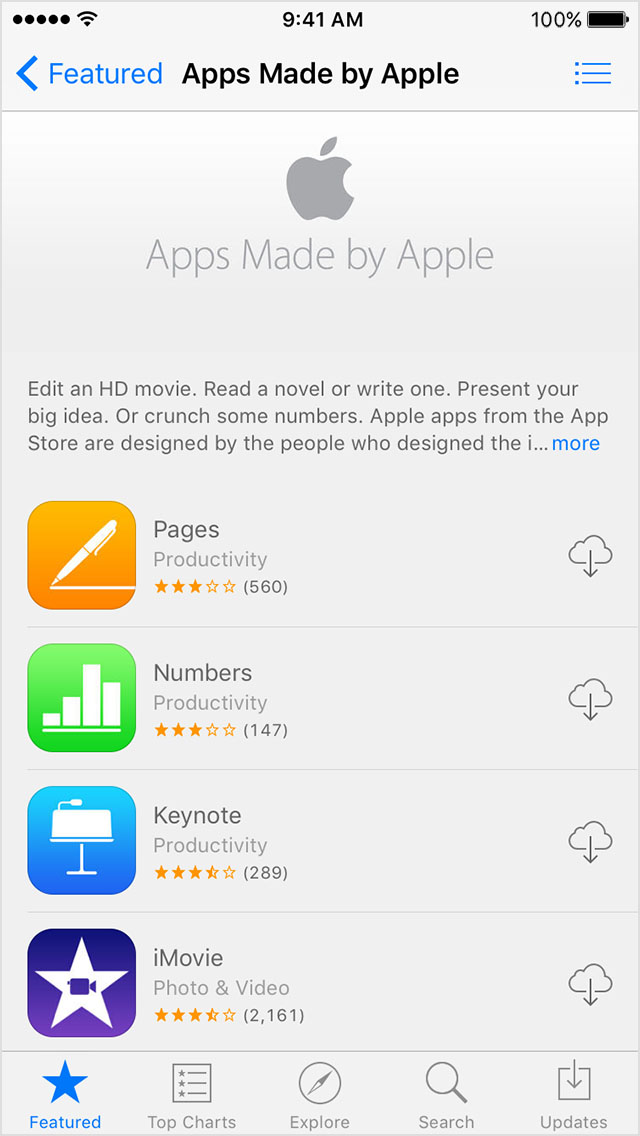
Find and download Apple apps
- Open the App Store.
- Scroll to the bottom of the screen.
- Under Quick Links, tap Apps Made by Apple.
- Tap the apps that you want to download
. To download apps larger than 100 MB, your device needs to be connected to a Wi-Fi network.
Thanks for using the Apple Support Communities, cheers!
In case after restoring my iphone i sign in using a different id then how can i redeem it
You need to use the account that originally activated the phone, if you want them on a different account you will have to buy them on it
I bought iPhone 6s 64gb but keynote, pages, garageband still not free. Please help :(