Multiple full screen window manager

I regularly setup multiple full screen windows on my macbook pro (laptop screen and external screen). Each day I create three screens - email on one, programming editor on another and maybe a design on the third and then on the other screen a web browser. While the interface is fast, its tedious to do this each day. Is there a tool which you can create your perfect setup and it implements it each day automatically?


Thanks

iMac with Retina 5K display, OS X Yosemite (10.10.5)

Posted on Sep 13, 2016 4:26 AM

Reply
3 replies

Sep 13, 2016 4:37 PM in response to threesixtymedia

Hi threesixtymedia,


I understand that you want to open your windows in the way that you want them every day when you log in. I know that it's nice to optimize your workflow, so I'm happy to provide some help for this.


Check out this article that we have on the subject:

Automatically re-open windows, apps, and documents on your Mac - Apple Support

When you log out and log in

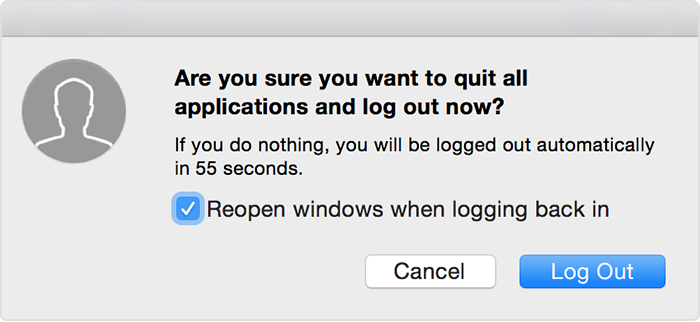
When you log in, apps that were open the last time you used your Mac automatically re-open. When you log out, you can select or deselect "Reopen windows when logging back in" from the Log Out window. This option sets whether your apps should re-open the next time you log in. It remains selected the way you last set it, so you have to change this setting only when you want to change the current behavior.

User uploaded file

To temporarily prevent apps from opening when you log in, hold the Shift key during login. This prevents apps from opening automatically, even if you selected the option to open them the last time you logged out.


Thanks for using the Apple Support Communities, cheers!

Sep 14, 2016 8:45 AM in response to CarlAVII

I dont want to necessarily open apps automatically but just preserve what window settings I have ie 3 work spaces per monitor and when i open a browser it goes to screen 1, my programming editor 2, my design app 3 etc I dont want them to open automatically but just an app that remembers every apps settings so that I dont have to manually have to drag them each day

This thread has been closed by the system or the community team. You may vote for any posts you find helpful, or search the Community for additional answers.

Multiple full screen window manager

Welcome to Apple Support Community
A forum where Apple customers help each other with their products. Get started with your Apple Account.