HT201287: Use Messages on your iPhone, iPad, or iPod touch

Learn about Use Messages on your iPhone, iPad, or iPod touch
aknopp21

Q: The effects of a message such as lazers and fireworks are not working

I Updated my phone to iOS 10 but the laser and fireworks and what not effects are not working. instead the message shows up and in parentheses it says (sent with lasers)

iPhone 6s Plus, iOS 10

Posted on Sep 14, 2016 6:53 PM

Close

Q: The effects of a message such as lazers and fireworks are not working

  • All replies
  • Helpful answers

  • by Allen A,

    Allen A Allen A Sep 15, 2016 2:09 PM in response to aknopp21
    Community Specialists
    Sep 15, 2016 2:09 PM in response to aknopp21
    Greetings aknopp21, 

    Thanks for using Apple Support Communities. 

    I see that you just updated your iPhone to iOS 10, and the laser and fireworks messages effects are not working. I use these effects a lot on my iPhone when sending messages. So, I understand the importance of getting them working on your iPhone. 

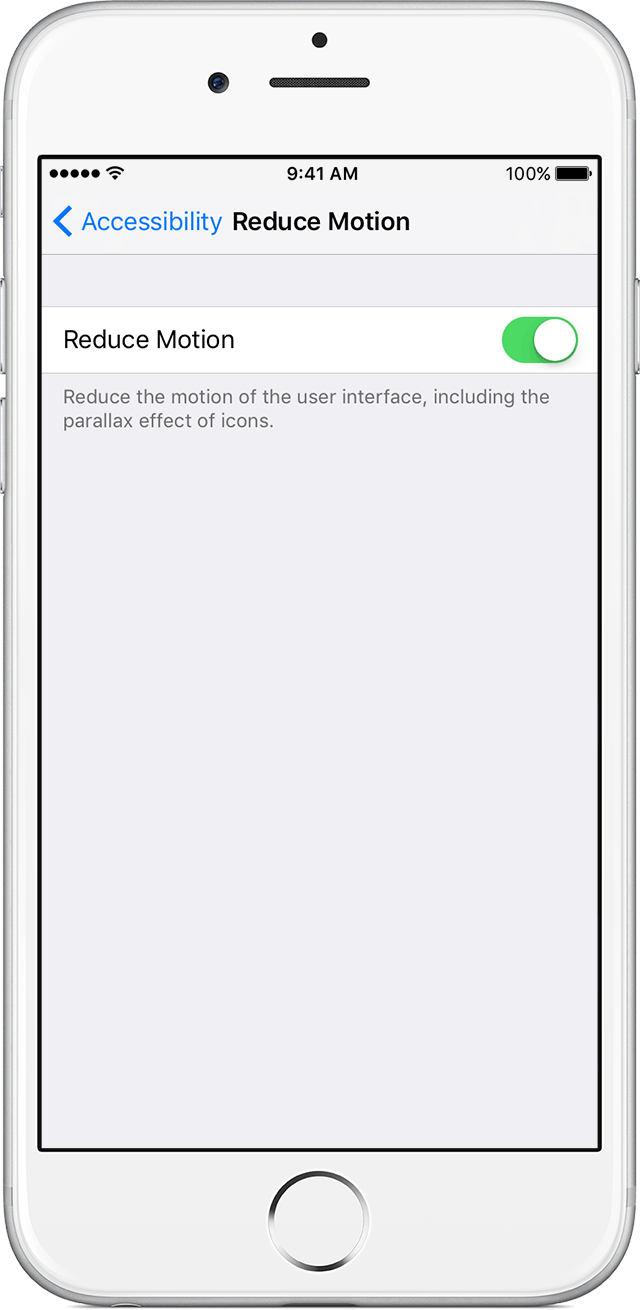
    Please make sure that you don't have reduced motion turned on. Use the article Reduce screen motion on your iPhone, iPad, or iPod touch, specifically, this section:
     

    iOS uses motion effects to create the perception of depth on your Home screen and within apps. If you have sensitivity to motion effects or screen movement on your iPhone, iPad, or iPod touch, you can use Reduce Motion to turn off these effects.


    To turn on Reduce Motion, go to Settings > General > Accessibility and tap the slider for Reduce Motion.

    When Reduce Motion is on, certain screen effects change or are disabled on your device, including:

    • Screen transitions and effects use the dissolve effect instead of zoom or slide effects.
    • Parallax effect where your wallpaper, apps, and alerts that move or shift slightly as you tilt your device are disabled.
    • Animation and effects in certain apps are disabled. For example: 

    If reduced motion is turned on, please turn off, and then test to see if you get the same result. 

    Have a wonderful day! 
  • by Egray25,

    Egray25 Egray25 Sep 16, 2016 5:56 AM in response to Allen A
    Level 1 (4 points)
    iPhone
    Sep 16, 2016 5:56 AM in response to Allen A

    I tried this but without any luck.  The Reduce Motion was already turned off.  The bubble effects and full screen effects still do not show up as options.  The handwriting and taps do, but nothing when you hold the blue up arrow.  Any other suggestions.