iMessage baloons dont appear on iPhone 5S

Hello,


I upgraded to iOS 10 on my iPhone 5S.

In iMessage I dont get the balloons or confetti on its own when I type "Happy Birthday" or "Congrats".


I have to use the "Send with effects" feature instead.


P.S: Reduce motion effect is turned off.

iOS 10

Posted on Sep 15, 2016 1:05 AM

Reply
1 reply

Sep 15, 2016 4:24 PM in response to hbm2679

Greetings hbm2679,

Thanks for using Apple Support Communities.

I understand that you just upgraded your iPhone 5s to iOS 10. When using iMessage, you don't see the balloons or confetti when you type happy birthday or congrats. I have been using these full-screen effects on my iPhone, and I really like them. Let's see how I can help with this.

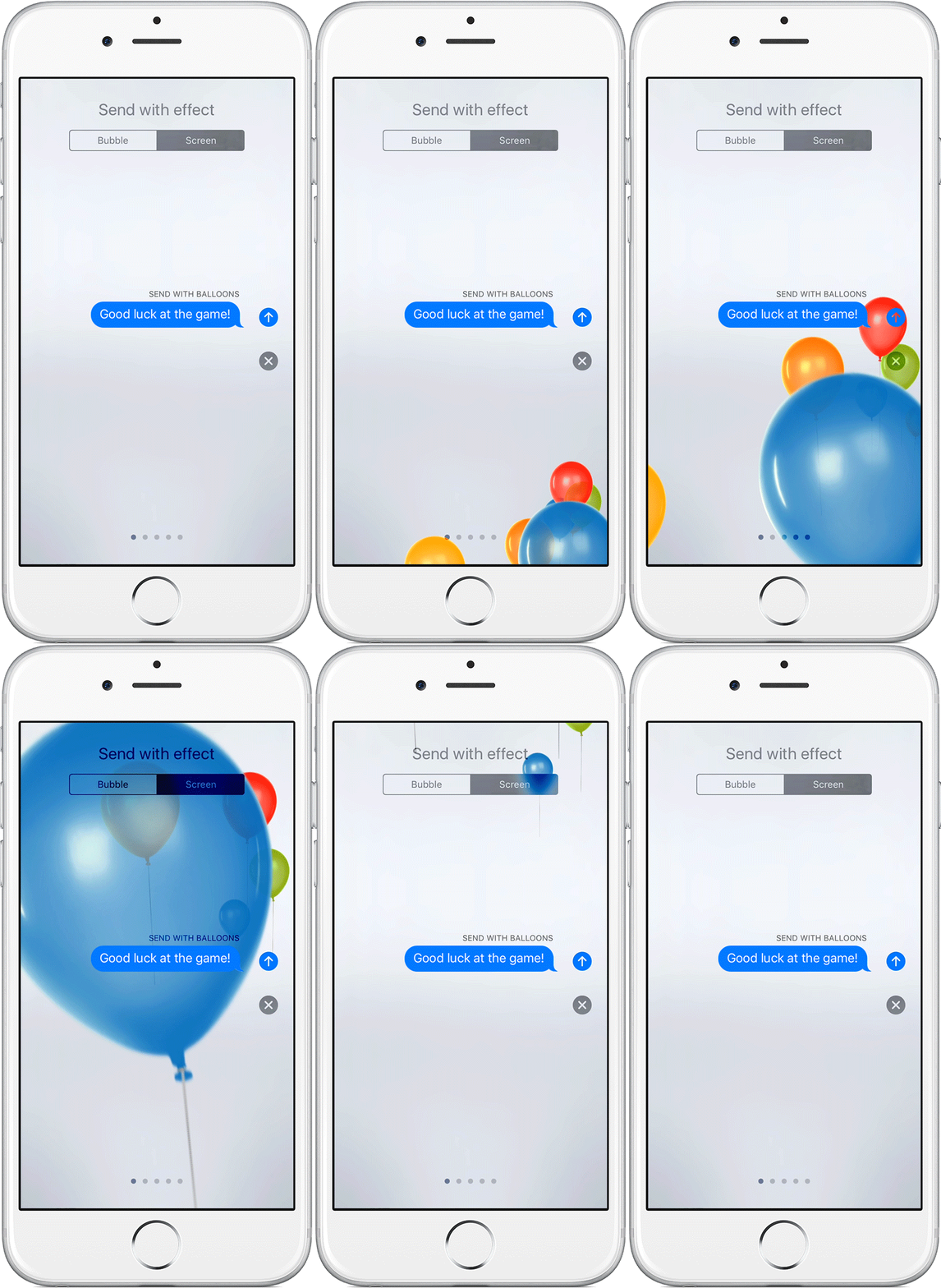
These full-screen effects animate the screen when you send a message. These don't appear when you type happy birthday or congrats. You must add the full-screen effect when you are sending an iMessage. Plus see the article Use message effects with iMessage on your iPhone, iPad, and iPod touch , specifically, this section:

Add a full-screen effect

With full-screen effects, you can animate your screen with balloons, confetti, and more. To send a full-screen effect, follow these steps:

  1. Open Messages.
  2. Tap User uploaded file and enter a contact or go to an existing conversation.
  3. Enter your message.
  4. Touch and hold User uploaded file, then tap Screen.
  5. Swipe to the left to see full-screen effects, like balloons, confetti, and fireworks.
  6. Tap User uploaded file to send.

If you can't send or receive full-screen effects, make sure you don't have Reduce Motion turned on.


User uploaded file


Cheers.

This thread has been closed by the system or the community team. You may vote for any posts you find helpful, or search the Community for additional answers.

iMessage baloons dont appear on iPhone 5S

Welcome to Apple Support Community
A forum where Apple customers help each other with their products. Get started with your Apple Account.