On ipad pro ios 10 trying to get into itunes keep getting error message: apple id is not associated with a content provider in itunes connect (2002). How do i fix

ON IPAD PRO IOS 10 TRYING TO GET INTO ITUNES KEEP GETTING ERROR MESSAGE: YOUR APPLE ID IS NOT ASSOCIATED WITH A CONTENT PROVIDER IN ITUNES CONNECT (2002). HOW DO I FIX??

iPad, iOS 9.2

Posted on Sep 27, 2016 9:39 AM

Reply
1 reply

Sep 28, 2016 2:53 PM in response to irafromgreensboro

Hello irafromgreensboro,

If I understand your question, you are trying to access the iTunes Store to purchase content, is that right? The error message you are receiving has to do with iTunes Connect, which is a service for people who provide music, books, etc. to sell on the iTunes Store.

On your iPad Pro, use the Settings app to sign out of the iTunes Store and then restart your device. Then sign in to the iTunes Store and try browsing again. Although the title of the article below suggests signing in with a different Apple ID, you will be signing in with the same Apple ID that you use for all of your music, books, movies and app purchases on your iPad Pro.

Sign in with a different Apple ID on your iPhone, iPad, or iPod touch

iTunes, iBooks, and App Store


  1. Tap Settings > iTunes & App Store.
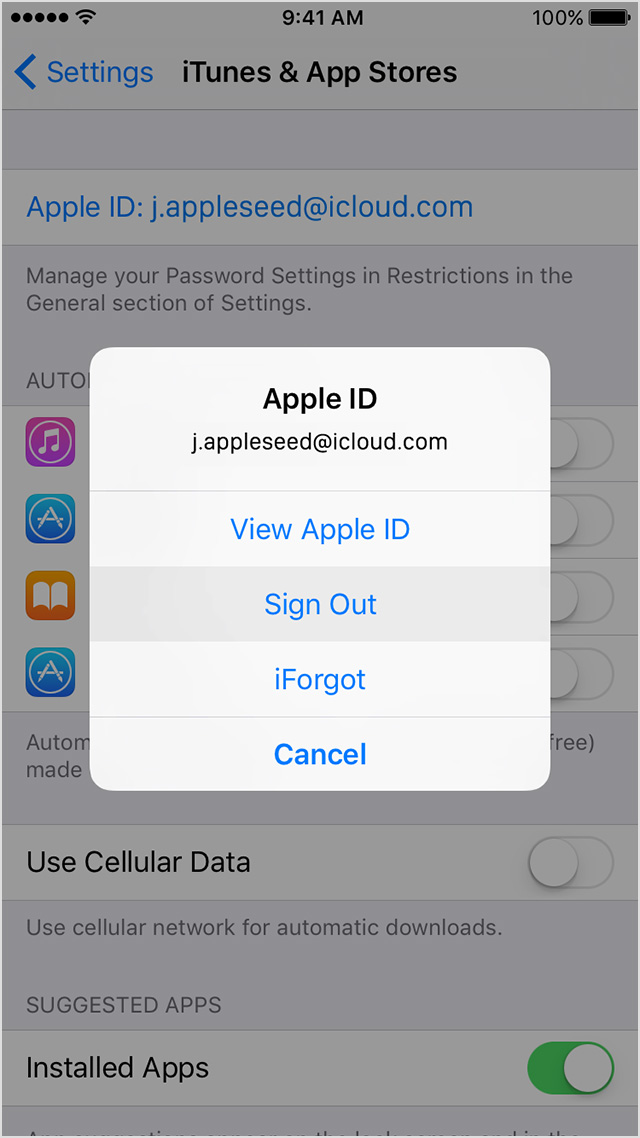
  2. Tap your Apple ID. If you see the option to Sign In, you can change your Apple ID now.
  3. Tap Sign Out.

    User uploaded file
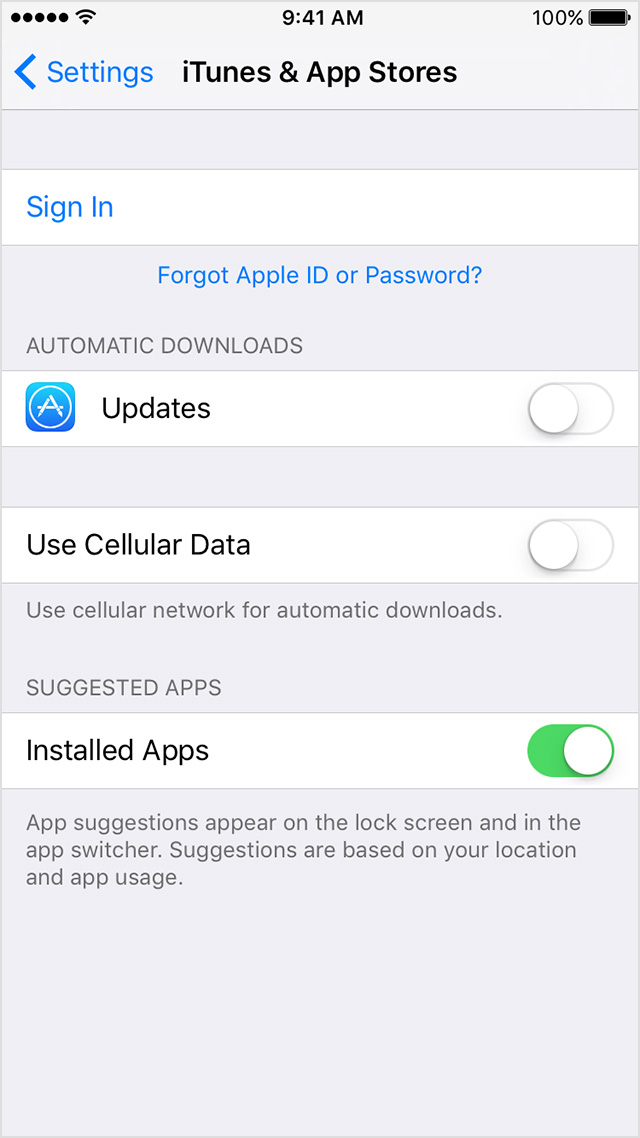
  4. Go to Settings > iTunes & App Store.
  5. Tap Sign In, then enter your Apple ID and password.

    User uploaded file

Enjoy your day!

This thread has been closed by the system or the community team. You may vote for any posts you find helpful, or search the Community for additional answers.

On ipad pro ios 10 trying to get into itunes keep getting error message: apple id is not associated with a content provider in itunes connect (2002). How do i fix

Welcome to Apple Support Community
A forum where Apple customers help each other with their products. Get started with your Apple Account.