-
All replies
-
Helpful answers
-
Sep 28, 2016 2:37 PM in response to mpizarro129by becky_s22,Hey mpizarro129,
Thanks for being a part of Apple Support Communities.
I understand from your post that you're not feeling the haptic feedback on your Apple Watch when an alarm set on your iPhone is going off. To get started, lets make sure your haptic setting hasn't been turned down:
Change the audio and notification settings on your Apple WatchChange the strength of taps
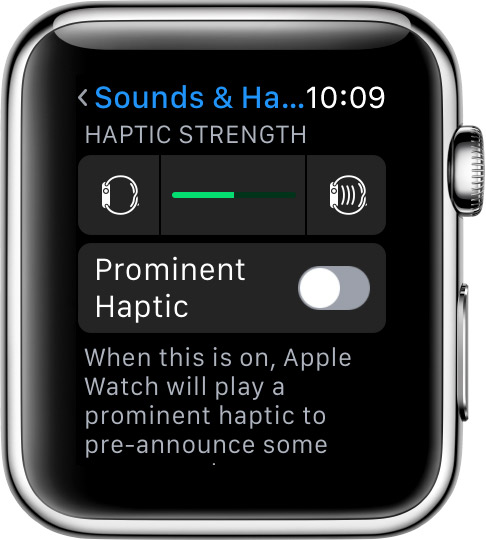
Make sure that you have the latest version of watchOS. Then decrease or increase the intensity of taps:
- Put on your Apple Watch and unlock it. For the best haptic results, the back of your Apple Watch needs skin contact. Use a snug, but comfortable fit.
- Press the Digital Crown to see your apps, then tap the Settings app.
- Scroll down and tap Sounds & Haptics.
- Under Haptic Strength, tap
to decrease haptic intensity or
to increase it.

You can also adjust haptic alerts using your paired iPhone. Open the Apple Watch app, tap the My Watch tab, then tap Sounds & Haptics. Under Haptic Strength, drag the slider to adjust the intensity of haptic notifications.
If you're wearing your Apple Watch and you don't feel a tap as you adjust the slider, contact Apple Support.
If the issue persists after that, let's go ahead and restart both your iPhone and your Apple Watch, and then test an alarm to see if the issue persists:
Restart your iPhone, iPad, or iPod touch
Restart your Apple Watch
Still not tapping? Then let's unpair the Apple Watch, and then pair it back with your iPhone. This will erase your Apple Watch, but back it up to your iPhone in order to restore.
Unpair your Apple Watch and iPhone
Take care.