Reminders keep appearing even if deleted / Erinnerungen erscheinen obwohl sie gelöscht sind

Hello community,


after I restored my iPhone and activated "Reminders" in my iCloud settings, two already deleted notifications appear on my iMac (Sierra).

No matter if I click on "completed" or "later" they keep appearing within less than 30 seconds.

All entries in Reminders are already deleted (as well as in my iCloud) but they still appear on the iMac.


Does anyone have an idea on how to resolve this problem?

Many thanks


______________________________________________________


Hallo Community,


nachdem ich mein iPhone wiederhergestellt habe und "Erinnerungen" in der iCloud aktiviert habe, erscheinen auf meinem iMac (Sierra) zwei bereits gelöschte Erinnerungen als Push-Meldung auf dem Bildschirm.

Alle Versuche diese Meldungen zu löschen sind erfolglos.

Sie erscheinen nach wenigen Sekunden (unter 30 Sek.) erneut.

Es ist egal, ob auf "Erledigt" oder "Später" geklickt wird.

In der Erinnerungen-App (auch in der iCloud) habe ich mittlerweile alle Einträge gelöscht, aber die Meldungen erscheinen weiterhin.


Kennt jemand dieses Problem und hat eine Lösung?

Vielen Dank

iMac (27-inch, Late 2013), macOS Sierra (10.12), null

Posted on Oct 3, 2016 4:44 AM

Reply
Question marked as Top-ranking reply

Posted on Oct 4, 2016 11:21 AM

Hello Taxicup,

Thank you for using Apple Support Communities. It's my understanding that you've been receiving Reminder notifications for events that have been deleted. I can surely see how this would be concerning, especially if you're getting frequent Reminder alerts. I'm happy to help.
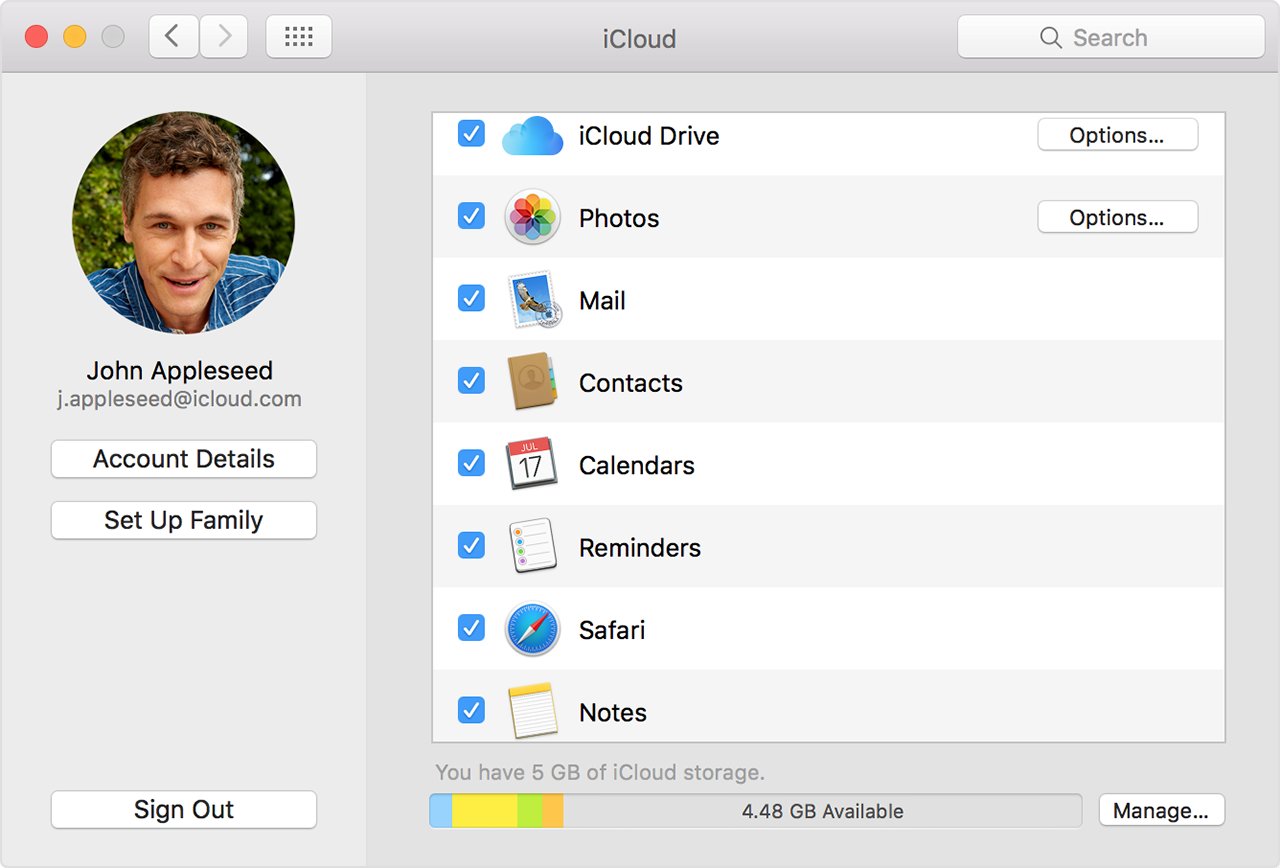
Since they Reminders have already been deleted from iCloud, please follow the steps below.

  1. Quit the Calendar and Reminders apps.
  2. Choose
    Apple menu > System Preferences and click iCloud.
  3. Deselect Calendars and Reminders (or Calendars & Reminders on OS X Mountain Lion).
    On OS X Mountain Lion and Mavericks, click Delete from Mac when asked.
  4. Close System Preferences and wait about a minute.
  5. Choose Apple menu > System Preferences and click iCloud.
  6. Select Calendars (or Calendars & Reminders on OS X Mountain Lion).
  7. Open Calendar and Reminders.
    User uploaded file

Restart your computer

After you restart your computer, see if you fixed the issue.

Get help using iCloud Contacts, Calendars, or Reminders

Have a wonderful day!

4 replies
Question marked as Top-ranking reply

Oct 4, 2016 11:21 AM in response to Taxicup

Hello Taxicup,

Thank you for using Apple Support Communities. It's my understanding that you've been receiving Reminder notifications for events that have been deleted. I can surely see how this would be concerning, especially if you're getting frequent Reminder alerts. I'm happy to help.
Since they Reminders have already been deleted from iCloud, please follow the steps below.

  1. Quit the Calendar and Reminders apps.
  2. Choose
    Apple menu > System Preferences and click iCloud.
  3. Deselect Calendars and Reminders (or Calendars & Reminders on OS X Mountain Lion).
    On OS X Mountain Lion and Mavericks, click Delete from Mac when asked.
  4. Close System Preferences and wait about a minute.
  5. Choose Apple menu > System Preferences and click iCloud.
  6. Select Calendars (or Calendars & Reminders on OS X Mountain Lion).
  7. Open Calendar and Reminders.
    User uploaded file

Restart your computer

After you restart your computer, see if you fixed the issue.

Get help using iCloud Contacts, Calendars, or Reminders

Have a wonderful day!

This thread has been closed by the system or the community team. You may vote for any posts you find helpful, or search the Community for additional answers.

Reminders keep appearing even if deleted / Erinnerungen erscheinen obwohl sie gelöscht sind

Welcome to Apple Support Community
A forum where Apple customers help each other with their products. Get started with your Apple Account.