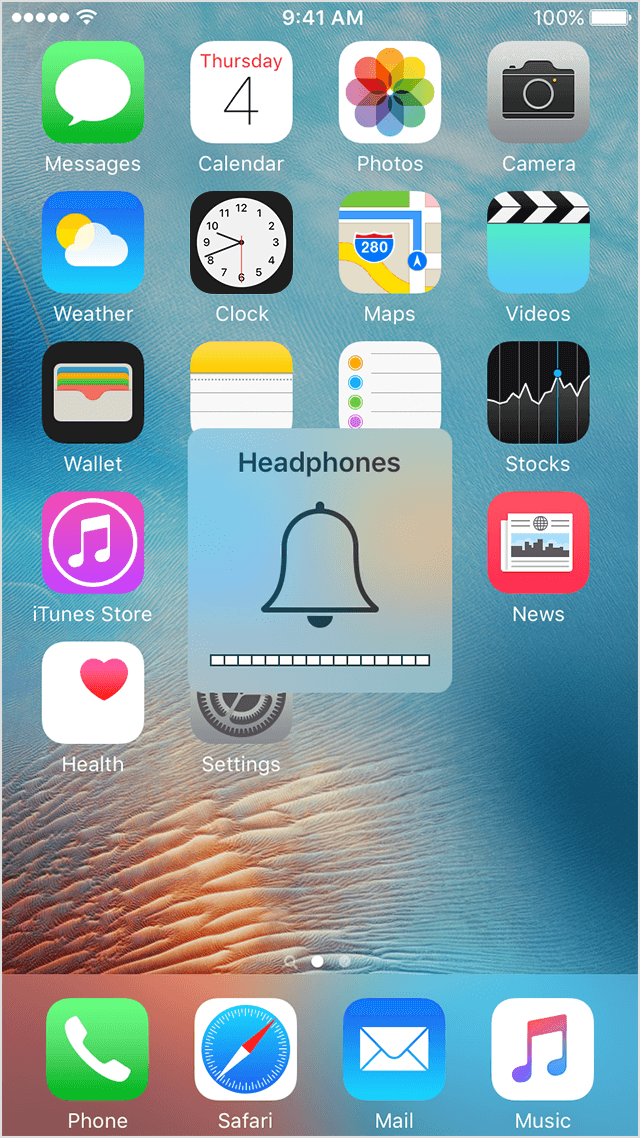
updated my iphone6 plus s and headphones mode is stuck
did a update on my iPhone 6 plus s and now I cant hear other party and headphone mode is enabled but no headphones
iPhone 6s Plus, iOS 9.3, headphone is on and cant remove it
did a update on my iPhone 6 plus s and now I cant hear other party and headphone mode is enabled but no headphones
iPhone 6s Plus, iOS 9.3, headphone is on and cant remove it
If your headphones aren't detected or your device gets stuck in headphone mode
For these issues, get your iPhone, iPad, or iPod inspected at an Apple Retail Store or Apple Authorized Service Provider, or contact Apple Support:
- After you plug any headphones into your iOS device, sound plays from your device's speakers instead of the headphones.
- You unplug your headphones, but when you adjust volume on your iOS device, you still see a Headphones volume indicator.
If your headphones don't work with your iPhone, iPad, or iPod touch - Apple Support
Take care!
updated my iphone6 plus s and headphones mode is stuck