Midi note stuck sustaining

I've seen this question in the thread over and over! Somehow I cannot find my answer. I am dealing with basic Logic Pro x and using Command K to pull up my "midi controller". Out of nowhere my notes are stuck sustaining. I have messed with numerous settings for the first time and cannot figure it out. Would anyone be willing to break it down for me? I just stopped messing with my music because of this and I need to get it figured out.

MacBook Pro (Retina, 13-inch,Early 2015), iOS 10.0.1

Posted on Oct 11, 2016 9:50 PM

Reply
2 replies

Oct 15, 2016 11:22 AM in response to Mathewsssss

You might check to see if there are any Midi Track Controllers such as the Sustain Pedal that is enabled for maximum sustain Value of 127 or other high Value.

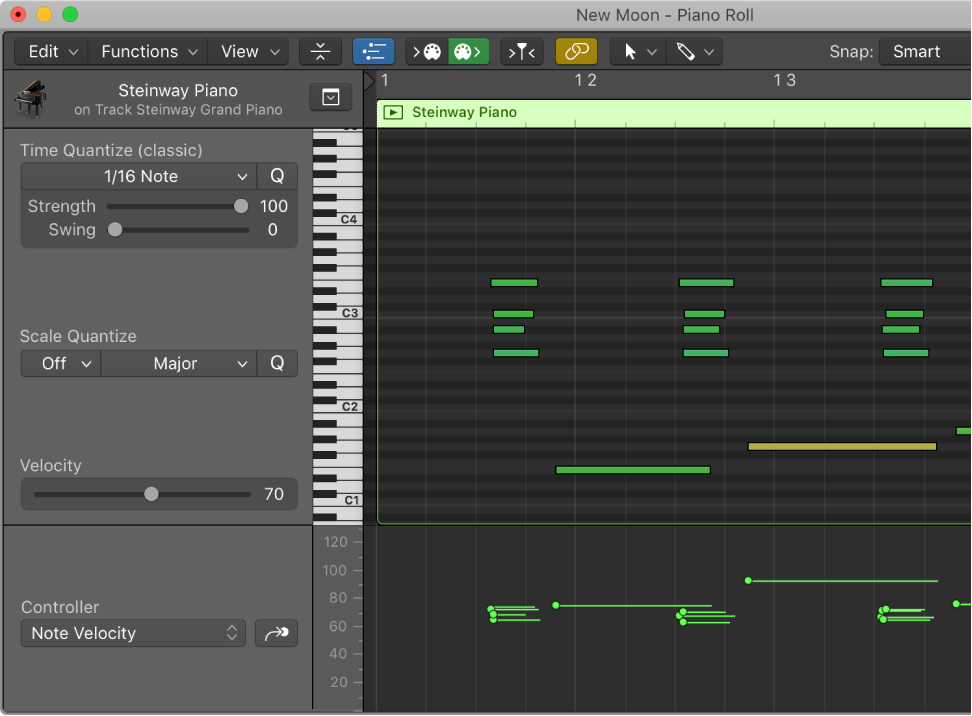
I check this by viewing the Midi Editor Window and then clicking the Midi Draw button. From there you can check to see if any Midi Controllers are being used or are turned on.

On occasion, I have found Sustain Pedal, Foot Control, Portamento Time, Expression, or other controllers have been assigned. Of course, you can edit the values. In the pic below, you can see the Note Velocity controller.


User uploaded file

This thread has been closed by the system or the community team. You may vote for any posts you find helpful, or search the Community for additional answers.

Midi note stuck sustaining

Welcome to Apple Support Community
A forum where Apple customers help each other with their products. Get started with your Apple Account.