
up next
Why is there no longer an up next or play next option?
iPhone 6, iOS 10.0.2
Why is there no longer an up next or play next option?
iPhone 6, iOS 10.0.2
Play your music
If you want to listen to an artist's entire collection of music that you've saved to your library, find the artist in Library > Artists. Tap Shuffle All
to play all of their music.
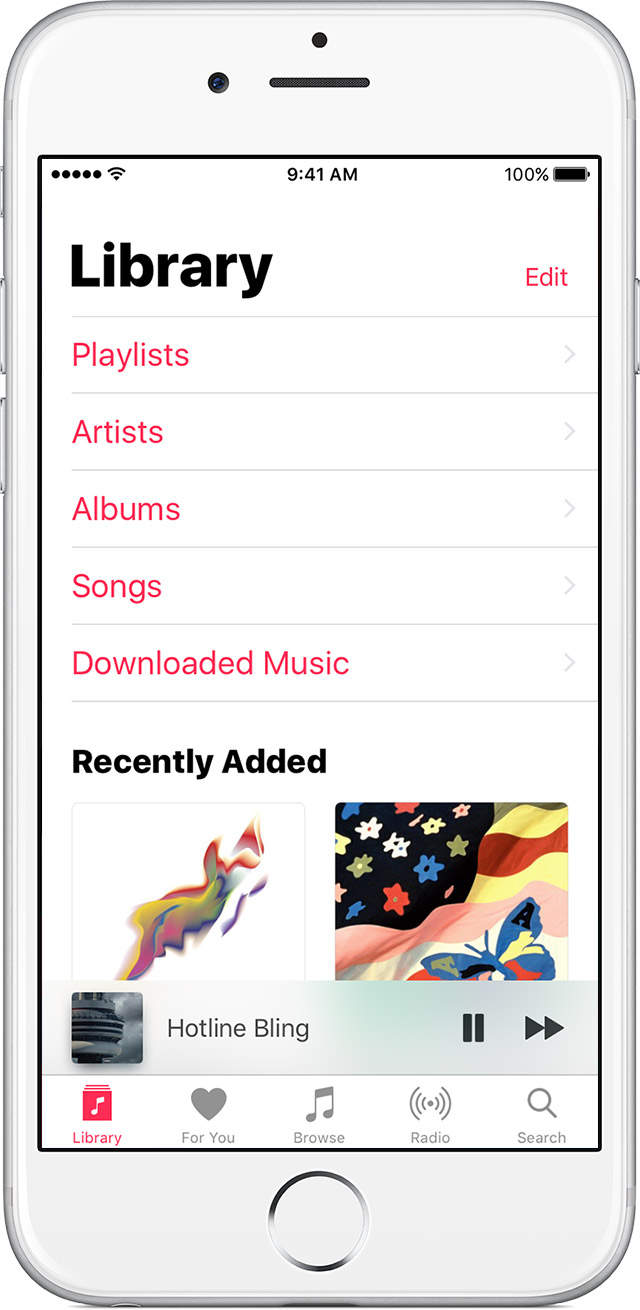
When you play a song, you see a player at the bottom of the screen. You can keep browsing other titles to find the perfect next song.
Tap or swipe up on the player at the bottom to see the Now Playing screen and controls. Tap the
at the top of the screen or swipe down to close Now Playing.
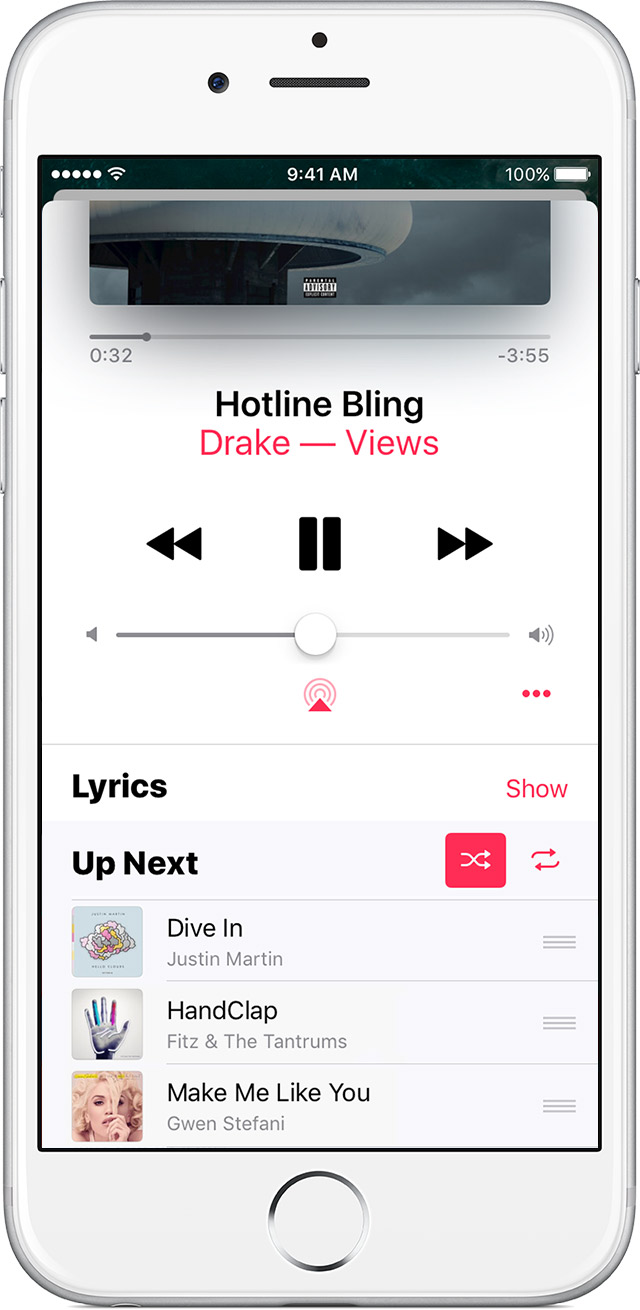
Up Next, Shuffle, and Repeat
Also on the Now Playing screen, you can rewind, pause, or fast forward a song, control the volume, read song lyrics, and more.
Swipe up on Now Playing to show your Up Next queue, which lists all of the songs that you’ve selected for playback.
Drag songs with
to rearrange the order, or swipe left to remove a song that you’d like to skip.
Tap
Tap
once to play an entire playlist or album on repeat or twice to repeat one song. Tap
If you have repeat turned on, you might not see
Why can't you just do it through apple music with songs that you haven't downloaded or place it after a song while you have the radio playing like in the previous IOS?
pick an album etc, then an individual track....press and hold down on the track and then it will give you the option to play 'up next' !!
up next



