iCloud often asks for a 4 digit security code

When I was installing Sierra, one of the steps was suppose to text me a 4 digit security code for iCloud. Well I've been waiting for hours now, and never got a text. Anytime I go to iCloud, it seems like a 6 digit code is provided and I enter it. What the heck is the 4 digit code used for, and how do I get it re-texted to me if I need it? Thanks!!

IMAC, Mac OS X (10.6.4)

Posted on Oct 22, 2016 1:39 PM

Reply
4 replies

Oct 23, 2016 10:20 AM in response to kerms

Hi kerms,

I understand that you are being prompted for a 4 digit code to log into iCloud, but you are not seeing that code presented anywhere. I know it's important to get all of your accounts configured properly, so I'm happy to help.

The code that you're being asked for is for your iCloud Keychain. This article has lots of great information about how to effectively use your iCloud Keychain:

Get help using iCloud Keychain - Apple Support

In that article are some steps for resetting your iCloud Security Code. You'll find similar steps are also shown with screenshots here:

If you enter your iCloud Security Code incorrectly too many times - Apple Support

If you can access an approved device that uses your iCloud Keychain

You can create a new iCloud Security Code from another device that also uses your iCloud Keychain.

On an iPhone, iPad, or iPod touch using iOS 8 or later:

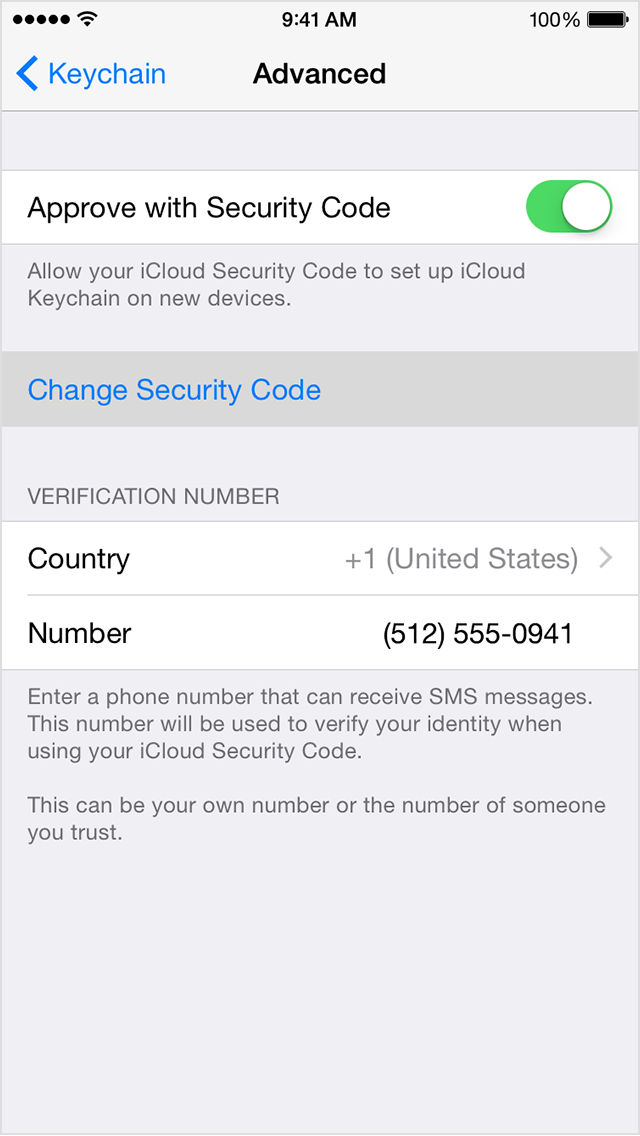
  1. Tap Settings > iCloud > Keychain > Advanced.
  2. Tap Change Security Code.
    User uploaded file
  3. Enter your Apple ID password when asked.
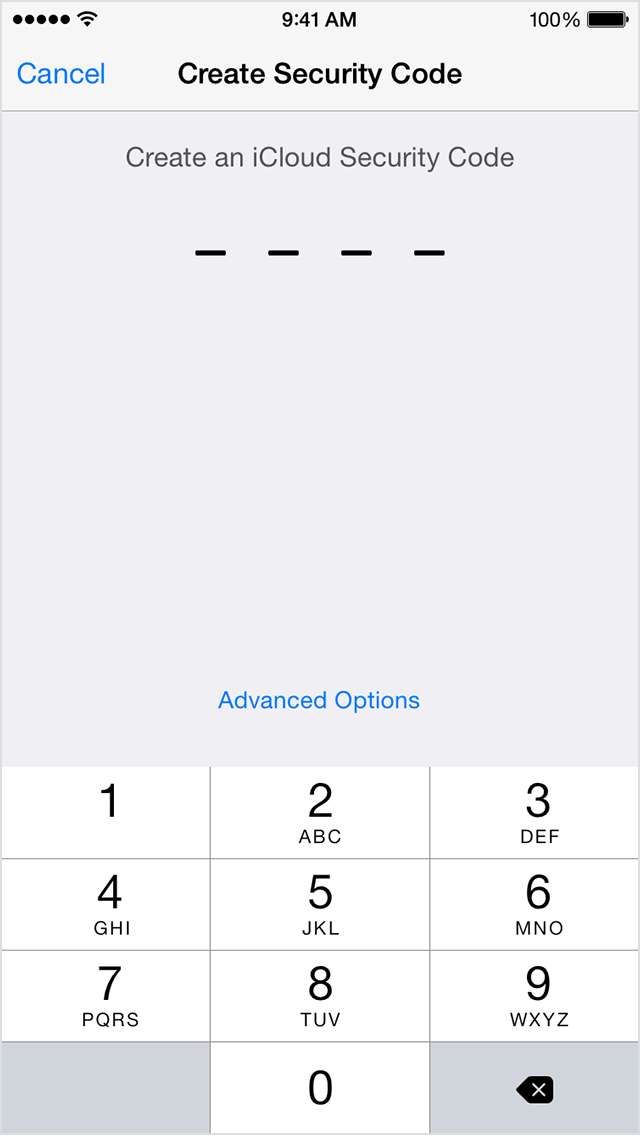
  4. Enter a new iCloud Security Code.
    User uploaded file


Thanks for using the Apple Support Communities. Cheers!

This thread has been closed by the system or the community team. You may vote for any posts you find helpful, or search the Community for additional answers.

iCloud often asks for a 4 digit security code

Welcome to Apple Support Community
A forum where Apple customers help each other with their products. Get started with your Apple Account.