Why does the visual voicemail glitch!
Everytime I open the voicemail and try to check it, glitches start happening and it rarely responds
iPhone 6s, iOS 10.1.1
Everytime I open the voicemail and try to check it, glitches start happening and it rarely responds
iPhone 6s, iOS 10.1.1
Visual Voicemail on your iPhone - Apple SupportIf you can't set up Visual Voicemail, make sure that your carrier supports this feature.
If you need help, try these steps. Check your Visual Voicemail after each step:
- Try to call someone to check your cellular network connection.
- Make sure that you set up your voicemail. To check, dial your phone number from your iPhone.
- Call your iPhone from another phone and try to leave yourself a voicemail.
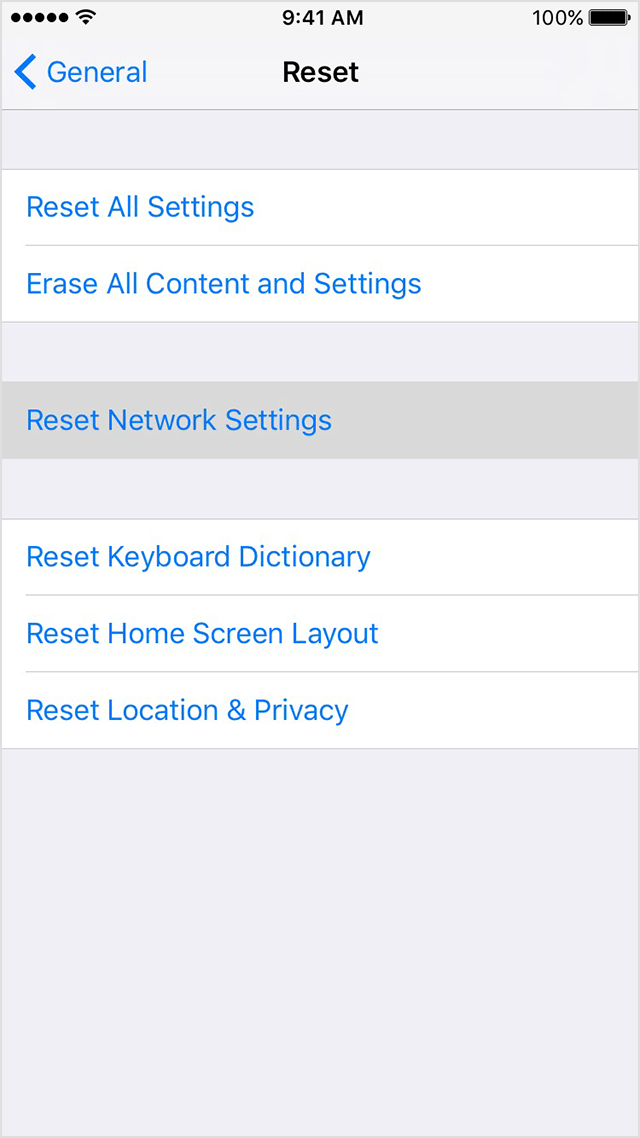
- Go to Settings > General > Reset and tap Reset Network Settings.
- Contact your carrier and make sure that you have the voicemail feature on your plan.
How to restart
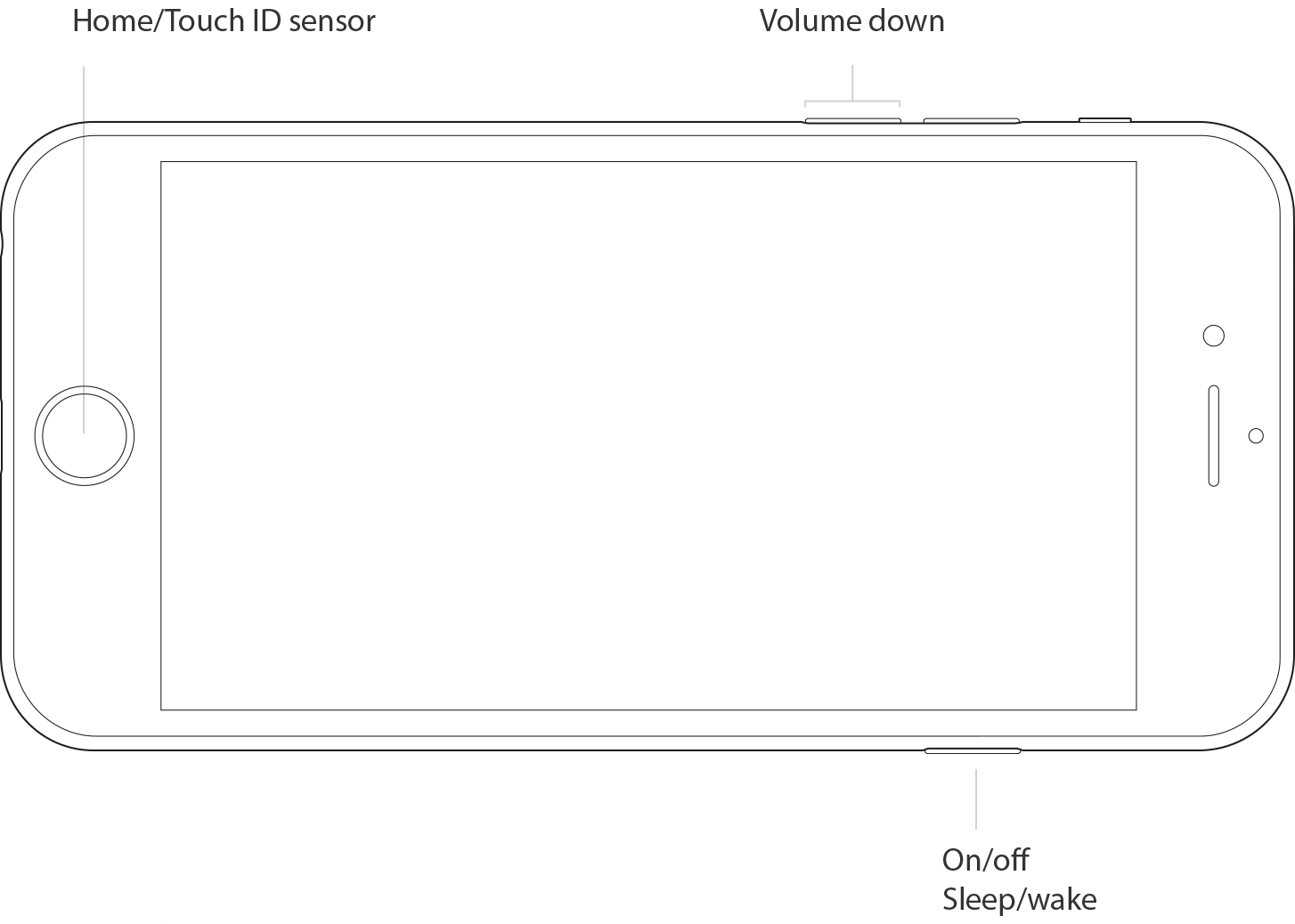
- Press and hold the Sleep/Wake button until the red slider appears.
- Drag the slider to turn your device completely off.
- After the device turns off, press and hold the Sleep/Wake button again until you see the Apple logo.
Why does the visual voicemail glitch!