How to log in to Apple Music family
Hello my question is how do I log into Apple Music when on the family plN I do not see the "I am already a member" button
iPhone 5s, iOS 10.0.3
Hello my question is how do I log into Apple Music when on the family plN I do not see the "I am already a member" button
iPhone 5s, iOS 10.0.3
Change your membership
With a Family Membership to Apple Music, families of up to six people can enjoy all of the benefits of Apple Music, each with their own library. If you joined Apple Music as an individual member, you can change to a Family Membership at any time. You can also switch back to an Individual Membership if you choose. You can also join an existing Family Membership.To use a Family Membership to Apple Music, you must set up Family Sharing on your iOS device or Mac. Learn more about Apple Music and Family Sharing.
Follow the steps to change from an Individual Membership to a Family or Student Membership on your iPhone, iPad, or iPod touch.
On your iPhone, iPad, or iPod touch
- In the Music app, tap For You, then tap
or your photo in the upper-right corner.
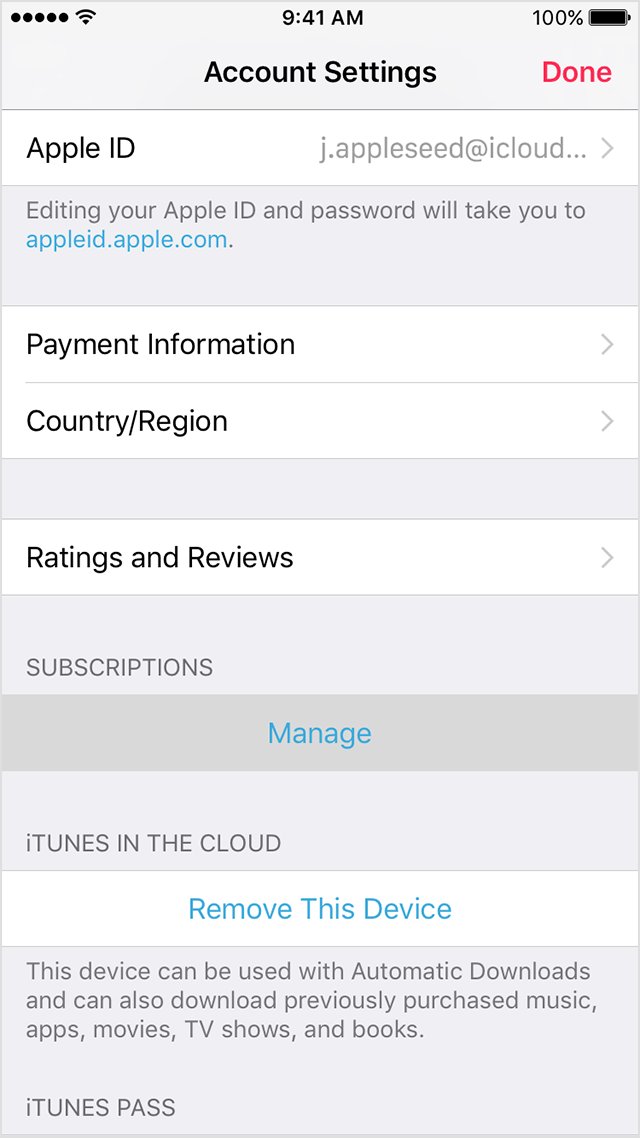
- Tap View Apple ID. You might be asked to sign in or use Touch ID.
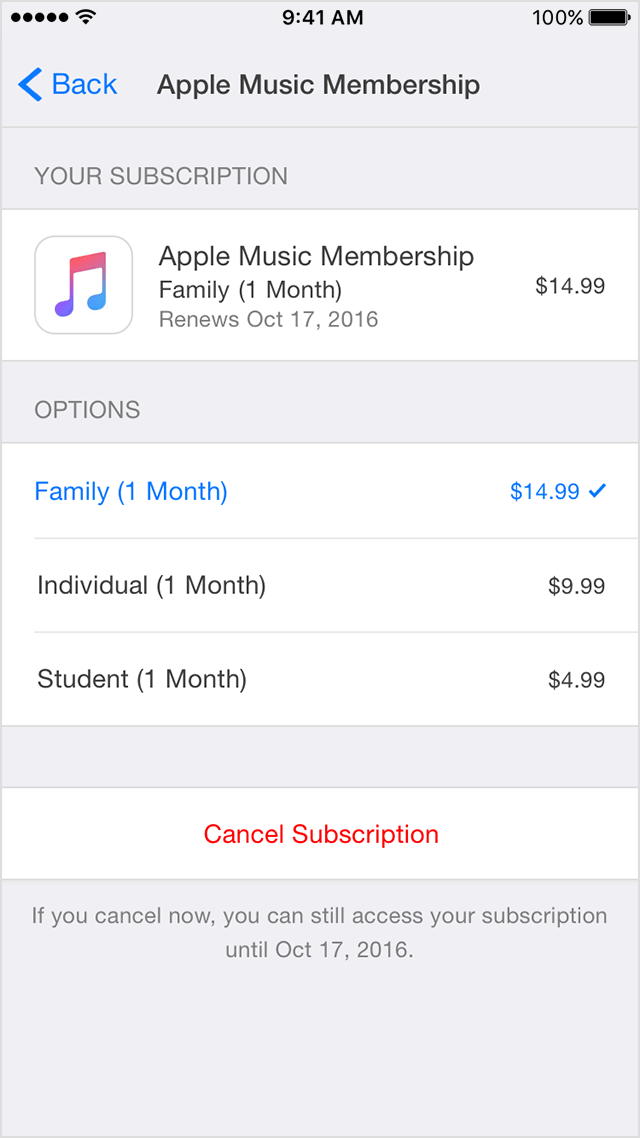
- Under Subscriptions, tap Manage. If you have more than one subscription, then tap Apple Music Membership to see your membership options.
Under Renewal Options, choose the type of membership that you want.
If you want to change to a Family Membership, tap Family. Confirm your selection, then tap Back.
If you want to change to a Student Membership, tap Student. A new window opens. Tap Verify Eligibility, then follow the steps to validate your student status.
- Tap Back to return to your Account screen, and then tap Done to return to the app.
Cheers!
How to log in to Apple Music family