Sierra upgrade and mail quit working

Hello,


I upgraded to Sierra and mail quit receiving messages after I deleted an ap called Steam.


Interestingly, I fired up my old iMac with 10.68 to see if mail was working on it. I've been downloading junk mail since that is stored somewhere. Looks like about 36,000 junk emails per year are stored somewhere after they are "erased."


Any idea what might explain why the new mail might have quit?


PS > Mail layout and appearance are much more like what my Mac vision is on 10.6.8 but I really only care that it works.


PSS > No email contacts made it through the upgrade. Maybe that's related, maybe not.


Garrett

Posted on Nov 20, 2016 7:02 AM

Reply
3 replies

Nov 21, 2016 6:47 AM in response to Garrett Connelly

Hello Garrett,

Thank you for using Apple Support Communities. It's my understanding after deleting an app, you're no longer receiving messages in the Mail app. I know receiving email in a timely matter can be very important. I'm happy to help get this resolved with you.

First, I recommend making sure your email settings are correct. In Mail, choose Preferences from the Mail menu, click Accounts, then select your email account. You can contact your email provider directly for the settings or use the following link: Mail Settings Lookup

If the issue persists please follow the steps below:
  1. Make sure that you installed the latest Mac software updates, especially if the issue occured immediately after installing a previous update.
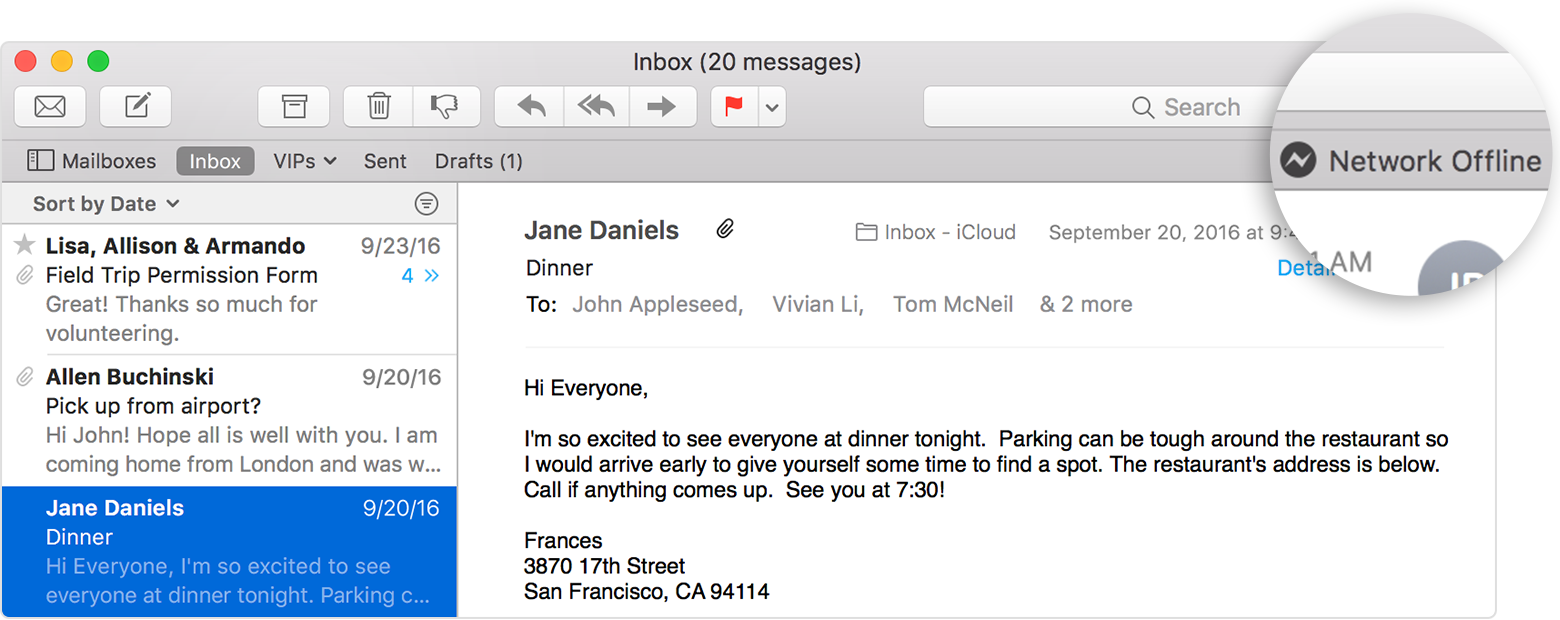
  2. In OS X El Capitan or later, you might see a status icon and brief error message in the upper-right corner of the Mail window, beneath the Search field. The message might say “Network Offline” or “Login Failed,” for example. Click the message to see more details about the issue.User uploaded file
  3. Check your connection in Mail Connection Doctor. It might be able to tell you more about the issue.
If you can't send or receive email on your Mac

Have an amazing day!

Nov 21, 2016 4:12 PM in response to Garrett Connelly

Testing in a new User will quickly tell you if the problem is system wide or if it's your User's folder that contains the problem.


You can use the Guest User or create a new User for testing.


CREATE A NEW USER

Go to System Preferences --> Create a New User in Users & Groups.

Switch to the New User by logging out/in or use Fast User Switching.

You can skip logging in with an Apple ID unless you need to test iCloud apps. Hit continue then skip.


Only default Apple apps will be in the Dock in the new User. Go to Applications to open other apps you might want to test.


Do you still see the issue?


If yes, then the problem is with your base files.

If no, then the problem is in your User's folder.

This thread has been closed by the system or the community team. You may vote for any posts you find helpful, or search the Community for additional answers.

Sierra upgrade and mail quit working

Welcome to Apple Support Community
A forum where Apple customers help each other with their products. Get started with your Apple Account.