Thanks for using Apple Support Communities for this issue, joannefrommirfield. I understand that your ForScore application froze while you deleting a piece of sheet music but you ended up losing a lot more than just that one after force-quitting that application. I'll do my best to help.
Locate backups of your iPhone, iPad, and iPod touch
To find a list of your backups, click  in the menu bar, then enter ~/Library/Application Support/MobileSync/Backup/
Or you can locate a specific backup:
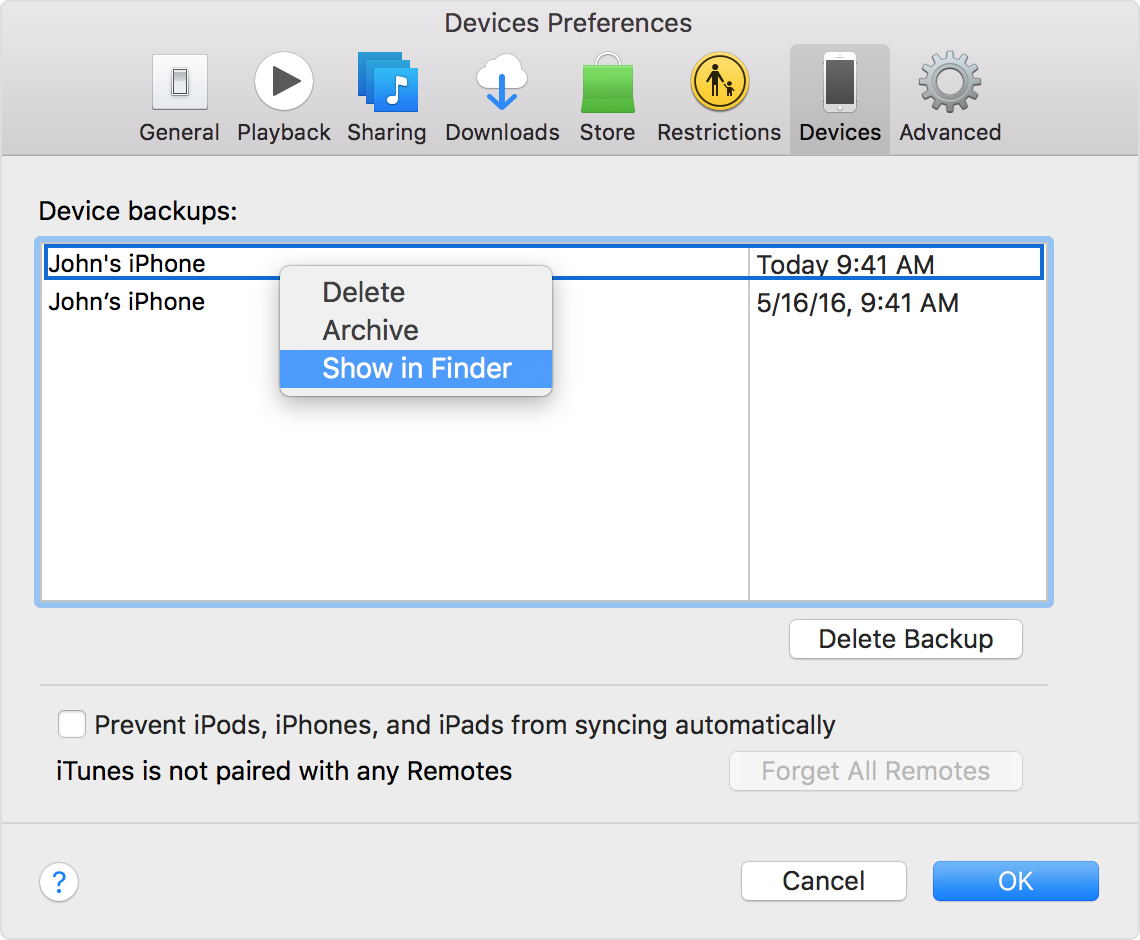
- Open iTunes. Click iTunes in the menu bar, then choose Preferences.
- Click Devices.
- Control-click the backup that you want, then choose Show in Finder.
If you use iCloud Backup, you won't find a list of your backups on iCloud.com. Here's how to find your iCloud backups on your iOS device, Mac, or PC:
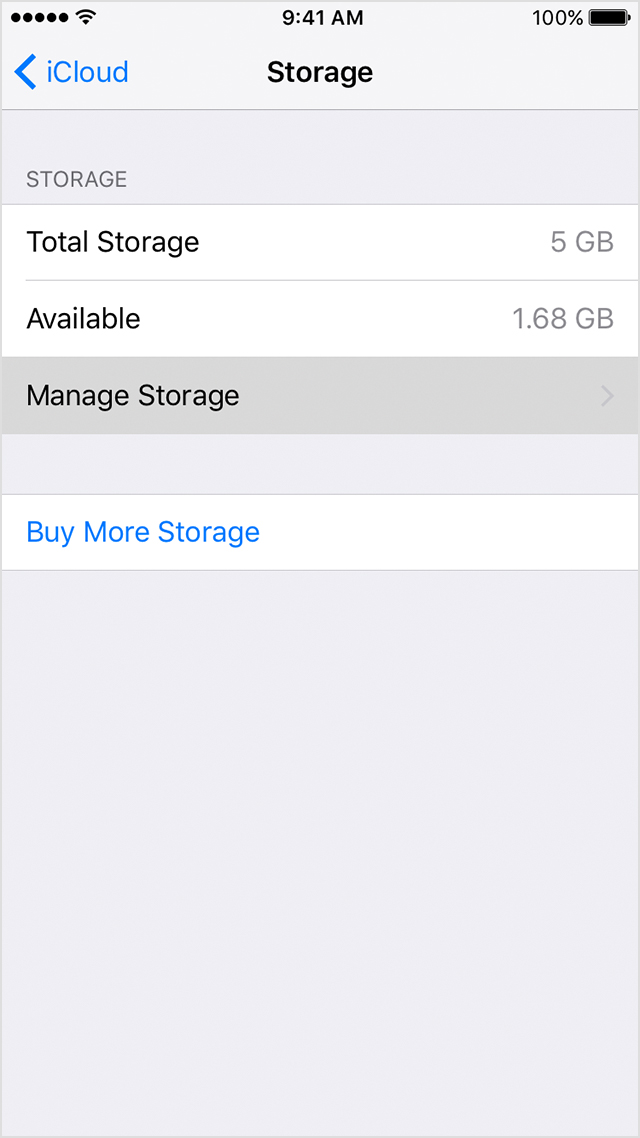
- On your iPhone, iPad, or iPod touch, go to Settings. Scroll down and tap iCloud > Storage > Manage Storage.
- On your Mac, go to Apple menu > System Preferences, then click iCloud.
- On your PC, open iCloud for Windows and click Storage.
Restore your iPhone, iPad, or iPod touch from a backup -- If you locate a backup that predates the loss, here is the information about restoring backups to your iPad.
Take care!


