My iMessage has email address instead of phone number
i just got a new IPad Air 2 and my imessage on settings just offer email addresses. I can send a text but not receive any. How do I fix this?
iPad Air
i just got a new IPad Air 2 and my imessage on settings just offer email addresses. I can send a text but not receive any. How do I fix this?
iPad Air
Let us know the outcome.Turn your phone number on or off for your iPad or iPod touch
After you set up your phone number, you can turn it on or off for Messages and FaceTime on your iPad or iPod touch.
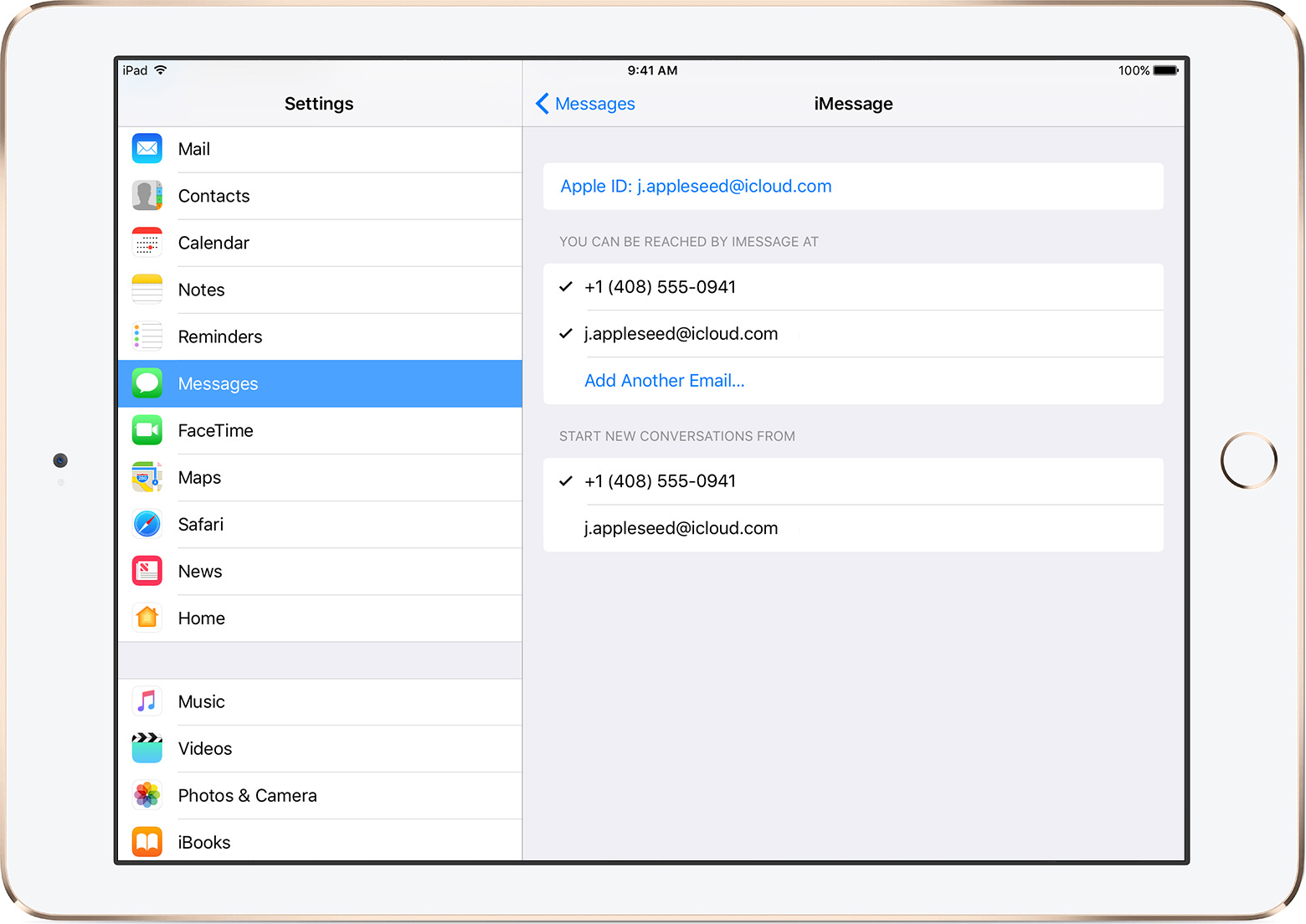
- For Messages, go to Settings > Messages and make sure that iMessage is on. If asked, sign in with the Apple ID you're using with Messages and FaceTime on your iPhone. Then tap Send & Receive.
- For FaceTime, go to Settings > FaceTime. If asked, sign in with the Apple ID you're using with Messages and FaceTime on your iPhone.
- Turn your phone number on or off:
- To turn on your phone number, select it and your Apple ID in the “You can be reached” section.
If you don't see your phone number, get help with your settings or contact Apple Support. If you see a number that isn’t yours, change your Apple ID password- To turn off your phone number, uncheck it.
Text messages that you send and receive on your iPhone can also be made to appear on your Mac, iPad, and iPod touch. Learn more.
If you can't see or select your number in Messages or FaceTime
- Make sure that you're using the latest software for your Mac or iOS device.
- Make sure that you correctly followed the iPhone steps to set up your phone number. You should be using the same Apple ID on all of your devices.
- In the “You can be reached” section of Messages and FaceTime settings, make sure that there are checkmarks beside your phone number and Apple ID:
TThank you Chris. I figured it was with your help.
My iMessage has email address instead of phone number