Payment information

hhow do I edit or change it? I have tried on my main page it will only let me edit my address- I have tried everything! Help me

iPad

Posted on Jan 3, 2017 6:14 PM

Reply
1 reply

Jan 3, 2017 6:24 PM in response to Colsons

Use your iPhone, iPad, or iPod touch

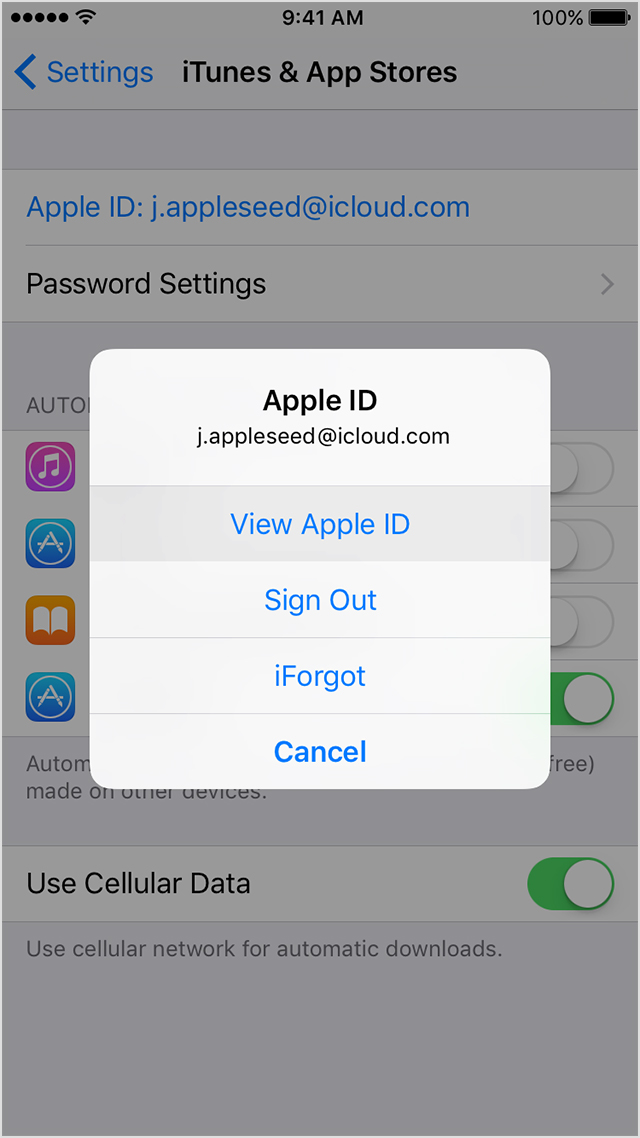
  1. Tap Settings > iTunes & App Store.
  2. Tap your Apple ID, then tap View Apple ID. You might need to sign in.
    User uploaded file
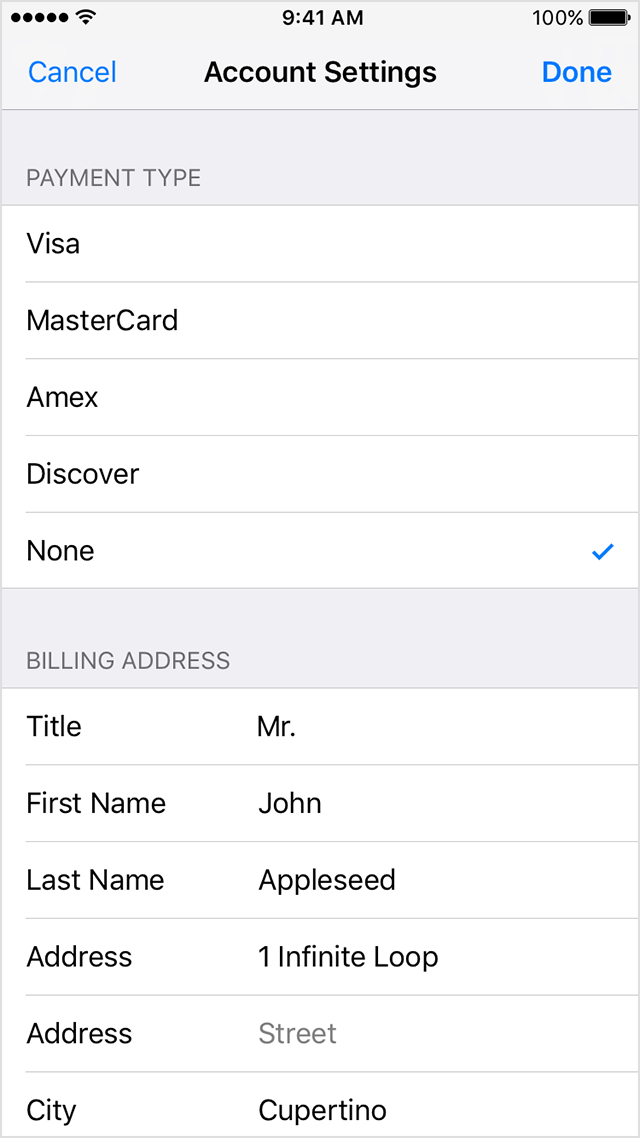
  3. Tap Payment Information. If you're using Family Sharing, only your family organizer can update the payment information.
  4. Change or remove your information. To remove your payment method, select None. Get help if you don't see None or can't select it.
    User uploaded file
  5. Tap Done.

If you change your payment method to a credit card, the iTunes Store places a temporary authorization hold on your credit card to verify your updated account information.

User uploaded file

This thread has been closed by the system or the community team. You may vote for any posts you find helpful, or search the Community for additional answers.

Payment information

Welcome to Apple Support Community
A forum where Apple customers help each other with their products. Get started with your Apple Account.