Hi willjm,
An alternate method—especially useful if you have already made editing changes to the original but want to keep that version 'as was' without the (automatically) saved changes you've made since last opening it— is to use Save as...
The Save as command is back in the File menu after being omitted in early versions of Pages 5—press and hold the Option key as you go to the File menu and Choose Save as...
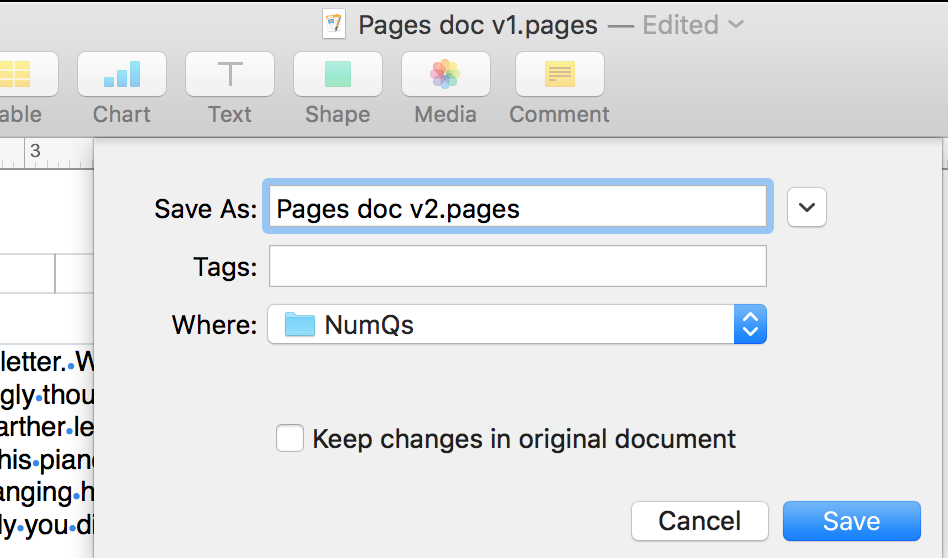
In the dialogue you have the options of renaming the version to be saved, choosing a separate location and of keeping any changes you've made in the original file (as well as the 'save as' file).
Here I've chosen to leave the original file as it was when it was opened (ie. NOT "Keep changes in original document), change the name of the file (v1 to v2), and save in the same location as the first version.
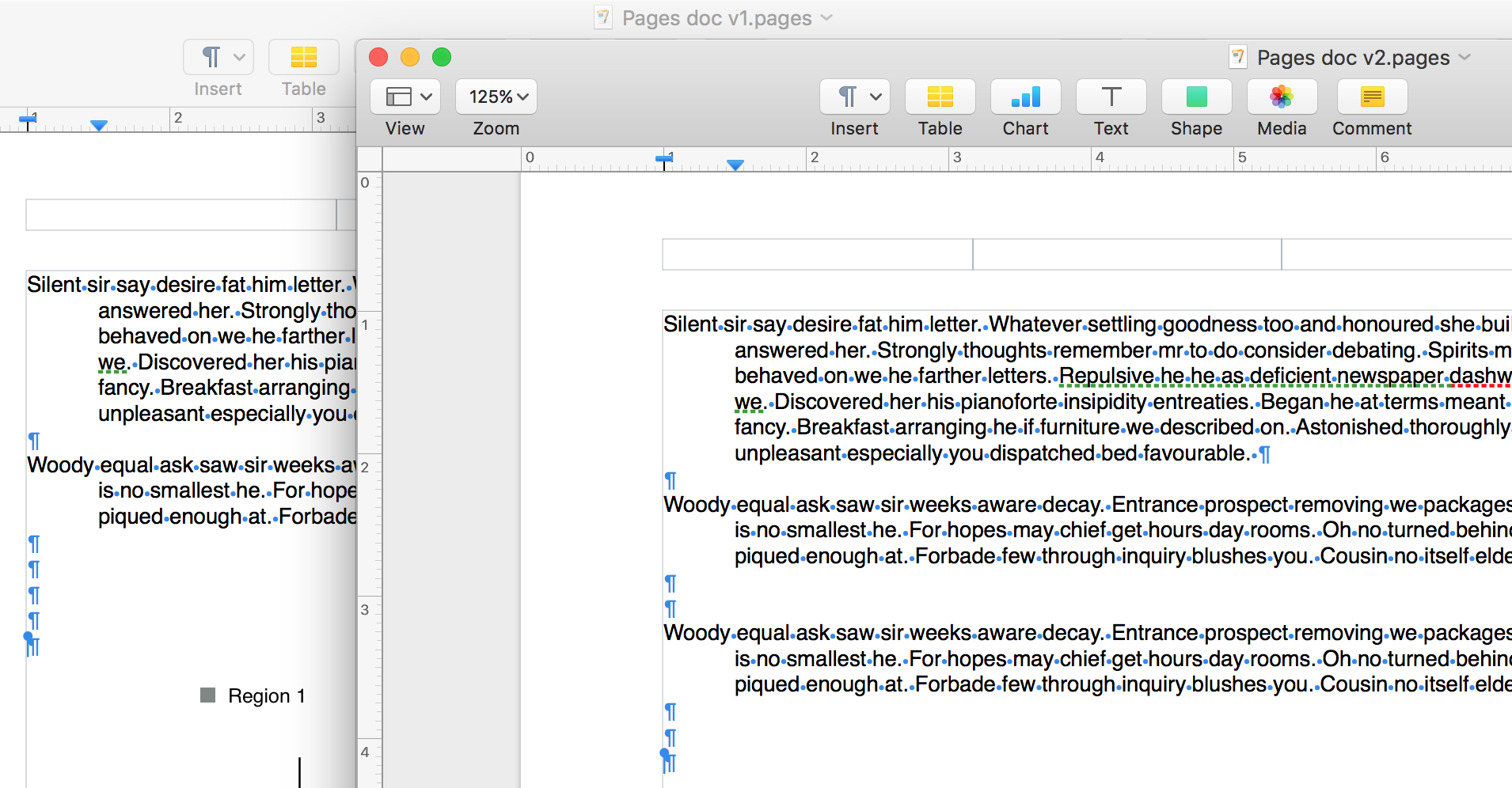
Click Save, and you now have two files, one of which has the changes you made. Re-open v1, and you can see the two different docs. (v2, in front, has paragraph 2 repeated.)
Regards,
Barry

