Numbers - freezing multiple columns

I would like to freeze multiple columns in my numbers file - right now I can only select 0, or 1..

I see in the format menu that I can select more, however all options besides 0,1 are greyed out.

I have tried selecting the columns I want to freeze and then selecting freeze on drop down (like in EXCEL) but not working..

thanks!

MacBook Pro (13-inch Mid 2012)

Posted on Feb 10, 2017 4:27 PM

Reply
4 replies

Feb 12, 2017 9:11 AM in response to michaeljmck

Hi Michael,


You can freeze only Header columns (and/or Header rows).


You can set up to five columns, all at the left edge of a table, as Header Columns, using the Header Columns item in the Table menu.


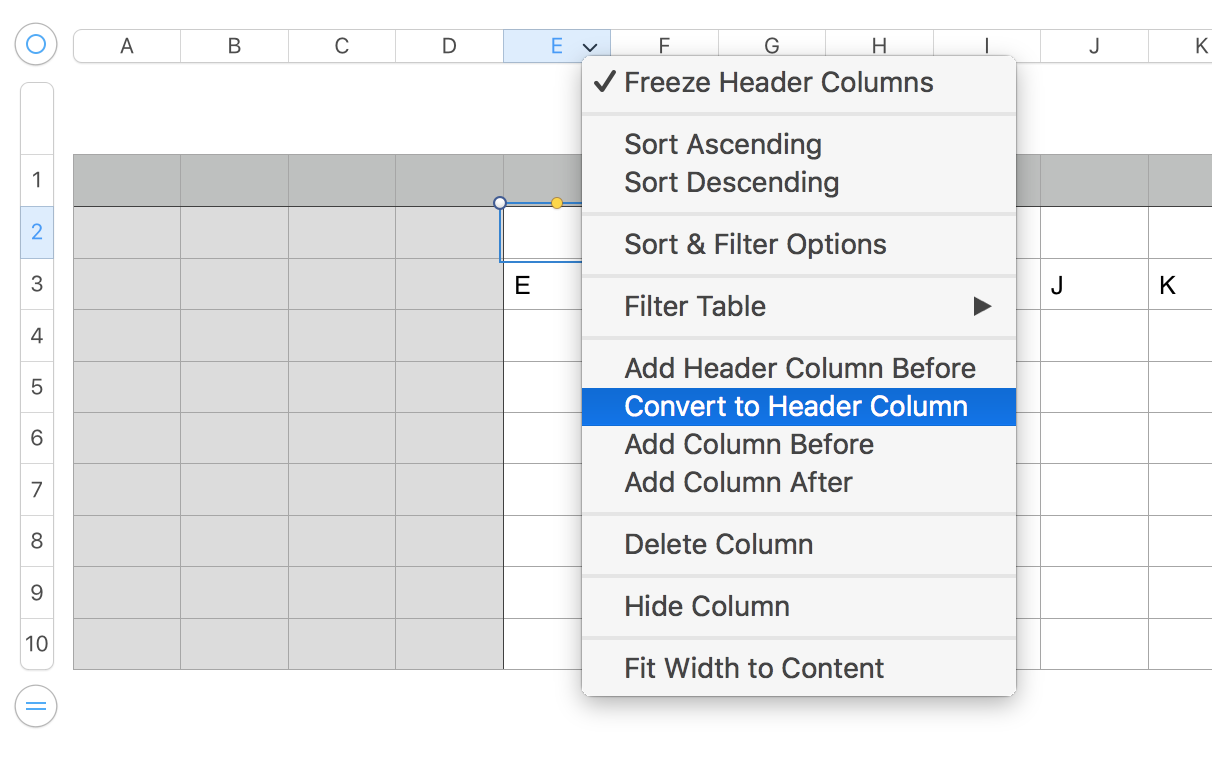
Using Numbers 3.6.2, I was able to redefine columns as header/non header columns at will without changing the Freeze Header Columns item from checked to unchecked or vice versa.


Even the contextual menu in column E's reference tab offered the opportunity to Convert to Header row when column E was the one eligible for individual conversion. As seen, the enu also offered the opportunity to Add Header column before.
User uploaded file


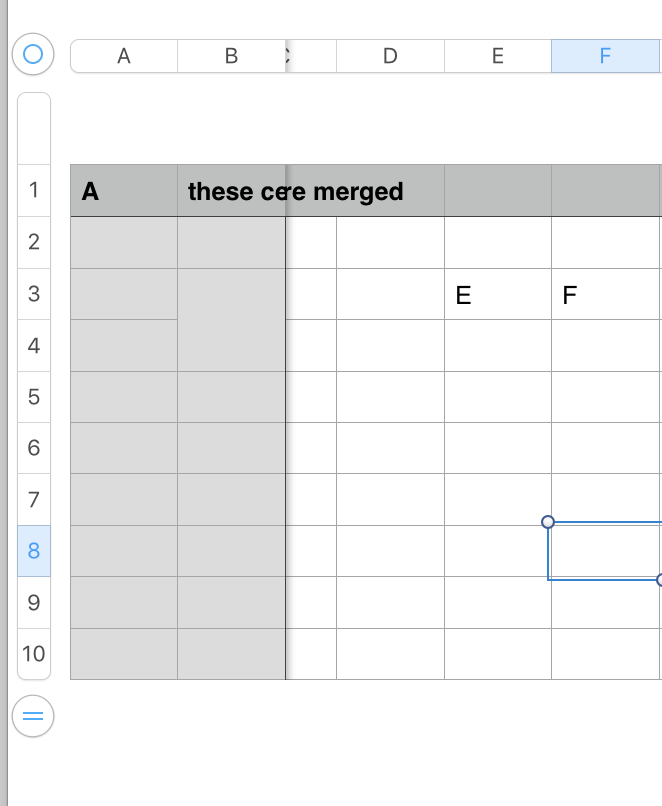
I wasn't able, during a brief search, to find an circumstance under which I was restricted to 0 or 1 in the number of Header columns to define. Even when two cells were merged in column B, and cells B1, C1 and D1 were merged, I had the full range of 0-5 available, and was able to set and freeze the first two columns (see below).
User uploaded file

Is there anything unusual about your table that might be a contributing factor?


Regards,

Barry

Feb 12, 2017 9:12 AM in response to michaeljmck

If you define more columns as Header Columns you should be able to freeze more than 1. I think the limit is 4.


In Numbers remember you easily can have multiple tables on a page. It's best not to use Numbers like Excel,where you often are working with one big grid of cells and need to freeze certain areas. Check out the templates at File > New in your menu to see examples of effective use of tables. Usually they aren't very wide.


SG

This thread has been closed by the system or the community team. You may vote for any posts you find helpful, or search the Community for additional answers.

Numbers - freezing multiple columns

Welcome to Apple Support Community
A forum where Apple customers help each other with their products. Get started with your Apple Account.