How can I add Philippine Peso as currency in Numbers?

I used Numbers for accounting before and Philippine Peso is part of the choice of currency. However, when I updated OS and iWork, the Philippine peso is not listed in the currency anymore. How can I add it back?


Thank you.

MacBook Air, iOS 10.2.1

Posted on Feb 16, 2017 10:06 PM

Reply
2 replies

Feb 16, 2017 11:15 PM in response to ajmaramag

The selection of currency symbols is controlled by your Region setting in System Preferences.


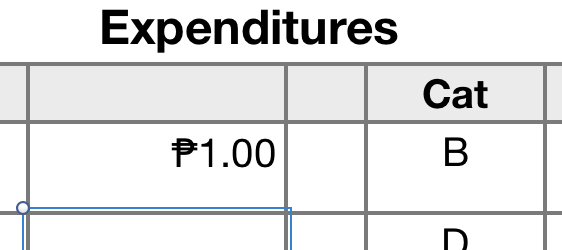
My usual Region setting is Canada, but when I changed that to Philippines, the Philippine Peso became the first choice in the symbols to use for Currency.
User uploaded file

Changing my region setting back to Canada made Philippine Peso disappear from the list, but I was still able to select the cell I had applied that format to, Copy Style (option-command-C), then select other cells and Paste Style (option-command-V) to paste the format into the selected cells.

User uploaded file

(The symbol did not appear until I entered a number into the newly formatted cells.)


Test done using Numbers 3.6.2 in Mac OS X 10.11.6 El Capitan.


Regrds,

Barry

This thread has been closed by the system or the community team. You may vote for any posts you find helpful, or search the Community for additional answers.

How can I add Philippine Peso as currency in Numbers?

Welcome to Apple Support Community
A forum where Apple customers help each other with their products. Get started with your Apple Account.