Hello hlomoto,
If you have an iTunes backup of the data currently on your your phone, you can always restore your phone from said backup. Her are the steps you will need to take to restore your iPhone from an iTunes backup on your Mac or PC. I will also provide you with a link to the Apple Support article for future reference.
- Open iTunes on the Mac or PC that you used to back up your device.
- Connect your device to your computer with a USB cable. If a message asks for your device passcode or to Trust This Computer, follow the onscreen steps. If you forgot your passcode, get help.
- Select your iPhone, iPad, or iPod touch when it appears in iTunes. If your device doesn't appear in iTunes, learn what to do.

- Select Restore Backup in iTunes. If a message says that your iOS device's software is too old, learn what to do.
- Look at the date and size of each backup and pick the most relevant.
- Click Restore and wait for the restore time to finish. If asked, enter the password for your encrypted backup.
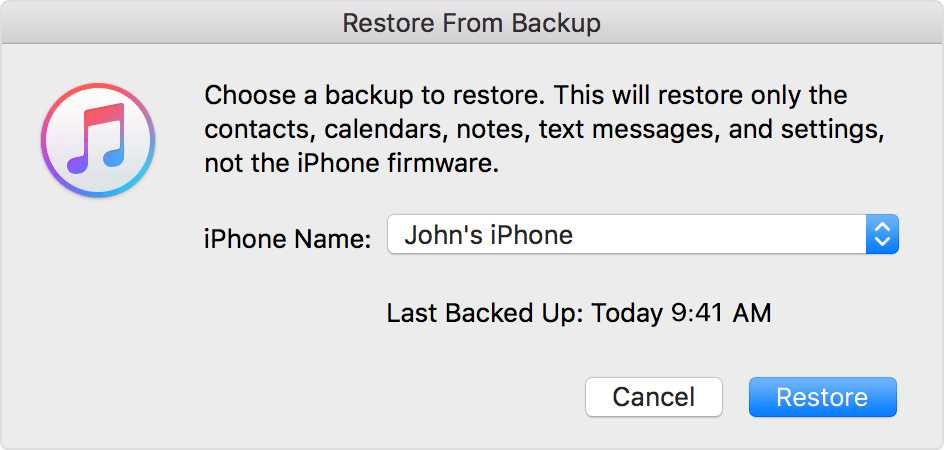
- Keep your device connected after it restarts and wait for it to sync with your computer. You can disconnect after the sync finishes.
Restore your iPhone, iPad, or iPod touch from a backup - Apple Support
If you do not have an iTunes backup available, your only option will be to erase your iPhone so that you may regain access to your device. There are a number of methods you may employ in order to erase your device, so rather than inundate you with an information overload, I will provide you with the link to the Apple Support article that details how to erase your device: from there, you will be able to choose the method you prefer.
The good news is that even with your device reset to its factory settings, you will still be able to access your purchases made through iTunes and the App Store. Also, if you have an iCloud backup, you will be able to restore your device from that backup once you have regained access to your iPhone. Best of luck to you.
If you forgot the passcode for your iPhone, iPad, or iPod touch, or your device is disabled - Apple Support



