No keyboard for Directions
When I want Directions in Maps on my iPhone 6, iOS 10.2.1 I get a list of suggestions, but no keyboard to type in an address. Not too useful. How do I get my keyboard back? Thanks.
iPhone 6, iOS 10.2.1
When I want Directions in Maps on my iPhone 6, iOS 10.2.1 I get a list of suggestions, but no keyboard to type in an address. Not too useful. How do I get my keyboard back? Thanks.
iPhone 6, iOS 10.2.1
Hey, Jjohnk83776.
It appears you don't have the ability to search for an address in the Maps application because you're not getting the keyboard to enter the location you're traveling to. All you're seeing is a list of places nearby. I'll be happy to help.
Use Maps on your iPhone, iPad, or iPod touch
Search for places nearby
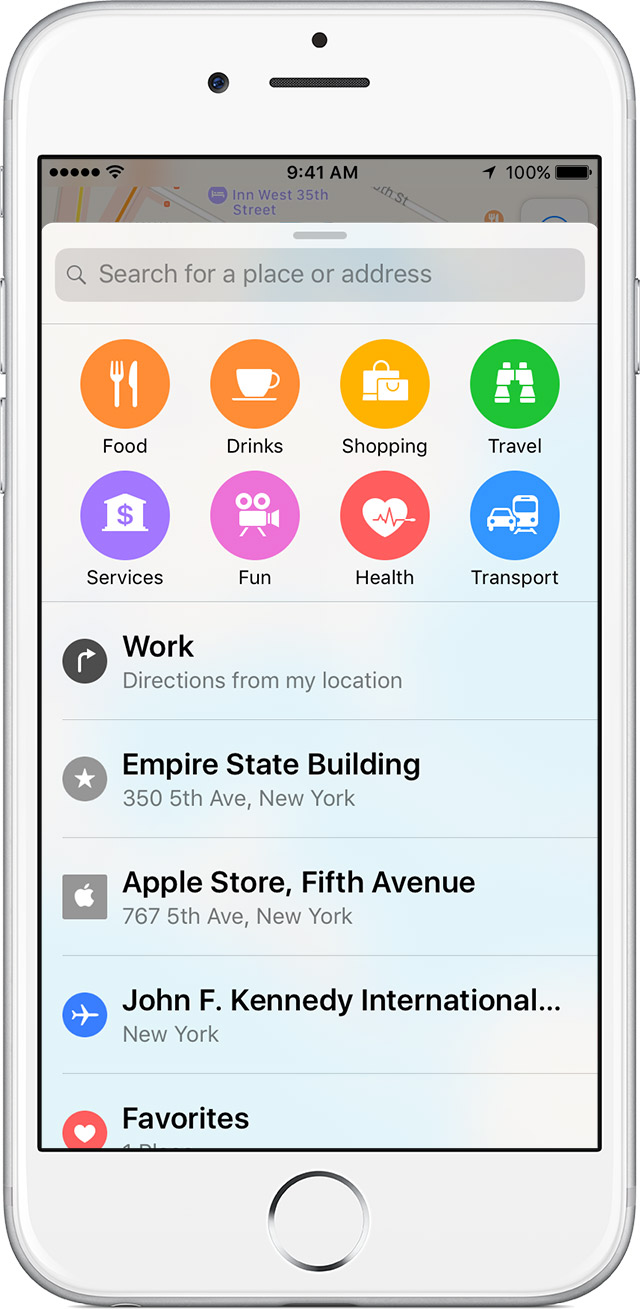
With iOS 9 and later, you can use Nearby to search for things that are near your location, like food and entertainment.
To find nearby places, follow these steps:
- Open Maps.
- Tap the Search bar to see the categories in your area.
- Select a category, then choose a location.
- After you choose a location, tap Directions.
- Tap
.
Find out if Nearby is available in your area.
Remove built-in Apple apps from the Home screen on your iOS device with iOS 10 -- If you're not seeing the Search bar, remove the Maps application and restore it again.
Let me know how that goes and take care!
Same thing for me. I can actually type letters even though there is no keyboard. Eventually it returns after restarting my phone.
No keyboard for Directions