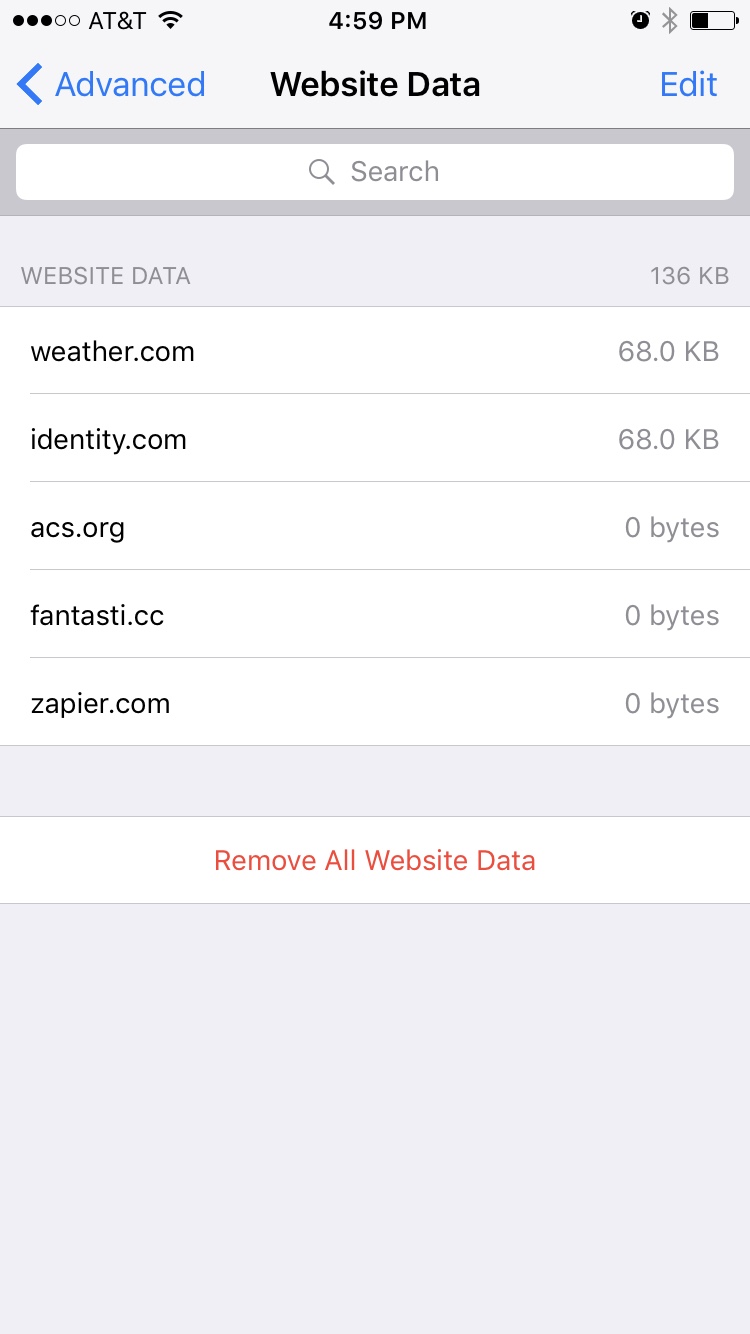
My take on this for Safari on both iOS and macOS is that the cookies in question are those variously described as "zombie" cookies, "ever cookies" or "super cookies". They are essentially intended to be persistent even after the user clears all caches, history, and cookies.
The fact is, however, that the companies that do this are both violating the user's wishes and exploiting security flaws in the browser. This was widely reported in 2015 (e.g. http://www.businessinsider.com/super-cookies-hsts-security-private-2015-1) and still hasn't been fixed by apple. In the meantime, the exploits are getting worse.
For myself, I've encountered numerous sites that I may have visited once but never signed up for anything on that create "drive-by" zombie cookies. Using every known method short of a complete clean install, these cookies regenerate after having been cleared. These include trulia.com, weather.com, identity.com, acs.org, fantast.cc, zapier.com and others. And these cookies are also likely the ones that can still track you on all sites you visit even in private browsing mode.
This is not unique to Safari, but Apple hasn't given users a way to win the battle against this kind of malfeasance on the part of companies that want to know everything you do on the internet - often without you accepting any terms of service, just by accidentally visiting their site once.
There are three main things that should be done by Apple to improve the security and privacy of their users:
1. There should be a way to clear these cookies once and for all by clearing the HSTS flag on cookies or other means
2. There should be a way to globally block zombie cookie attack vectors like HSTS
3. Once you have a super cookie, the user should be able to essentially blacklist the super cookie, preventing it from being regenerated or reset -- ever.
There are still other things that need to be done. Like with the Verizon super cookie, there must be a price to pay for companies that choose to try to do this to Apple users, at least without their express agreement. IMHO Apple has a role to play there by identifying those companies that are doing this to their users on Safari, tracking them all over the internet without their permission. And I think Apple should publish a blacklist to Safari that its users can choose to enable.