There are two main problems that could be causing this: volume settings or dirty airpods.
The former is simply fixed by going to settings -> general -> accessibility -> audio/visual and then scrolling down to the bottom to see the scroll bar that controls how loud one speaker is over the other. Adjust it to your needs.
however, if you still find that your airpods sound muffled or that just didn’t plain work, the solution is cleaning them. You should already have a set cleaning regime for them to improve and maintain good sound quality. However, I will share mine (that includes the suction method that some mentioned here as well minus the gross sucking-with-your-mouth part).
- take a vacuum cleaner, shop-vac, or something of that nature with a small nosil. put the AirPod up to the nosil and turn the vacuum on. create a suction by patching up most air pockets. hold this at 15 second increments for 2-3 times per/AirPod.
- next, take a toothpick and scrape the inside edges where a lot of ear wax, hair, and dirt builds up. Repeat this for ALL THREE holes on the AirPod (although you may think you don’t need to clean the other two holes, you do).
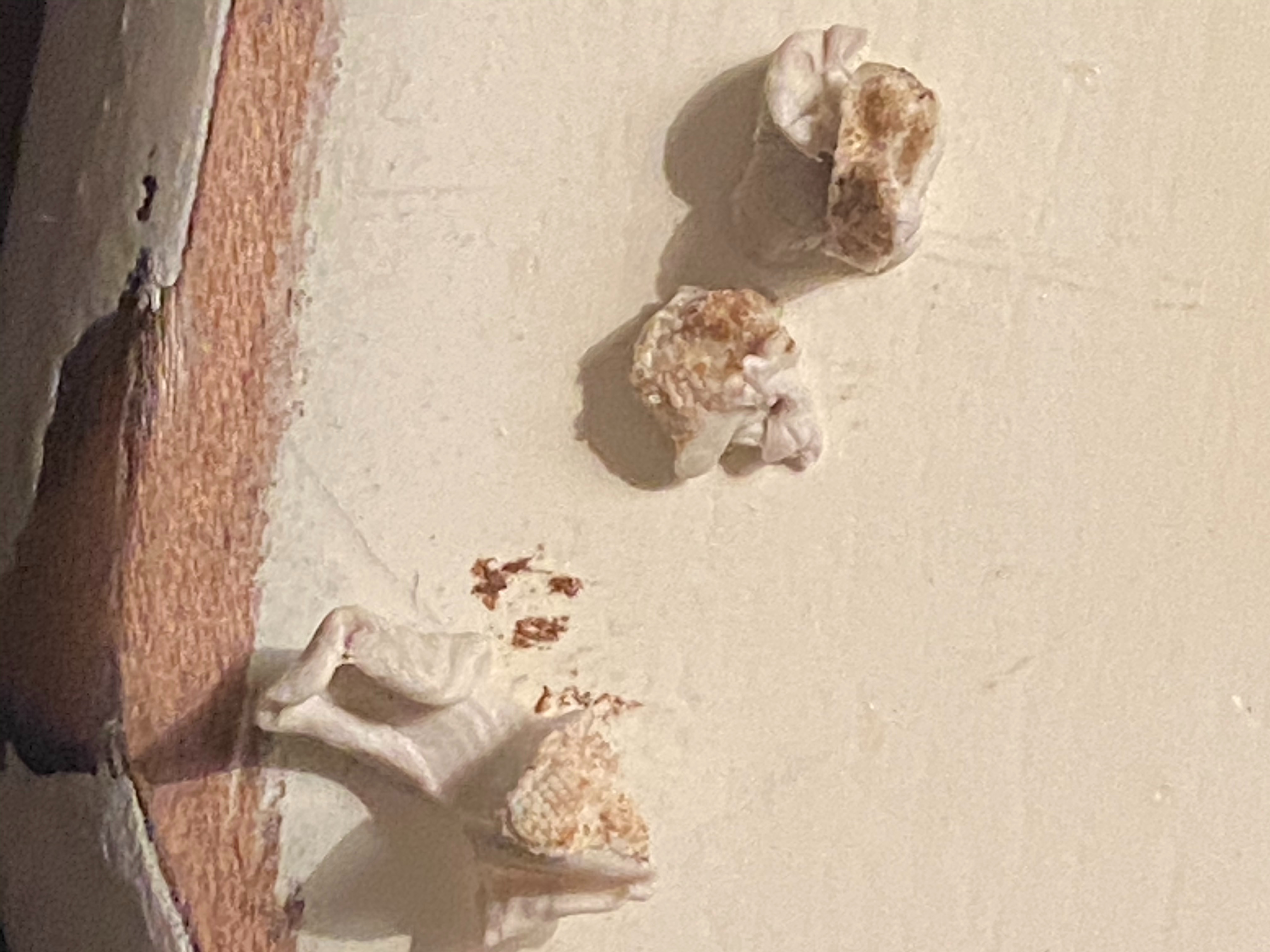
- Next, take sticky tack (like, the stuff you use to hang up posters) and taking a small bit, mold the sticky tack to the inside of the hole and press down to where the sticky tack is now inside the hole. Pull upwards and repeat as many times as needed (make sure to change out your sticky tack frequently and do this for all three holes).
- Finally, to finish this off, take a cotton swab and douse it with rubbing alcohol. Wring it out slightly and rub it all over the airpods (including inside the holes).
Now, if neither of these things work you may have broken/damaged airpods on your hands.
as shown by the image, I had the latter as my problem and this cleaning method worked really well and now my sound quality and volume is 100x better for both airpods! This is what came out of my airpods using the sticky tack, and I can only imagine what came out with the suction.