How do I cancel a subscription to iTranslate Pro?

Last night, I accidentally selected iTranslate Pro and to my surprise, there'll be a charge of $9.99 after the free trial. So please cancel the subscription. I don't want this app. I'm sorry.

Posted on Apr 13, 2017 8:21 AM

Reply
1 reply

Jul 25, 2017 7:11 AM in response to Lady Luck

pls see steps below

On your iPhone, iPad, or iPod touch
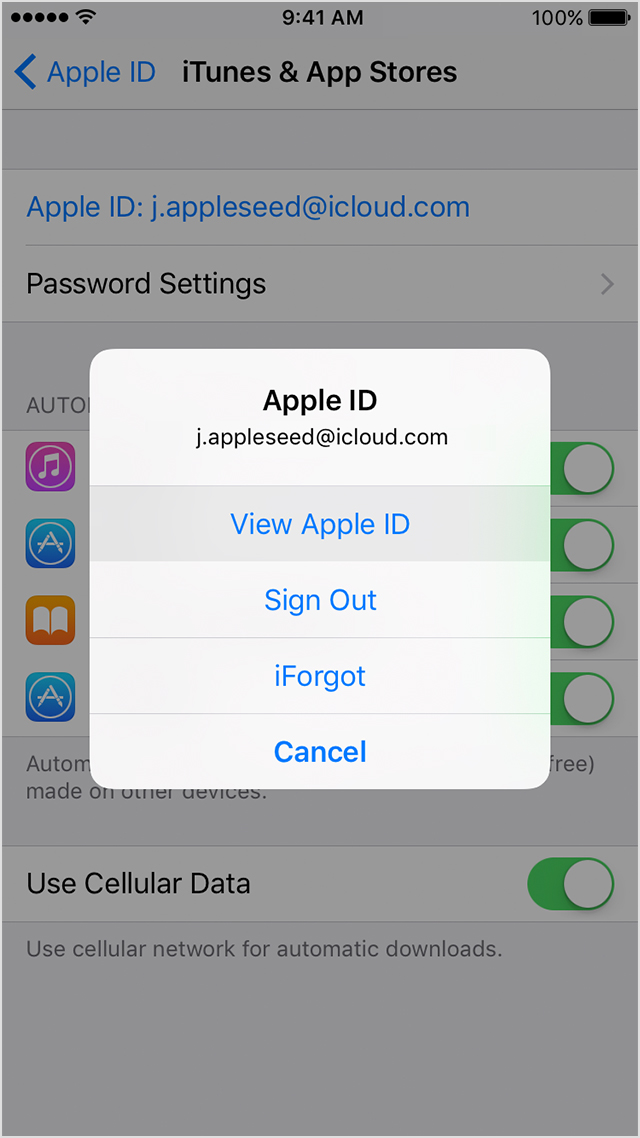
  1. Go to Settings > [your name] > iTunes & App Store.
  2. Tap your Apple ID at the top of the screen.
  3. Tap View Apple ID. You might need to sign in or use Touch ID.
    User uploaded file
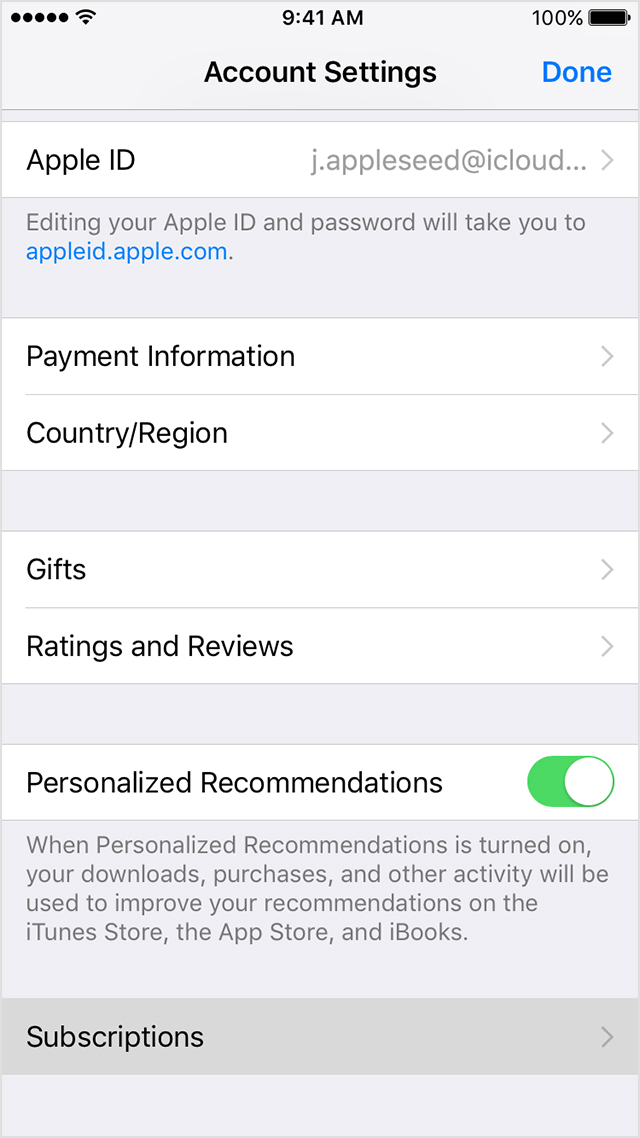
  4. Tap Subscriptions.
    User uploaded file
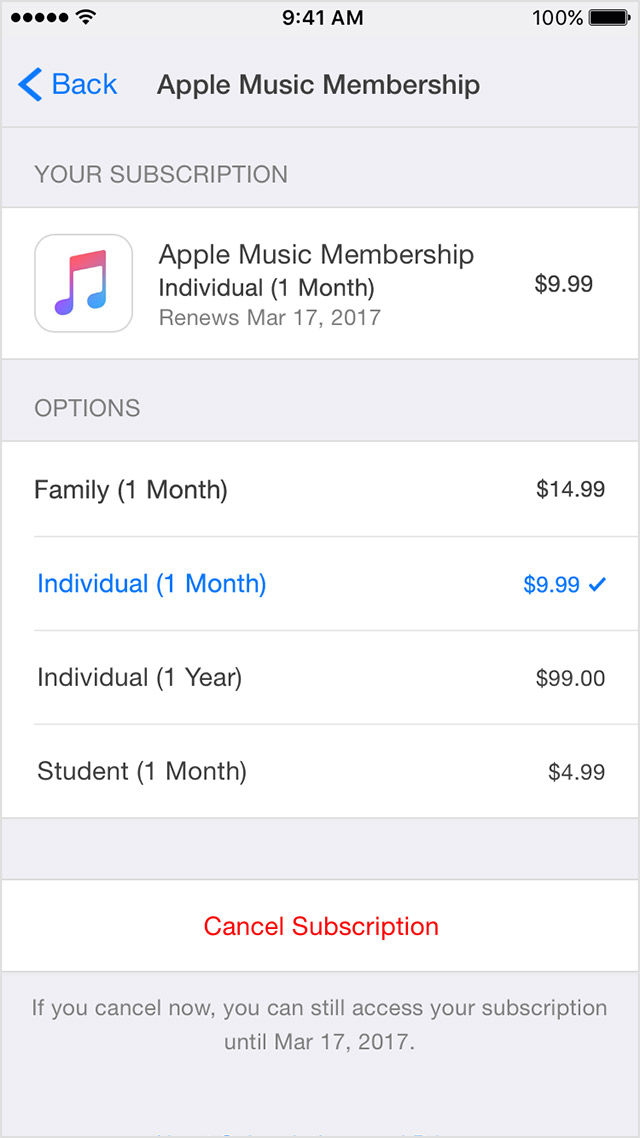
  5. Tap the subscription that you want to manage.
    If you don't see a subscription but are still being charged, make sure that you're signed in with the correct Apple ID. If so, you might have subscribed directly with the provider and not through iTunes. In this case, contact the content publisher or app developer directly to cancel your subscription. You can only manage subscriptions made through the News app in Settings.
  6. Use the options to manage your subscription. You can choose a different subscription offering, or tap Cancel Subscription to cancel your subscription. If you cancel, your subscription will stop at the end of the current billing cycle.
    User uploaded file

This thread has been closed by the system or the community team. You may vote for any posts you find helpful, or search the Community for additional answers.

How do I cancel a subscription to iTranslate Pro?

Welcome to Apple Support Community
A forum where Apple customers help each other with their products. Get started with your Apple Account.