Hey todayisthorsday,
If I understand correctly, you want an Individual Membership with Apple Music but it is only showing options for Family or Student Membership. If you go into iTunes and view your account subscriptions, does it give you the option to cancel an Apple Music Subscription? Since it is not showing you an option for an Individual Membership but does show Family Membership are you part a Family Sharing group? One thing you can try is to see if you can use another device or computer with iTunes to see if the option is available.
- Open iTunes.
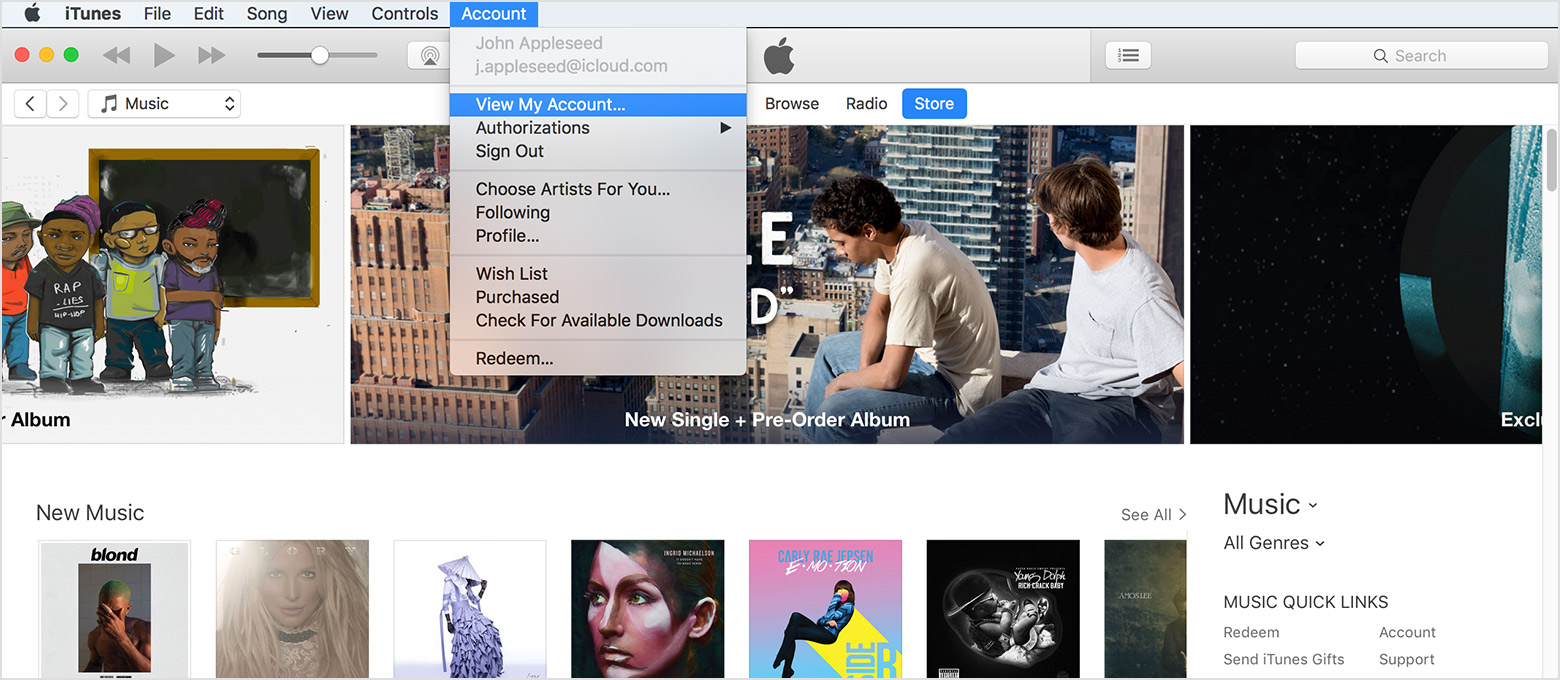
- From the menu bar at the top of your computer screen or at the top of the iTunes window, choose Account > View My Account. You might be asked to sign in.
- On the Account Information page, scroll to the Settings section.
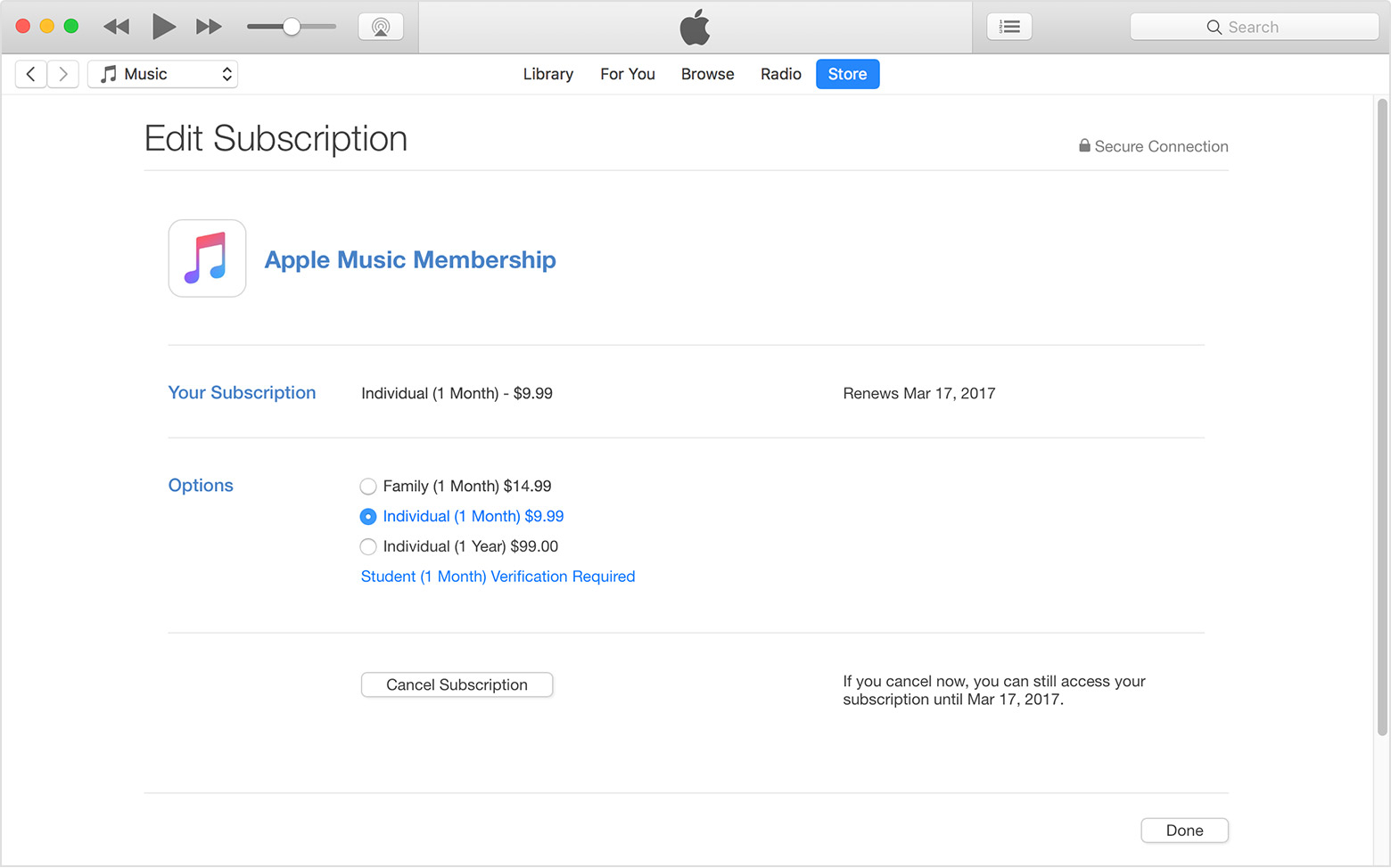
- To the right of Subscriptions, click Manage, then click Apple Music Membership to see your membership options.
- Choose the type of Membership that you want:
If you want to change to an annual Individual Membership, select Individual (1 Year). Then confirm your selection.
If you want to change to a Family Membership, select Family (1 Month). Then confirm your selection.
If you want to change to a Student Membership, click Student (1 Month) Verification Required. A new window opens. Tap Verify Eligibility, then follow the steps to validate your student status.
- Click Done.
Manage your Apple Music membership on your iPhone, iPad, iPod touch, Mac, PC, or Apple TV
To use a Family Membership with other people in your family, set up Family Sharing using a supported device.
Apple Music and Family Sharing
Thank you for using Apple Support Communities. Have a good one.


