Playlist deletion

I synched my iphone that has a playlist I'll call "Hit Tunes." If I now connect my phone to my Macbook and click on the phone icon in itunes, my Mac itunes has another iphone playlist called "Hit Tunes1" that I cannot delete. This new playlist does not show up on the iphone itself, just on the Macbook itunes under my iphone's "On my Device" list. How do I get rid of this new phantom playlist? Thanks.

MacBook Air, OS X El Capitan (10.11.4)

Posted on May 3, 2017 11:05 AM

Reply
5 replies

May 4, 2017 1:08 PM in response to Bruce Illingworth

Hi Bruce,

I understand that you see a playlist on your iPhone, but it's only showing in iTunes when your iPhone is connected. I'm happy to provide some help for this issue.

To remove this, try disabling syncing for this playlist using the steps here:

Sync your iPhone, iPad, or iPod touch with iTunes on your computer using USB - Apple Support


Turn off syncing in iTunes

  1. Open iTunes. Make sure that you have the latest version.
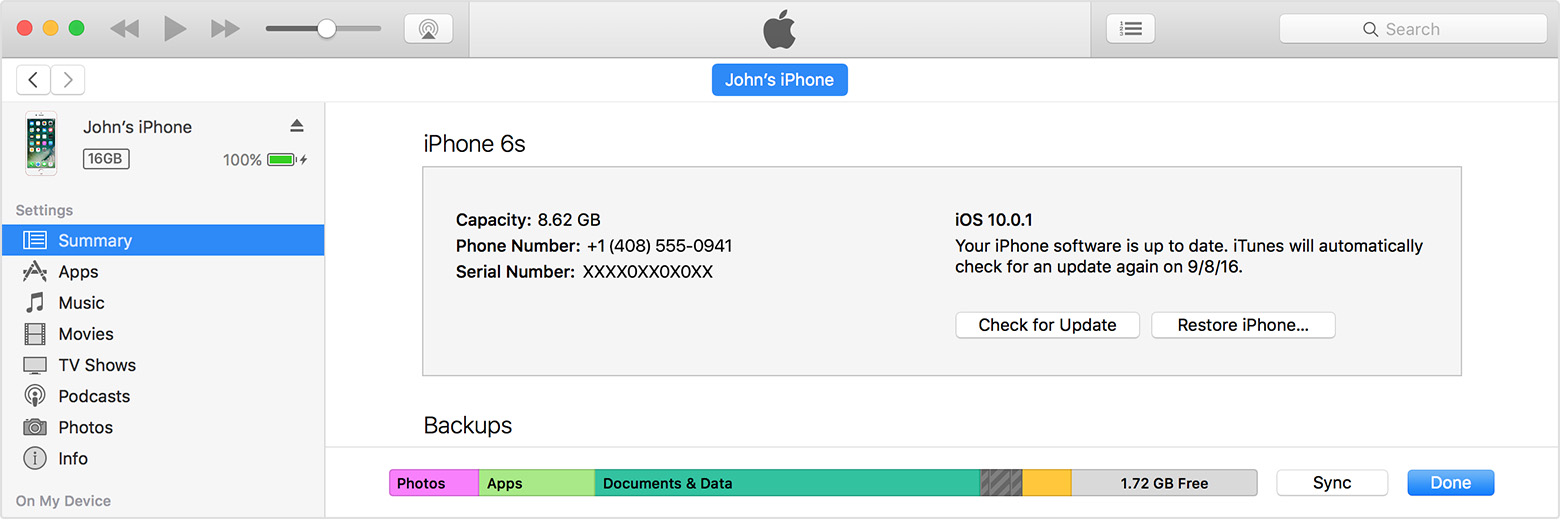
  2. Connect your device to your computer using the included USB cable. Your connected device appears as an icon in the upper-left corner of the iTunes window. Learn what to do if you don't see the icon.
  3. Click on the device icon User uploaded file .
    User uploaded file
  4. Under Settings on the left side of the iTunes Window, click the content type for which you want to turn off syncing.
  5. In the main iTunes window, uncheck the box next to Sync. All of that content type removes from your iOS device.
  6. Click the Apply button to save your sync settings.


Thanks for using the Apple Support Communities. Cheers!

May 6, 2017 5:42 AM in response to Bruce Illingworth

Try the following all-purpose steps for dealing with erratic device or sync behaviour. They assume that all of the content you want on the device is in your library ready for restoring. If it isn't see Recover your iTunes library from your iPod or iOS device first. I would also recommend you copy everything out of the camera roll if you haven't already.


  1. Backup device.
  2. Restore as a new device.
  3. Restore the backup you made earlier.


Use an encrypted backup if you want to preserve passwords, Wi-Fi settings, web history and health data where appropriate. I also suggest syncing with a selection of playlists (unless you're using iCloud Music Library) rather than manually adding content as, if nothing else, the process above is easier to do if you ever have to go through it again.


tt2

May 6, 2017 4:21 AM in response to Teddy_B

Thanks for the reply. I can't disable synching for this "phantom" playlist because it only appears in itunes on my phone. It doesn't show on my phone at all nor does it show up if I synch and select which music to synch. If I do another synch for "Hit Tunes" then "Hit Tunes 1" will appear on both computer and phone and I can delete it on the computer. According to itunes, it remains on the phone but I don't see it on the phone. Hope I've stated this clearly...

May 6, 2017 5:56 AM in response to turingtest2

Hmmm... I already select a playlist rather than manually adding content. It's the "Hit Tunes" playlist and it synchs just fine. It's this copy of "Hit Tunes" ("Hit Tunes 1) that's showing up in itunes for both computer and iphone. I can delete it from the computer - no problem. The remaining second copy doesn't appear on the iphone, but itunes says it's on the iphone. I can't delete it. I can live with it being there in name only, if that's the case, but if it's really there then it's taking up a lot of memory...

May 6, 2017 6:06 AM in response to Bruce Illingworth

Bruce Illingworth wrote:


Hmmm... I already select a playlist rather than manually adding content.


So you do, but my post is designed as an all-purpose answer that might also help those who manually manage their devices. Each item in iTunes is given a unique 64-bit ID. iTunes playlists are ordered lists of track IDs, so a 1,000 track playlist is going to need about 4k.


tt2

This thread has been closed by the system or the community team. You may vote for any posts you find helpful, or search the Community for additional answers.

Playlist deletion

Welcome to Apple Support Community
A forum where Apple customers help each other with their products. Get started with your Apple Account.