My Lenovo 4K monitor does not work on my new MacBook Pro 2017

I just bought a new MacBook Pro,

running 4k monitor on hdmi cable to usb-c adapter from apple.


But I can't get a proper resolution on it.


I can either get, no scaled 4k resolution, which makes everything super small.

Or 1920x1080 with no HIDPI.


It worked fine on my old Mac, the old one, was a 2015 Macbook pro with El Capitan on it.


Anyone know how to get HIDPI on my monitor?

MacBook Pro TouchBar and Touch ID, macOS Sierra (10.12.4)

Posted on May 8, 2017 6:35 AM

Reply
3 replies

May 9, 2017 11:44 PM in response to chris_g1

Hi Chris.


Thank your for the response.


I am trying to buy different cabling, but i have to wait for delivery.

But my problem in general, is the fact that OS only offers me a very narrow set of resolution settings. Ones which doesn't take advantage of the 4k resolution.


These is without the option button:

User uploaded file


These are with the option button:


User uploaded file


If i go anything in between 4K and 1080, i get constant flicker on my screen.


But there is not option for running a 4K resolution on a lower scale.

Which seemed to work just fine on my old Macbook Pro.

May 9, 2017 3:44 PM in response to CapnPlenge

Hello CapnPlenge,
Welcome to Apple Support Communities.
If I'm understanding correctly, you are having issues with displaying the best resolution for your 4K monitor using the new MacBook Pro. I will be happy to help.
Let's check out the steps below from the article: Using 4K displays, 5K displays, and Ultra HD TVs with your Mac

Adjusting your display

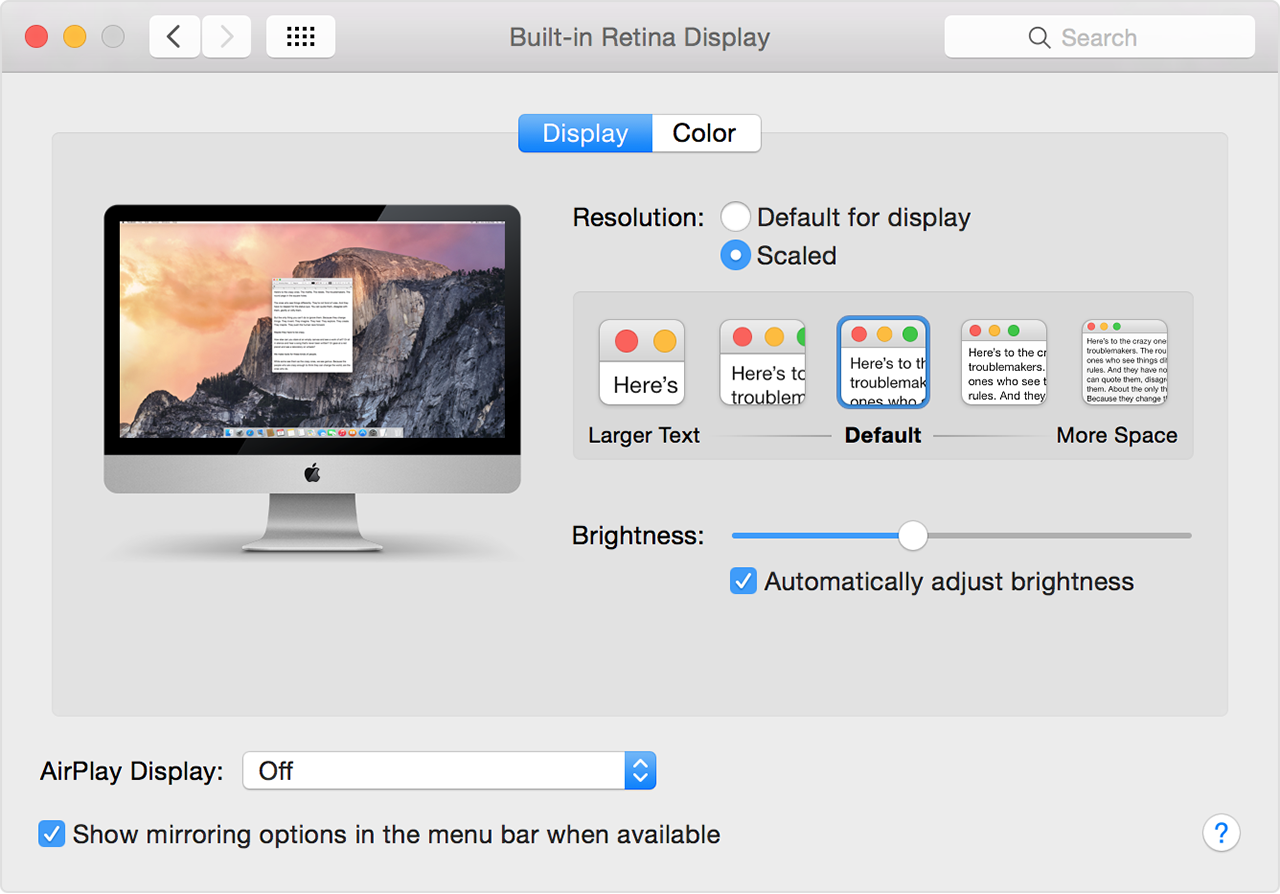
Use System Preferences > Displays to adjust or scale the resolution on your display. This can make text and objects appear larger or give you more space on your screen.

User uploaded file

Hover your mouse over one of the resolution options to see more detail on that option. To get a Detect Displays button to appear, press the Option key. To see all the available resolutions, hold down the Option key while clicking the Scaled button.

If you change display resolutions when mirroring to a 4K display or Ultra HD TV, some distortion can occur. Turn mirroring off and back on to correct this.

To get the best graphics performance from your 4K display, connect the display or its adapter directly to your Mac, instead of connecting through another peripheral or device.

User uploaded file


Cheers.

This thread has been closed by the system or the community team. You may vote for any posts you find helpful, or search the Community for additional answers.

My Lenovo 4K monitor does not work on my new MacBook Pro 2017

Welcome to Apple Support Community
A forum where Apple customers help each other with their products. Get started with your Apple Account.