Can't Open 3D Issue Flipbook

Running El Capitan 10.11.6 and I have Adobe Flash Player Version 25.0.0.171 (just updated), yet when I try to open a 3D Issue flip book in Safari I get the message "To view this page ensure that Adobe Flash Player version 11.1.0 or greater is installed." and it never opens. The same flip book opens right up in Firefox. Never had a problem until today, ideas?

iMac, OS X El Capitan (10.11.6), 2TB SSD, 4GB 667 MHZ DDR2 SDRAM

Posted on May 29, 2017 5:23 PM

Reply
3 replies

May 31, 2017 12:31 PM in response to Leanne_68

Well Starr.C, whether by coincidence, stars aligning or sunspots the problem now appears to be resolved. I hadn't tried your suggestion of changing my security plug-in settings because, well, I can't remember the last time I DID change anything there. And this was the FIRST time I couldn't open that flip book since creating in back in October, with nearly weekly updates to it since then (It's a charity fundraiser preview catalog). Adobe Flash Player was turned on and reflected my current iteration, and permissions for the domain where this particular flip book is parked was already turned on. So I just selected 'On' for the "When visiting other websites ..." to allow EVERYTHING. Then it opened right up! Still don't understand how or what changed since I opened the flip book a couple of weeks ago, but thanks!

May 30, 2017 1:15 PM in response to texaskellys

Hello. texaskellys.

Welcome to Apple Support Communities.

I understand that Safari is prompting you with a message for Adobe Flash player to be installed in order to view 3D Flip Book. I may be able to help with this. If you haven't already done so restart your iMac. Then use this article to make sure the Flash player is turned on for plug-ins in Safari: How to use Internet plug-ins in Safari for Mac

Allow or block websites from using plug-ins

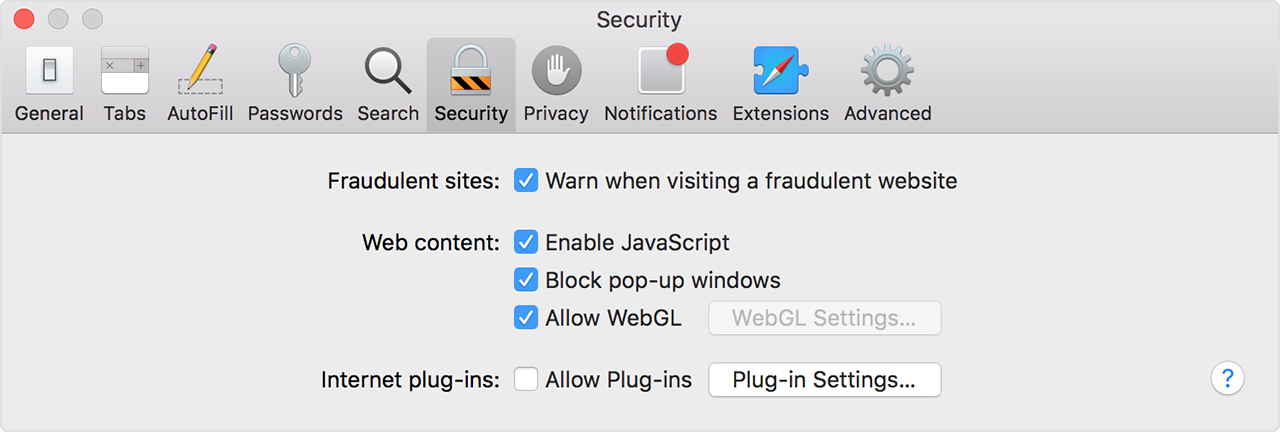
Choose Safari > Preferences, then click Security.

To turn off all plug-ins for all websites, deselect Allow Plug-ins. Websites that require a plug-in might not function correctly, might show a placeholder instead of the plug-in content, or might ask you to install the plug-in.

User uploaded file

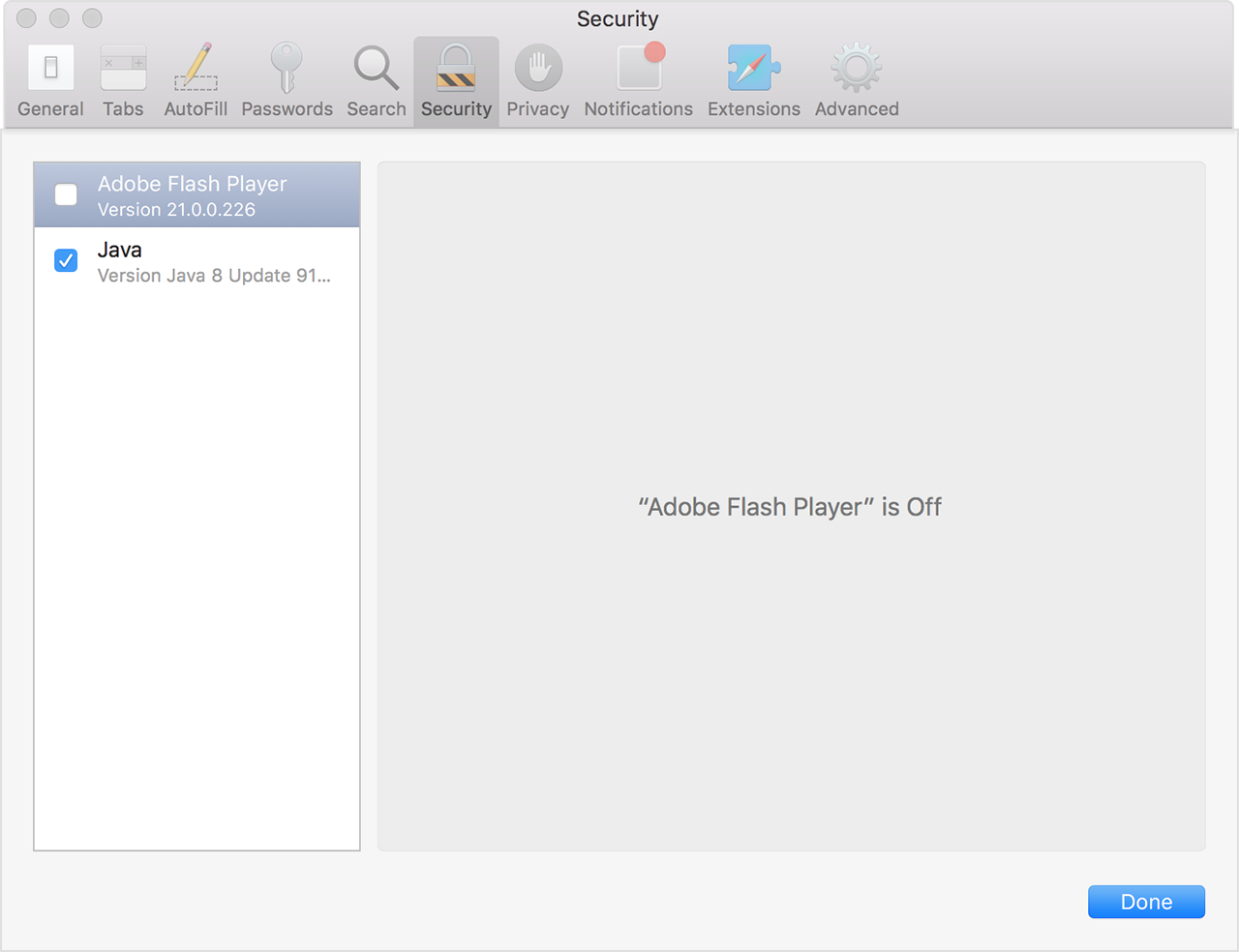
To view your installed plug-ins or turn off a specific plug-in for all websites, click the Plug-in Settings button, then deselect the checkbox for that plug-in:

User uploaded file

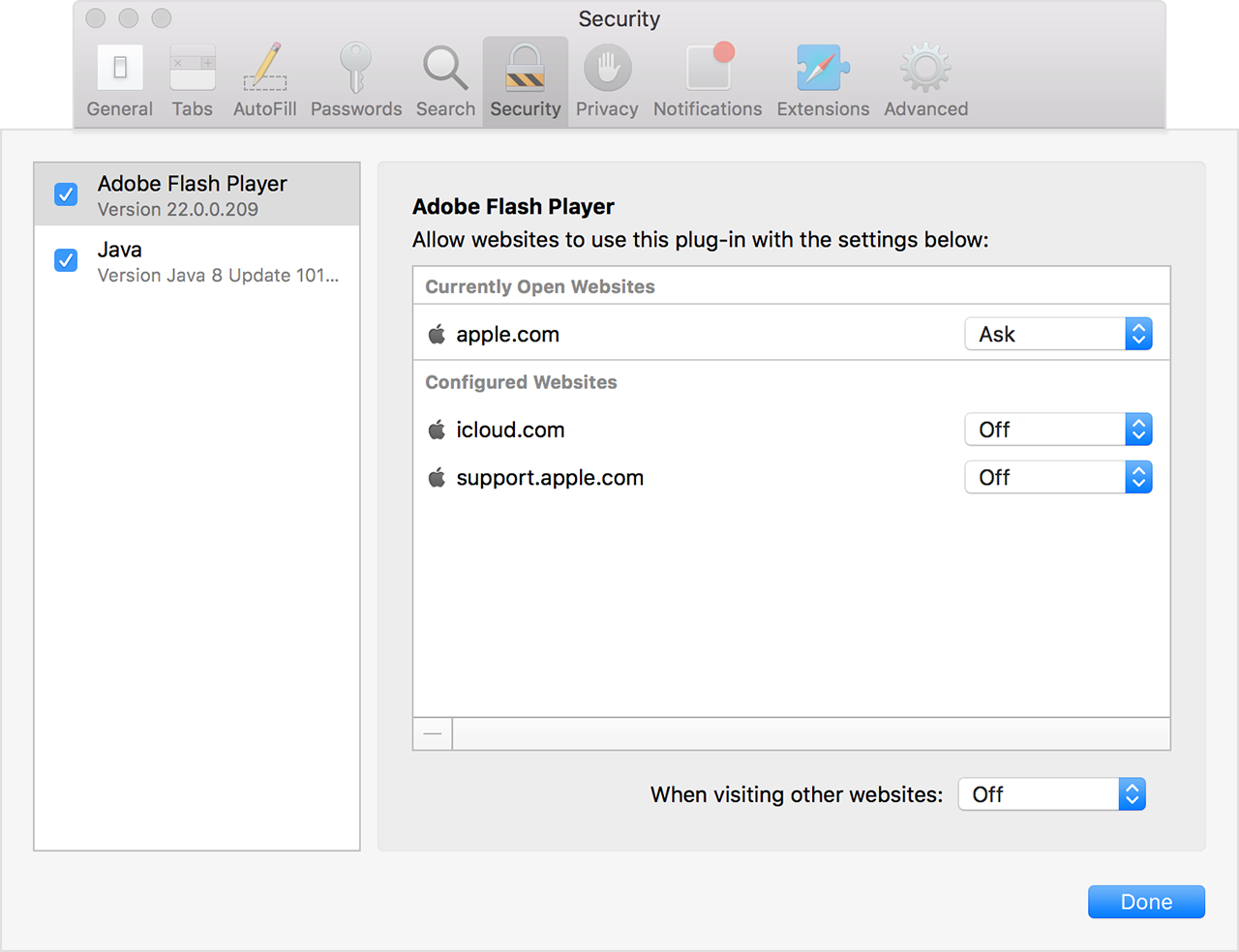
You can also configure a plug-in for specific websites, whether or not the website currently requires the plug-in:

User uploaded file

Thank you for using Apple Support Communities.

Cheers!

This thread has been closed by the system or the community team. You may vote for any posts you find helpful, or search the Community for additional answers.

Can't Open 3D Issue Flipbook

Welcome to Apple Support Community
A forum where Apple customers help each other with their products. Get started with your Apple Account.